Introduction to Sitecore Host, Sitecore Host Applications and Sitecore Host Plugins
In this four part series of blog posts, we will examine in detail the Sitecore Host platform and what benefits this brings to Sitecore Experience Platform. We will also have a closer look at Sitecore Host Applications as well as the Sitecore Host plugins. I will encourage you to please read through these blog posts starting with part one, through to part four. I have also provided the links below if you would like to jump and have a peek on the other parts as well. All code snippets referenced in the blog posts can also be found on my public Github repo using the link provided below.
- Sitecore Host part one – Introduction to Sitecore Host, Sitecore Host applications and Sitecore Plugins (this post)
- Sitecore Host part two – Sitecore Horizon 9.3
- Sitecore Host part three – Sitecore Identity Server
- Sitecore Host part four – Creating and extending Sitecore Host Plugins
- Code samples in my Github Repository
What is Sitecore Host
Sitecore Host in a new common platform for all Sitecore Services, that was introduced in Sitecore Experience Platform 9.1. Sitecore Host acts as a base for a Sitecore Service and it requires .NET Core runtime and hosting bundle 2.1
Sitecore Service is a feature or piece of functionality that runs separately outside of main Sitecore instance
One cool benefit that Sitecore Host provides is the pluggable nature of its architecture. This means the base Sitecore Services can be extended through Sitecore Host Plugins, without having to change or recompile any part of the base code.
What is Sitecore Host Plugin?
You can define a Sitecore Host Plugin as a feature or functionality that is dynamically loaded into Sitecore Host. As you will see later on, a plugin can contain Code, Configuration, Commands and Content. A plugin can also depend on another plugin, and therefore plugins are always loaded in a dependency order.
What is Sitecore Host Application?
Sitecore Host Application is therefore a fully hosted application that consists of the Sitecore Host base code plus one or more Sitecore Host plugins. It consists of the following parts: Root folder, Application Assets Folder, Sitecore folder and SitecoreRuntime folder.
Sitecore Host applications includes:
- Universal Tracker Service
- Sitecore Identity Server
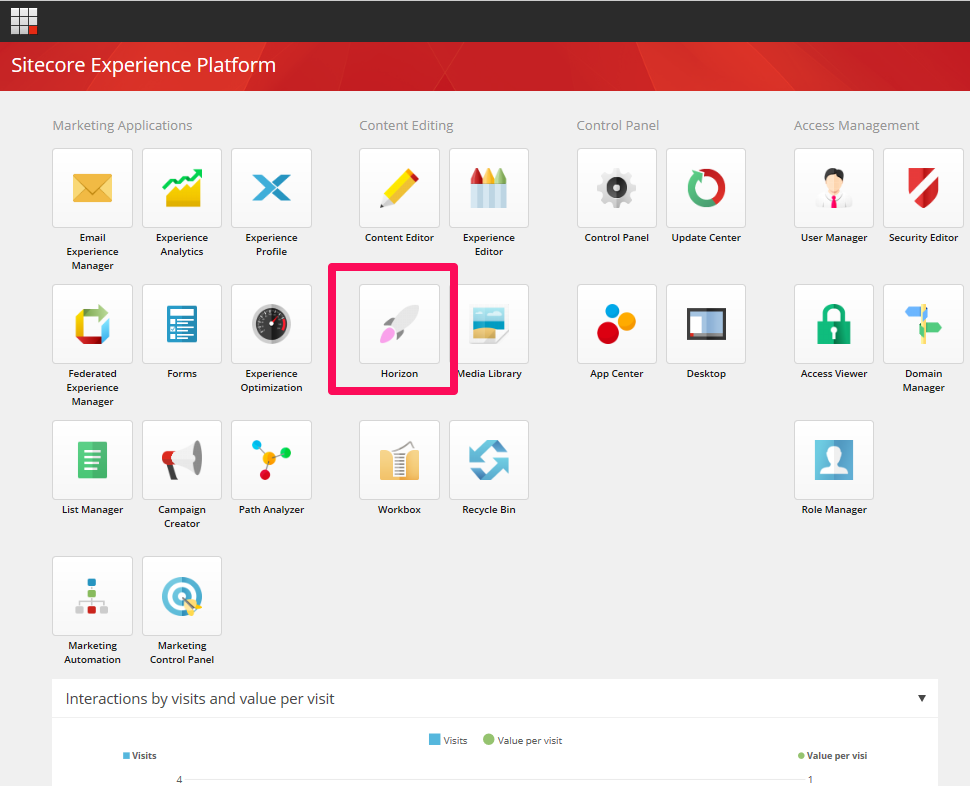
- Sitecore Horizon 9.3
Sitecore Host Directory Structure
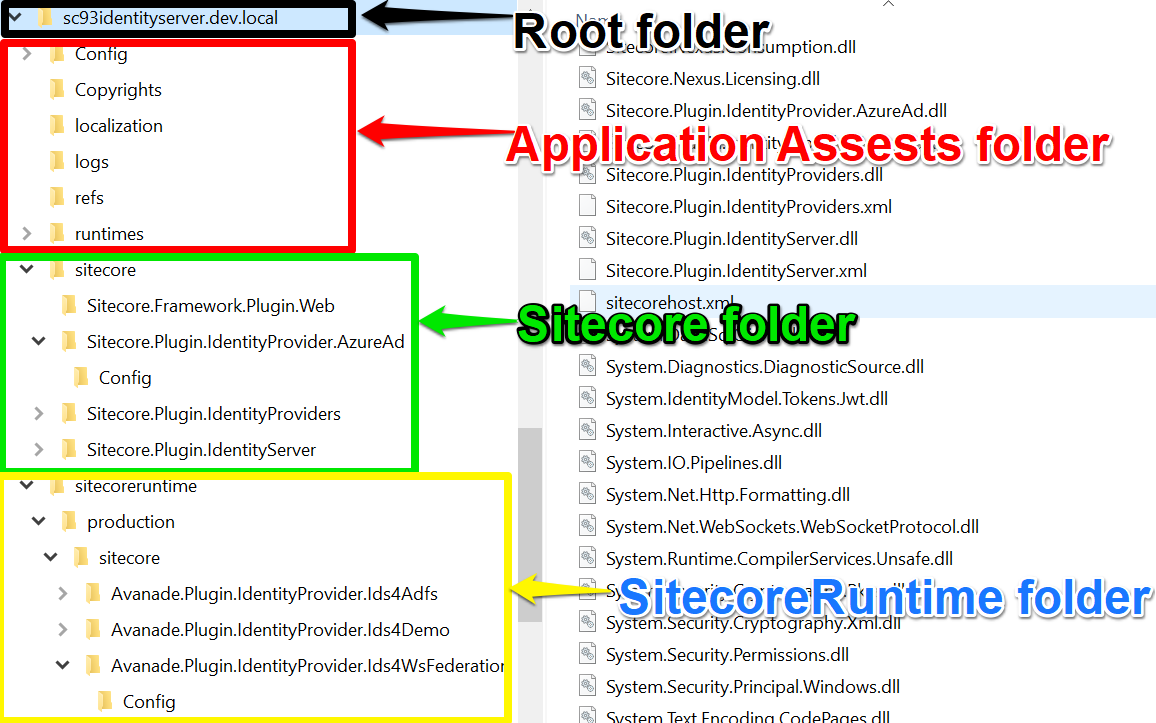
Root Folder
- All code libraries/DLLs including the .NET Core runtime
- The Host DLL itself (E.g. Authoring.Host.dll)
- Optional configuration file for Sitecore Host itself (sitecore.xml)
- Optional environment-specific configurations, e.g. sitecore.production.xml for production environment
Application Assets Folder
- Contain the Sitecore Host Application Core assets such as Configuration files
- Content folders
- MVC views folders
Sitecore Folder
- Contains Sitecore Host plugin libraries supplied by Sitecore
- Contains the Sitecore Host plugin manifest files plus any additional assets such as configuration files
SitecoreRuntime Folder
- Special folder to extend or modify base Sitecore Host application
- Contains custom Sitecore Host plugins, such as those created by developers
- Each folder acts as a store for an environment
- Structure mirrors main Host application
Cross-platform support
In Windows environments, these applications are hosted as Internet Information Services (IIS) websites as the .NET Core hosting bundle comes with IIS Support. As .NET is cross-platform, these applications can be hosted using the Kestrel web server on Linux and macOS
Other Sitecore Host Benefits
Sitecore Host platform comes with many benefits to both the businesses as well as to the developers building cool stuff with Sitecore.
- Unified service registration and Dependency Injection
- Unified configuration system that is merged and patched the same way
- Unified file system access and directory structure
- Unified Command-line actions that work the same way for all applications
- Dynamically loaded plugins
- Cross-platform ready – the services behave the same way whether run on cloud or on-premises, in Windows, Linux or macOS workloads
- Installation experience is consistent
Conclusion
In this blog post, we examined what is Sitecore Host, Sitecore Host applications and their composition and directory structure. We also had an introduction to Sitecore Host plugins and the extensibility the framework introduces to Sitecore Host. We finished with some of the benefits Sitecore Host brings.
In the second part of this four-part series, we will examine Sitecore Horizon 9.3 one of the Sitecore Host Applications.
Please feel free to leave us your feedback and/or comments below.