Coding Standards, why the heck?

Coding standards. Yes. Coding standards. Why do we need them?

I was reviewing our companies coding style document and thought I share with you some references I have come across.

The essence of enforcing coding standards is to have coding style – which is good for management of your code base and consistency. And overall, improves productivity of your developers.

Here are some useful links on coding style:

Brad Abrams Internal coding style
MSDN: Design Guidelines for Developing Class Libraries
Google C++ Style Guide

Attending Tech.Ed North America 2011? we got wp7 app for it!

TechEdNA2011

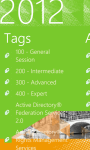
If you’re planning on attending Tech.Ed North America 2011 conference in Atlanta and if you own a Windows Phone 7, please check out our new TechEd 2011app for Windows Phone 7 that is now available in the marketplace. You can get it either by searching it in the market place or downloading it directly using link below

Update
Many thanks for checking this app out and giving us feedback, we appreciate all your comments which we’ve incorporated in the updates to the app. Latest version published is 1.7 fixes issue on ‘now showing’ and ‘coming up’ lists
Please note the app does NOT sync the sessions on the app with your sessions on the official website.

tech.ed2011 Helper marketplace

TechEd 2011 app
TechEd 2011 is a handy app for attendees of Microsoft Tech.Ed North America 2011 conference in Atlanta.

Attendees will find this app useful as follows:
  • Browse all Sessions available
  • Browse all Speakers and Tracks available
  • Browse filtered sessions by Session Type such as Breakout, Hands-on-labs
  • Browse filtered sessions by Levels such as Intermediate, Advanced, Expert
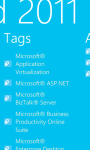
  • Browse filtered sessions by Speakers and Tracks such as Architecture, Windows Phone, etc
  • Manage favorite sessions lists on the app
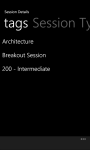
  • View details of each session including schedules, speakers, tracks, level, tags
  • View session Rooms to session summary details
  • Link from session Room opens the Conference layout
  • Browsing session now defaults to ‘timeslots’ view to filter ‘now showing’, ‘coming up’, May 15, May 16, May 17, May 18, May 19 and No Date
  • Favorite sessions now appear with a ‘favorite’ icon for easier identification on the browsing lists
  • Manage their Schedules by directly linking a selected session to the website
  • view Bing Map of the conference
  • View Conference Layout
  • View Conference Rooms and details
  • View Conference Agenda
  • Browse Tech.Ed News
The app uses:
* phone’s internet connection
* phone’s web browser
* location services
to access the Tech.Ed 2011 Conference Session OData feeds and website resources.

Disclaimer:
TechEd 2011 app uses the official Tech.Ed 2011 Conference Session OData feeds to retrieve all the content displayed.
It also links to the official Tech.Ed 2011 website resources to serve hyperlinks.
wp7agile is not responsible for any content displayed.

TechEd 2011 uses:
* phone’s internet connection
* phone’s web browser
* location services
to access the Tech.Ed 2011 Conference Session OData feeds and website resources.
The performance and responsiveness of this app may be affected by slow internet connections.
By purchasing the app, you have agreed with terms and conditions.

Welcome to wp7agile!

Welcome to my blog for Windows Phone 7 apps.  I am a systems developer with bias 4 Microsoft .NET technologies including web development. I am a programming enthusiast. I have recently added wp7 to  my list.

This is not my first blog. I usually write on karpcom on programming related issues I encounter as a systems developer.
I am also a fan of Stack Exchange family of Q&A websites

I hope together we will learn something new:)

Calling ASP.NET WebMethod with more than one paramaters using JSON

Suppose we have a web method in ASP.NET web form or webservice

 [WebMethod]   
 public void GetItems(string itemName, string itemDesc)
 {

 }
 Using jQuery, we are going to call this method using the code like this below. I am pre-suming there is a search button which we have assigned id #searchNow
 

 $(document).ready(function () {  
  $(‘#searchNow’).click(function () {
  $.ajax({
     type: “POST”,
     url: “SearchItems.aspx/GetItems”,
     data: “{‘itemName’:’book’,’itemDesc’:’toys’}”,
     contentType: “application/json; charset=utf-8”,
     dataType: “json”,
            success: function (msg) {
           
            }
        });
 });
  Our interest is how to pass parameters to the web method.
 In the snippet above the line


 data: “{‘itemName’:’book’,’itemDesc’:’toys’}”,


is used to pass parameters to the GetItems function. Please not that it must be a JSON compliant string


Constructing Javascript Date object using custom date string format e.g. dd/mm/yyyy

The Date object is used to work with dates and times. 
Date objects are created with the Date() constructor.
There are four ways of instantiating a date:

new Date() // current date and time
new Date(milliseconds) //milliseconds since 1970/01/01
new Date(dateString)
new Date(year, month, day, hours, minutes, seconds, milliseconds)

Date(dateString)
This Date constructor only accepts dateString in UTC format.
However, we can write our custom function that accepts a custom format, say dd/mm/yyyy, from which we can extract the date parts and use them to construct a Date object.

function parseDate(input, format) {
  format = format || ‘dd/mm/yyyy’; // somedefault format
  var parts = input.match(/(\d+)/g),
      i = 0, fmt = {};
  // extract date-part indexes from the format
  format.replace(/(yyyy|dd|mm)/g, function(part) { fmt[part] = i++; });
  return new Date(parts[fmt[‘yyyy’]], parts[fmt[‘mm’]]-1,   parts[fmt[‘dd’]]);
}

Usage

parseDate(’01-31-2010′, ‘mm-dd-yyyy’);
parseDate(’31/01/2010′, ‘dd/mm/yyyy’);
parseDate(‘2010/01/31’);

Common mistake in ASP.NET Forms Authentication

We are all used to this now…


In ASP.NET Forms authentication, you can allow access to particular users or deny them using the allow and deny tags. Likewise, you can allow or deny access to particular roles.
E.g. to allow access to a page, say Customer, you will do


             //Allow users in Customers role

         // Deny rest of all users


Common Mistake is to place 

 before 


This web config below will not allow users even if they are in Customers role


             // Deny rest of all users

             //Allow users in Customers role       


VS 2010 SP1 (Beta) and IIS Express

ScottGu has blogged on the VS 2010 SP1 (Beta) and IIS Express, see his article here
Basically Visual Studio 2010 SP1 adds support for IIS Express
IIS Express is a free version of IIS 7.5 that is optimized for developer scenarios:

  • It’s lightweight and easy to install (less than 5Mb download and a quick install)
  • It does not require an administrator account to run/debug applications from Visual Studio
  • It enables a full web-server feature set – including SSL, URL Rewrite, and other IIS 7.x modules
  • It supports and enables the same extensibility model and web.config file settings that IIS 7.x support
  • It can be installed side-by-side with the full IIS web server as well as the ASP.NET Development Server (they do not conflict at all)
  • It works on Windows XP and higher operating systems – giving you a full IIS 7.x developer feature-set on all Windows OS platforms

Check out ScottGu’s blog and go for it.

ASP.NET Error Bar Chart

The Error Bar chart type consists of lines with markers that are used to display statistical information about the data displayed in a graph. A series of the Error Bar chart type has three Y values. While these values can be manually assigned to each point, in most cases, the values are calculated from the data present in another series. The order of the Y values is important because each position in the array of values represents a value on the error bar.


Adding Error Bar series to another series on same chart
Lets say we have a chart named Chart1 and series named Series1. 
We can add the Error Bar series to Series1 using the following snippet…
.

     Series errorBarSeries = new Series(“ErrorBar”);  

            errorBarSeries.ChartType = SeriesChartType.ErrorBar;  

            errorBarSeries.MarkerBorderColor = Color.FromArgb(64, 64, 64);  

            errorBarSeries.MarkerSize = 6;  

            errorBarSeries.YValuesPerPoint = 3;  

            errorBarSeries.BorderColor = Color.FromArgb(180, 26, 59, 105);  

            errorBarSeries.Color = Color.FromArgb(252, 180, 65);  

            errorBarSeries.ShadowOffset = 1;  

            errorBarSeries.MarkerStyle = MarkerStyle.None;  

            errorBarSeries[“PointWidth”] = “0.1”;  

            double error = 100;  

            foreach (DataPoint point in Series1.Points)  

            {  

                double centerY = point.YValues[0];  

                double lowerErrorY = centerY – error;  

                double upperErrorY = centerY + error;  

                errorBarSeries.Points.AddXY(point.XValue, centerY, lowerErrorY, upperErrorY);  

            }  

            Chart1.Series.Add(errorBarSeries); 

.
Calculating Error Values from Another Series
This can be done using the following code snippet.

  // Populate series with data
    double[]    yValues = {32.4, 56.9, 89.7, 98.5, 59.3, 33.8, 78.8, 44.6, 76.4, 68.9};
    Chart1.Series[“DataSeries”].Points.DataBindY(yValues);

    // Set error bar chart type
    chart1.Series[“ErrorBar”].ChartType = SeriesChartType.ErrorBar;

    // Link error bar series with data series
    Chart1.Series[“ErrorBar”][“ErrorBarSeries”] = “DataSeries”;

    // Set error calculation type
    Chart1.Series[“ErrorBar”][“ErrorBarType”] = “StandardError”;

    // Set error bar upper & lower error style
    Chart1.Series[“ErrorBar”][“ErrorBarStyle”] = “UpperError”;

    // Set error bar center marker style
    Chart1.Series[“ErrorBar”][“ErrorBarCenterMarkerStyle”] = “Circle”;
Adapted from:
MSDN Error Bar Chart     
Social MSDN Error Bar Chart

Using osql to do backup/restore and escaping special characters in ‘LIKE’

Using osql util
Some quick quips to share on Sql Server on using osql command line util to performe  backups/restore
backup

osql -E -Sinstancename -q “BACKUP DATABASE [dbname] TO  DISK = N’backupfile.bak’ WITH NOFORMAT, INIT,  NAME = N’dbName Database Backup’, SKIP, NOREWIND, NOUNLOAD,  STATS = 10”

restore

osql -E -Sinstancename  -q “RESTORE DATABASE [dbname] FROM  DISK = N’backupfile.bak’ WITH  FILE = 1,  NOUNLOAD,  REPLACE,  STATS = 10”

Using ‘LIKE’
Using ‘LIKE’ to determine if a value or a column of values IS ALL DIGITS

SELECT * FROM testtable WHERE columnxyz NOT LIKE ‘%[^0-9]%’


‘^’ means ‘NOT’, so the expression above evaluates to ‘Select only rows from testtable where everything in the columnxyz is a digit from 0 to 9’
Use the ESCAPE clause and the escape character in order to use special characters in your expression.
E.g. to find the exact character string 10-15% in column c1 of the mytbl2 table, we use

SELECT c1 FROM mytbl2 WHERE c1 LIKE ‘%10-15!% off%’ ESCAPE ‘!’

Further reading on the BOL LIKE reference