Context
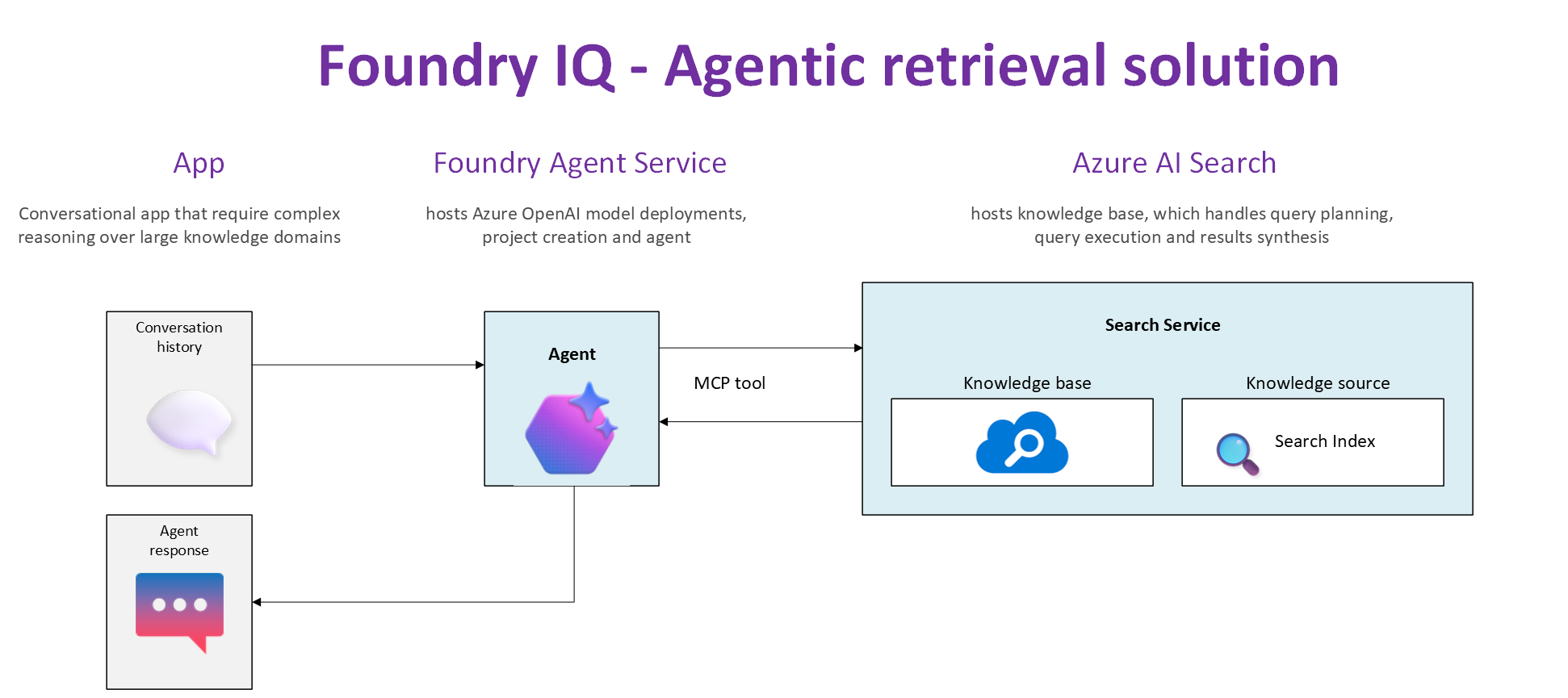
In this blog post, we are going to deep dive into the end-to-end solution, including a walk through of the source code. For background, please ensure you have read part 1 of the Foundry IQ solution.
I also presume you now have your Foundry Project as well as your local development environment setup as per the guidance provided in part 1.
Let us jump in!
Is your local Dev environment ready
In part 1, we covered Local dev environment setup. You can access the source code used in this solution from my GitHub repository to get started.
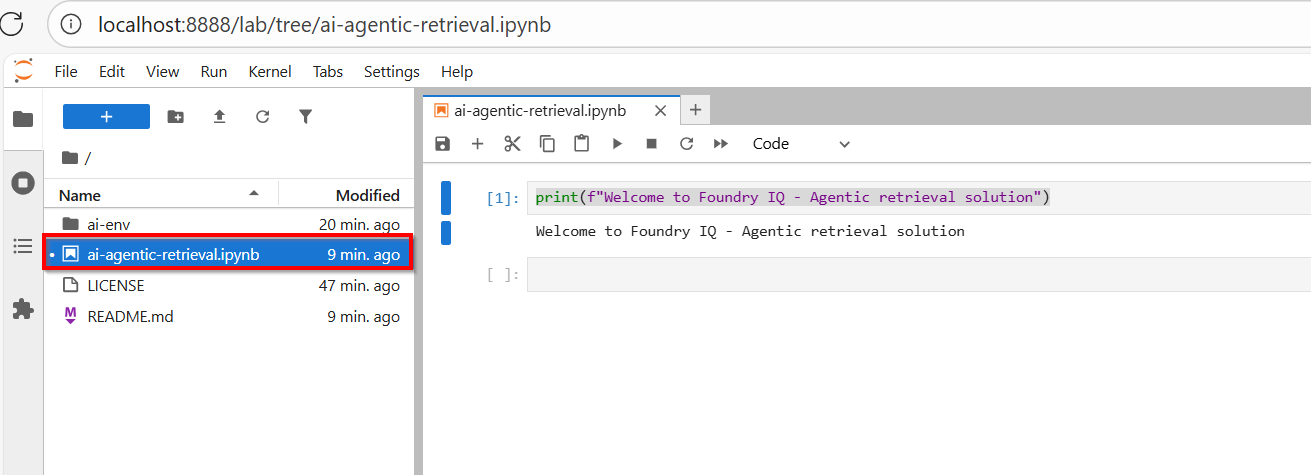
Your solution should look like the screenshot below:
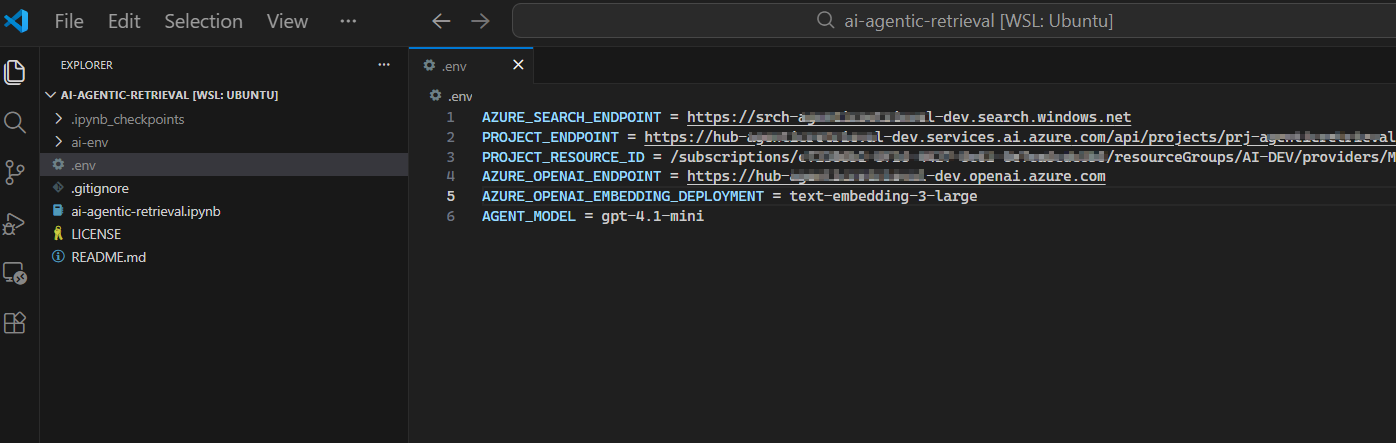
Ensure you have a file named .env within the solution folder, where we are configuring the endpoints and other settings that we need for this solution.
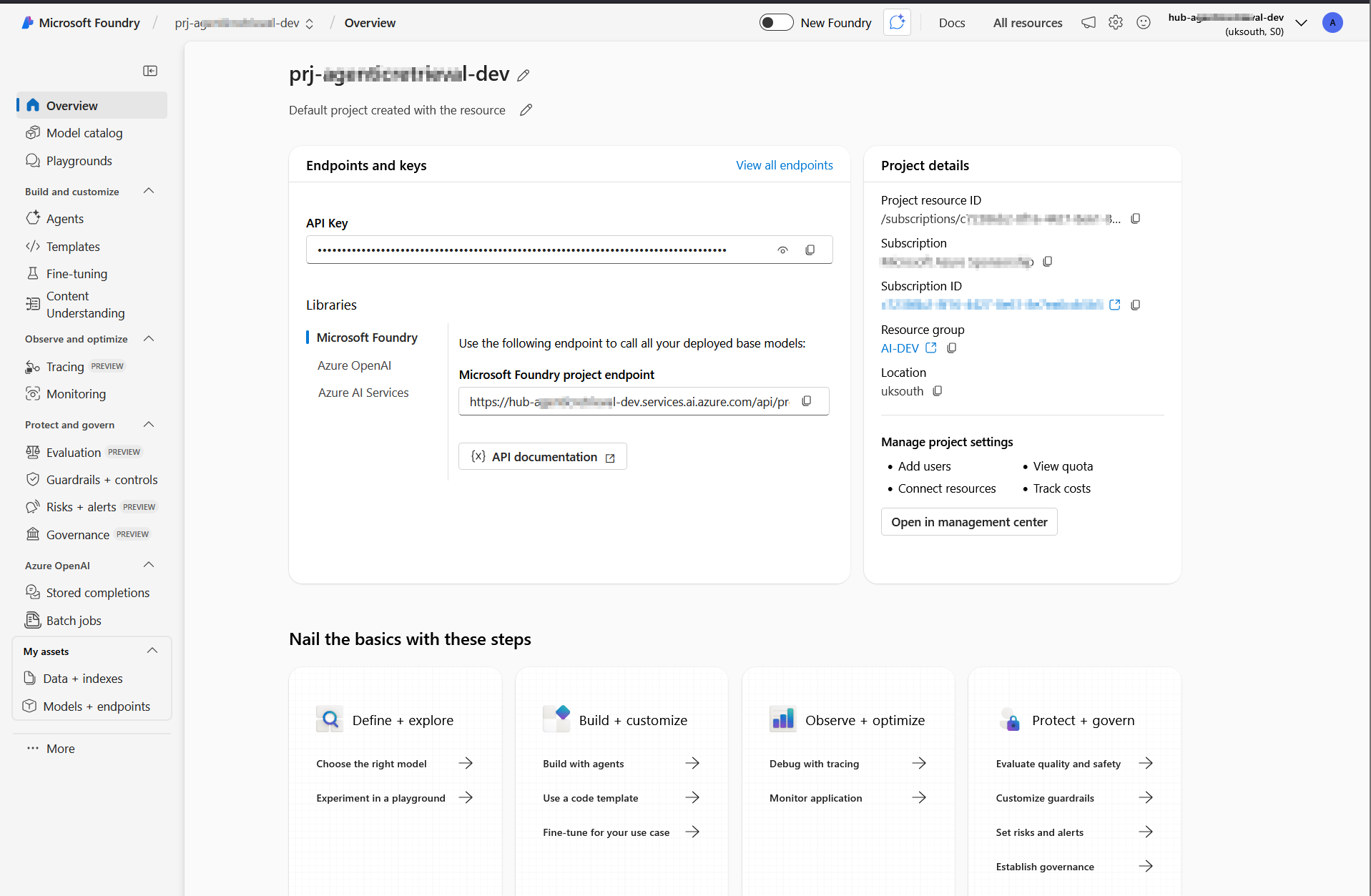
These endpoints and resource ID are available in the Azure portal (within Foundry portal as shown below).
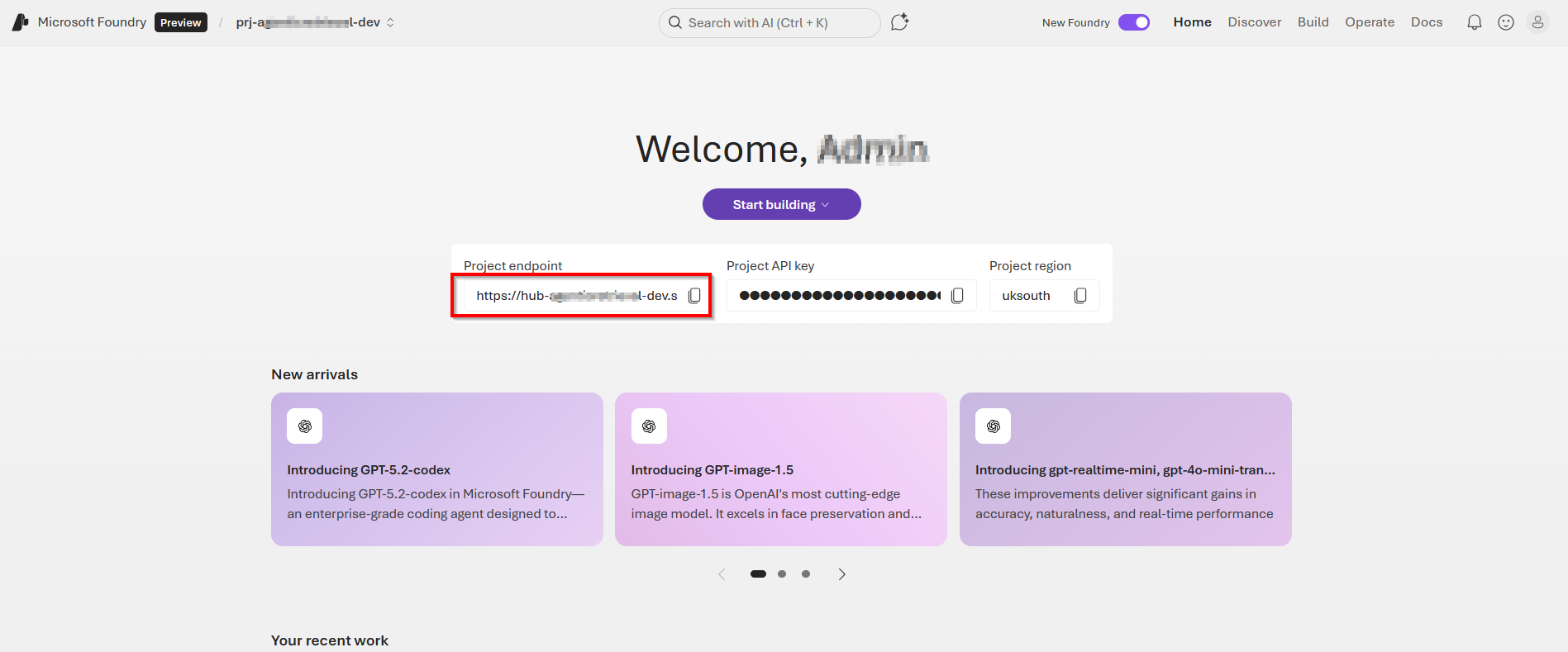
AZURE_SEARCH_ENDPOINTis on the Overview page of your search service.PROJECT_ENDPOINTis on the Endpoints page of your project.PROJECT_RESOURCE_IDis on the Properties page of your project.AZURE_OPENAI_ENDPOINTis on the Endpoints page of your project’s parent resource
Below is a sample .env file with these endpoints and settings populated and explained
AZURE_SEARCH_ENDPOINT = https://{your-service-name}.search.windows.netPROJECT_ENDPOINT = https://{your-resource-name}.services.ai.azure.com/api/projects/{your-project-name}PROJECT_RESOURCE_ID = /subscriptions/{subscription-id}/resourceGroups/{resource-group-name}/providers/Microsoft.CognitiveServices/accounts/{account-name}/projects/{project-name}AZURE_OPENAI_ENDPOINT = https://{your-resource-name}.openai.azure.comAZURE_OPENAI_EMBEDDING_DEPLOYMENT = text-embedding-3-largeAGENT_MODEL = gpt-4.1-mini
Activate the environment
Use the steps below to activate your Python virtual environment. These were already covered in part 1, however I am sharing them again here for your convenience.
- For macOS / Linux (in Terminal)
source ai-env/bin/activate - For Windows (in Command Prompt or PowerShell):
.\ai-env\Scripts\activate - You’ll know it worked because your terminal prompt will change to show the name of your environment, like this:
(ai-env) C:\Users\YourName\Desktop\MyProject>.
Install required packages
With the environment active, install required packages
#Bashpip3 install azure-ai-projects==2.0.0b1 azure-mgmt-cognitiveservices azure-identity ipykernel dotenv azure-search-documents==11.7.0b2 requests openai
Authenticate with Azure CLI
For keyless authentication with Microsoft Entra ID, sign in to your Azure account.
From your Terminal, run az login as shown below. Follow the prompts to authenticate

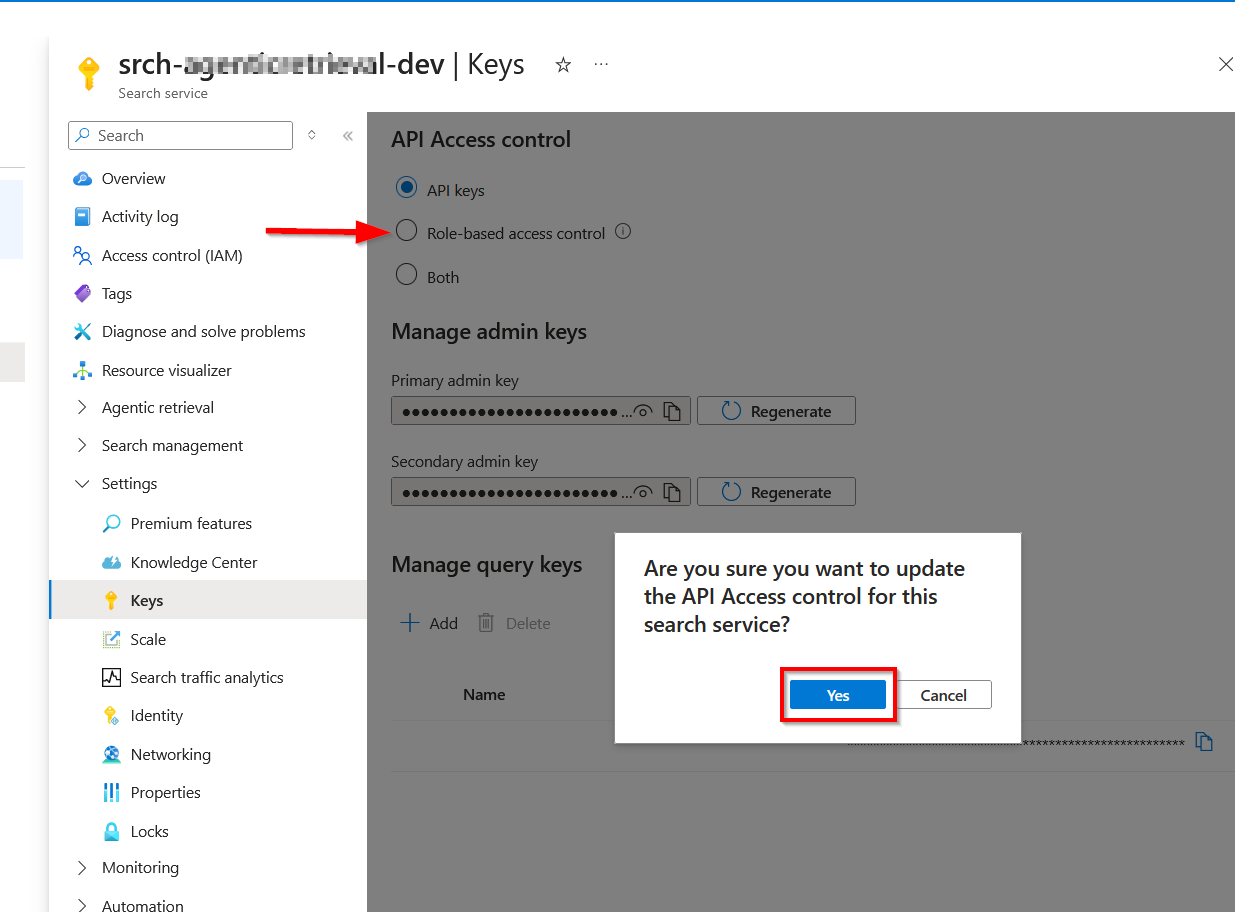
If you have multiple subscriptions, select the one that contains your Azure AI Search service and Microsoft Foundry project.
Start Jupyter Notebook
To start the application, type:
#Bashjupyter-lab
If successful, you will have JupyterLab launcher accessible on your browser. For example, on http://localhost:8888/lab

Start building and running code
At this point, we are setup to run code snippets in our ai-agentic-retrieval.ipynb Notebook, as shown below
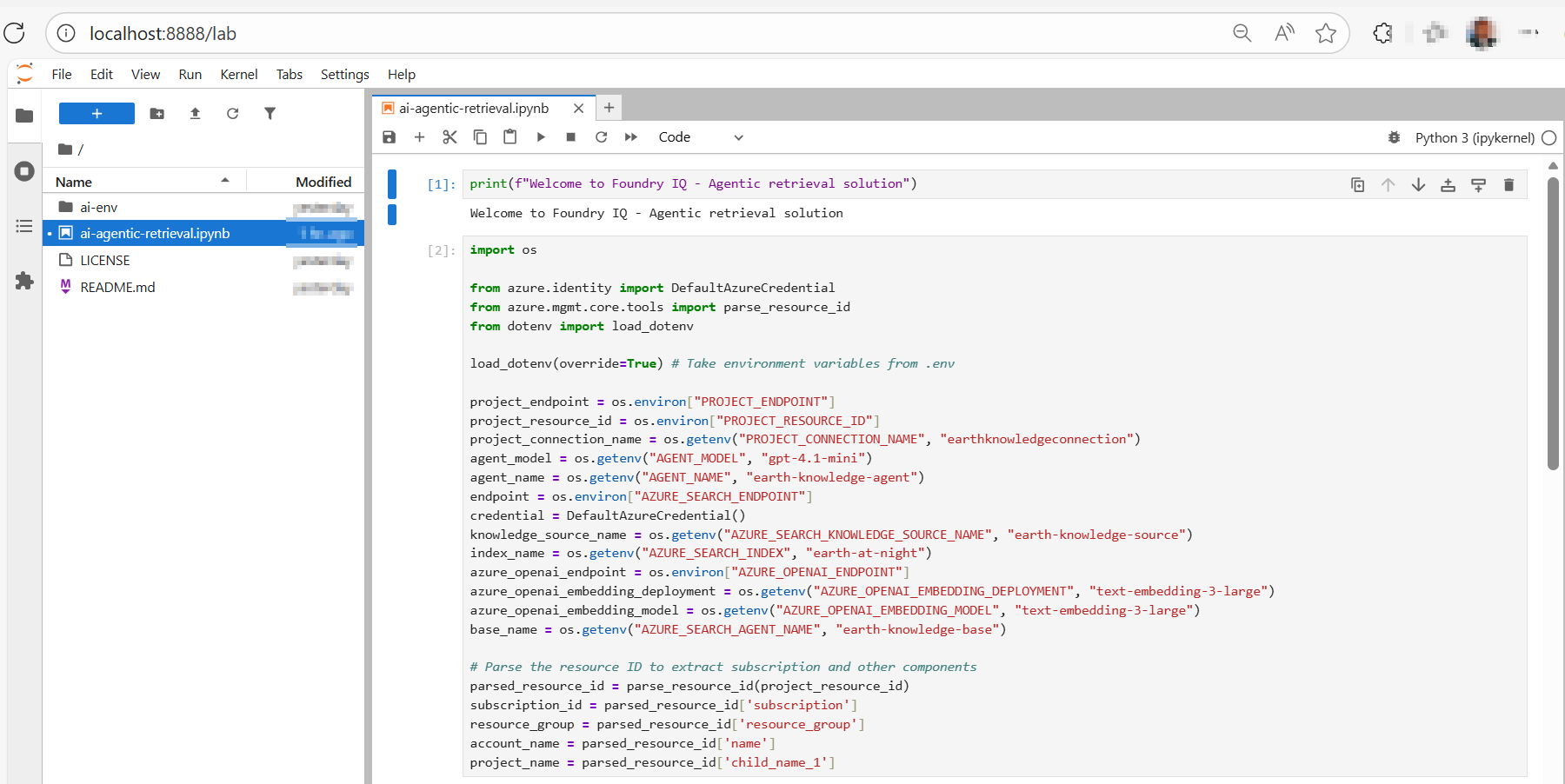
How to run Jupyter Notebook code listings
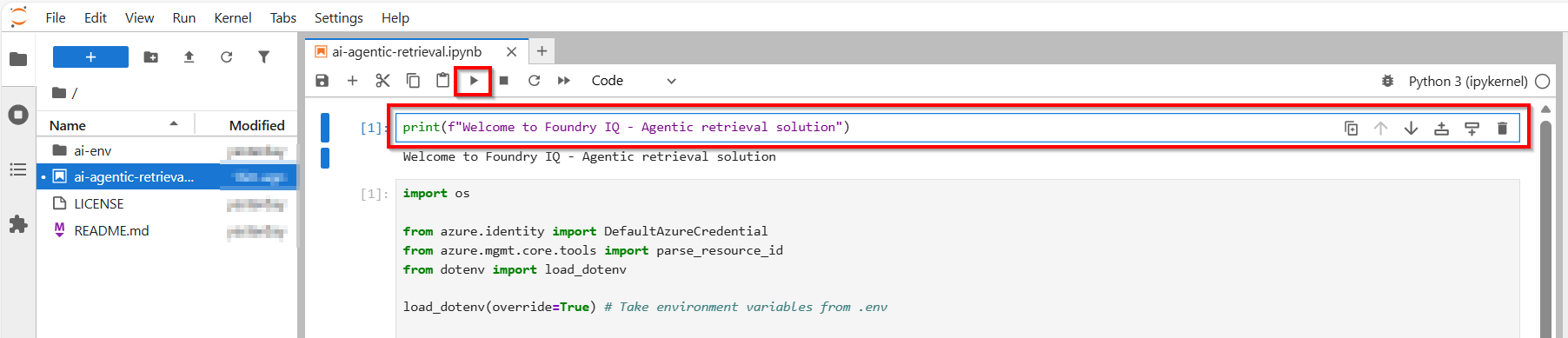
To run the code, simply select and highlight the cell or code block within the Jupyter Notebook. Once highlighted, press the ‘Run’ or ‘Play’ button on the top navigation bar. Alternatively, you can press Shift + Enter keyboard short cuts as well.
Any expected response or output will then appear below the cell or code block, as shown below.
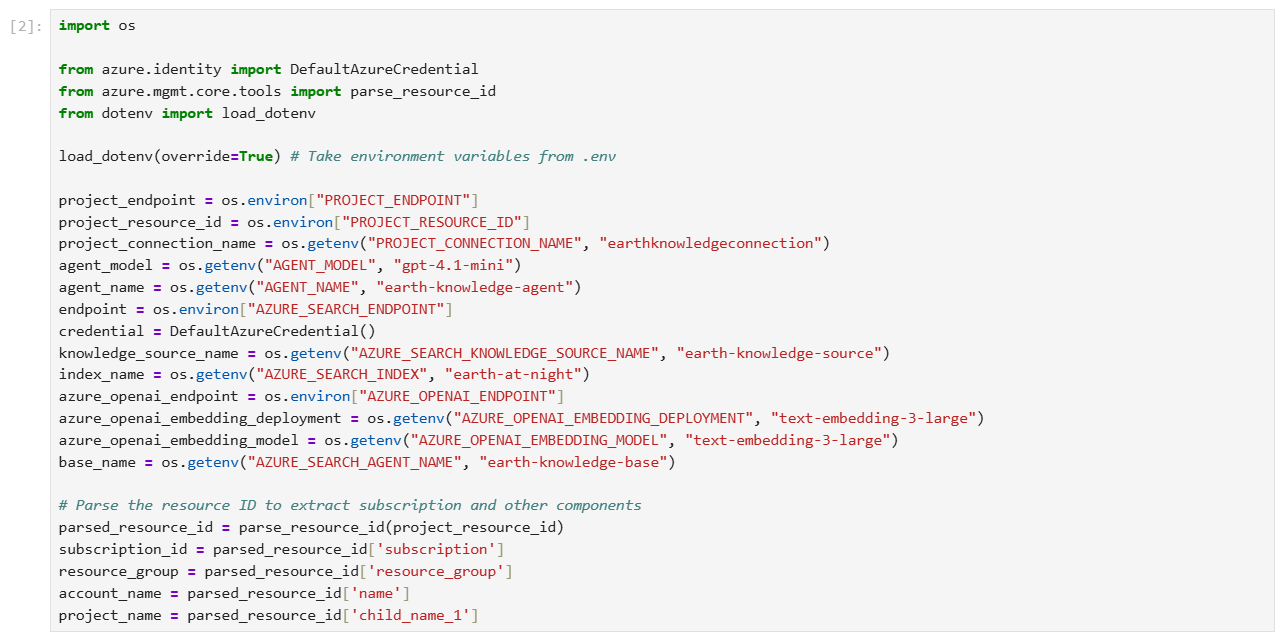
Step 1 – run code to Load environment variables
The following code loads the environment variables from your .env file and establishes connections to Azure AI Search and Microsoft Foundry.
Step 2 – run code to Create a search index
In Azure AI Search, an index is a structured collection of data. The following code creates an index to store searchable content for your knowledge base.
The index schema contains
- field for document identification
- field for page content
- embeddings
- configurations for semantic ranking and vector search

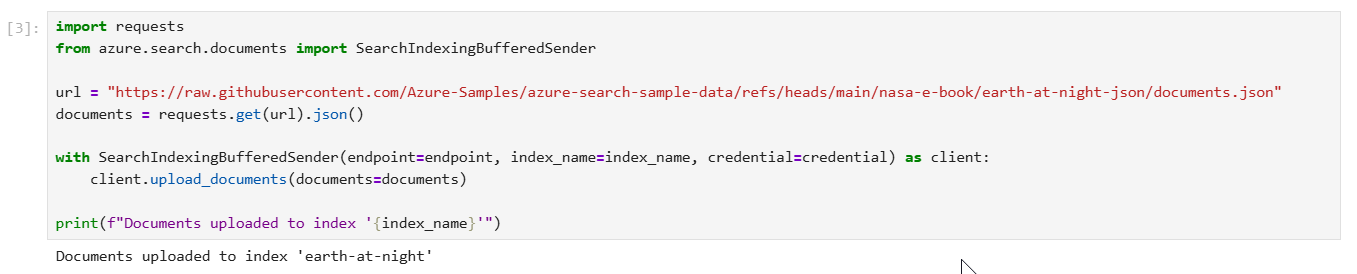
Step 3 – run code to Upload documents to the index
The following code populates the index with JSON documents from NASA’s Earth at Night e-book. As required by Azure AI Search, each document conforms to the fields and data types defined in the index schema.
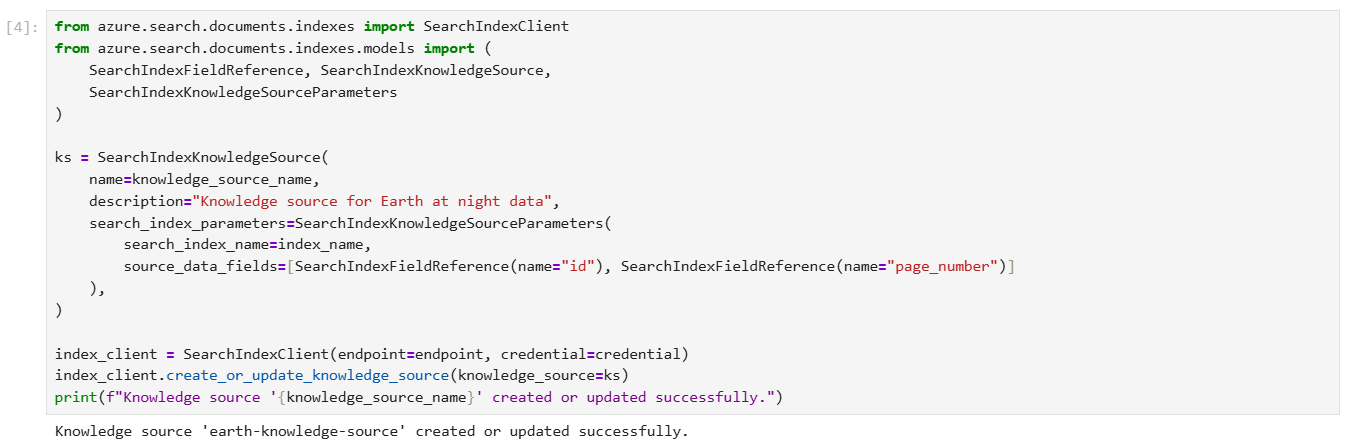
Step 4 – run code to Create a knowledge source
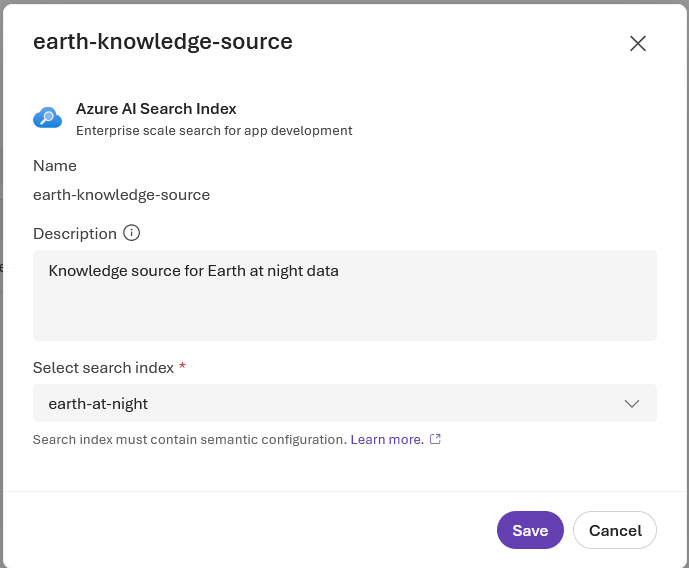
A knowledge source is a reusable reference to source data. The following code creates a knowledge source that targets the index you previously created.
source_data_fields specifies which index fields are included in citation references. This example includes only human-readable fields to avoid lengthy, uninterpretable embeddings in responses.
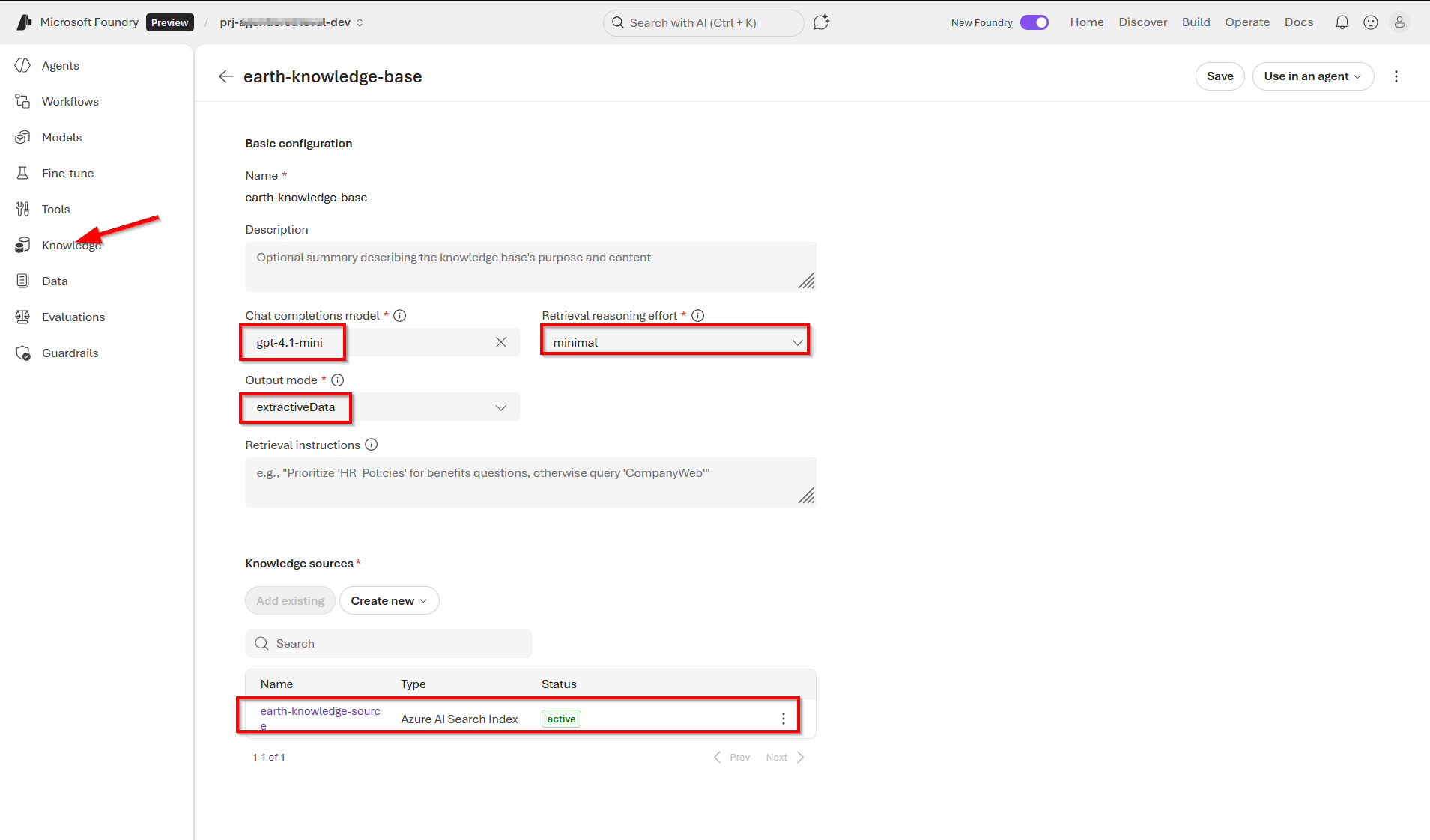
Step 5 – run code to Create a knowledge base
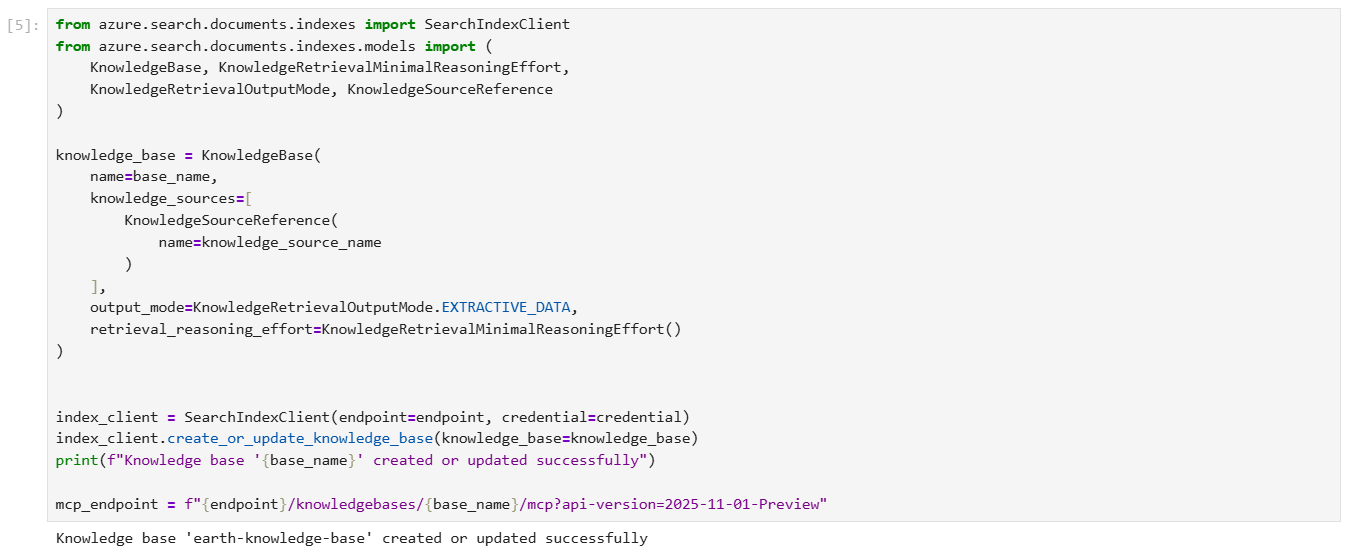
The following code creates a knowledge base that orchestrates agentic retrieval from your knowledge source. The code also stores the MCP endpoint of the knowledge base, which your agent will use to access the knowledge base.
For integration with Foundry Agent Service, the knowledge base is configured with the following parameters:
output_modeis set to extractive data, which provides the agent with verbatim, unprocessed content for grounding and reasoning. The alternative mode, answer synthesis, returns pregenerated answers that limit the agent’s ability to reason over source content.retrieval_reasoning_effortis set to minimal effort, which bypasses LLM-based query planning to reduce costs and latency. For other reasoning efforts, the knowledge base uses an LLM to reformulate user queries before retrieval.
Step 6 – run code to Set up a project client
Use AIProjectClient to create a client connection to your Microsoft Foundry project. Your project might not contain any agents yet, but if you’ve already completed this tutorial, the agent is listed here.

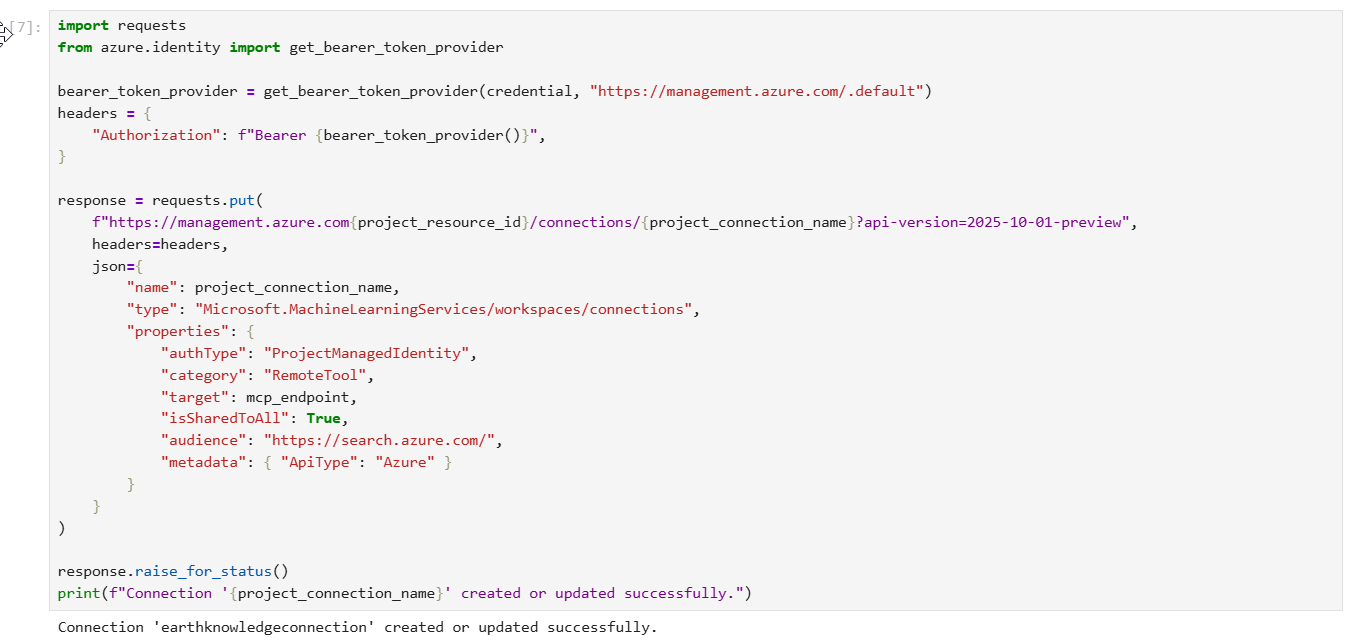
Step 7 – run code to Create a project connection
The following code creates a project connection in Microsoft Foundry that points to the MCP endpoint of your knowledge base. This connection uses your project managed identity to authenticate to Azure AI Search.
Step 8 – run code to Create an agent with the MCP tool
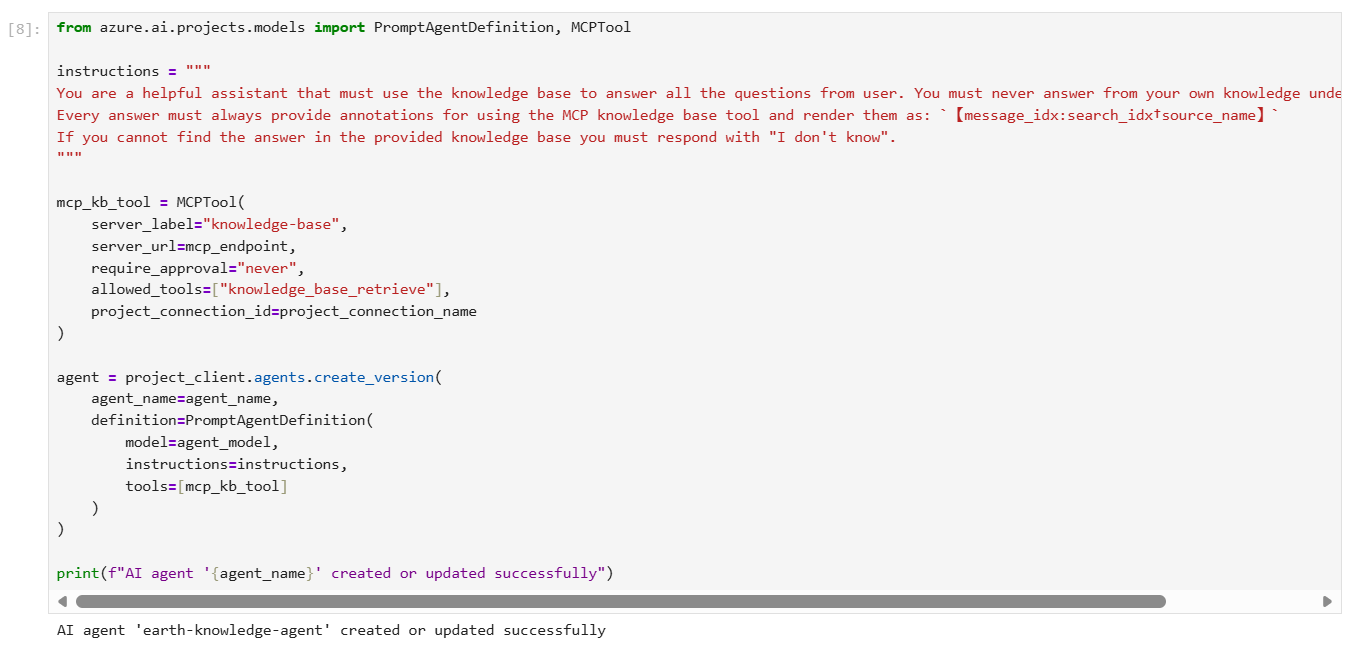
The following code creates an agent configured with the MCP tool. When the agent receives a user query, it can call your knowledge base through the MCP tool to retrieve relevant content for response grounding.
The agent definition includes instructions that specify its behavior and the project connection you previously created. Based on our experiments, these instructions are effective in maximizing the accuracy of knowledge base invocations and ensuring proper citation formatting.
Review of Foundry portal changes
At this point, you can explore Foundry portal to review our agent, the knowledge base among other resources we created for this solution,
Screenshot 1 – Agents page
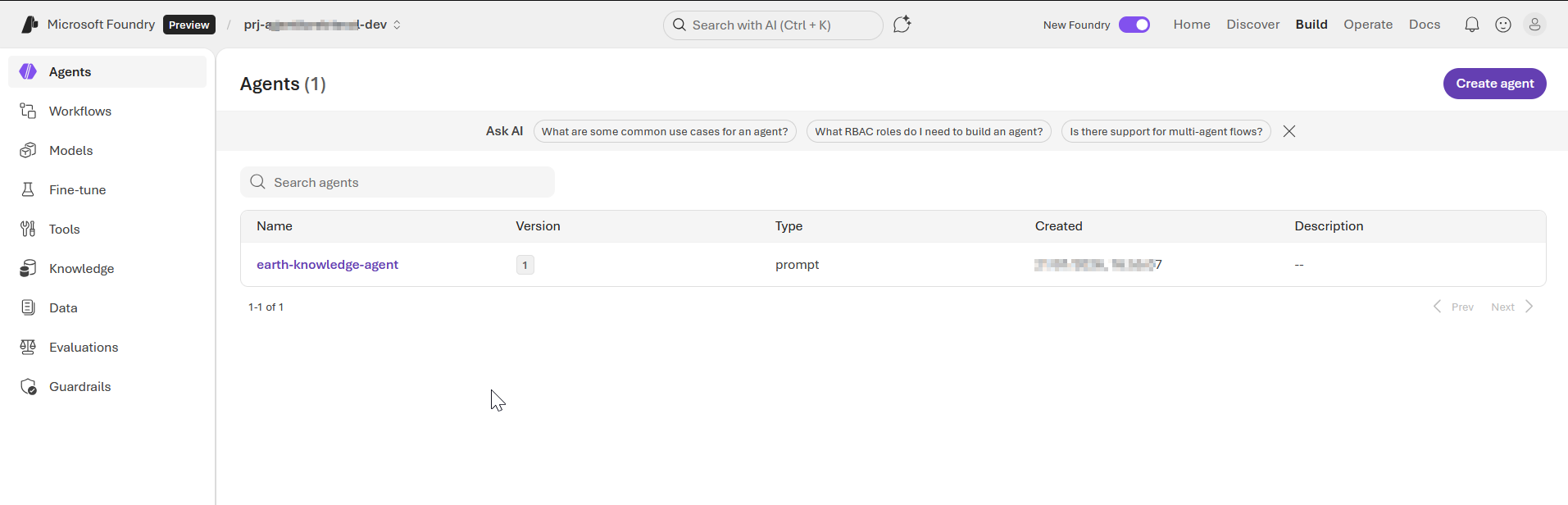
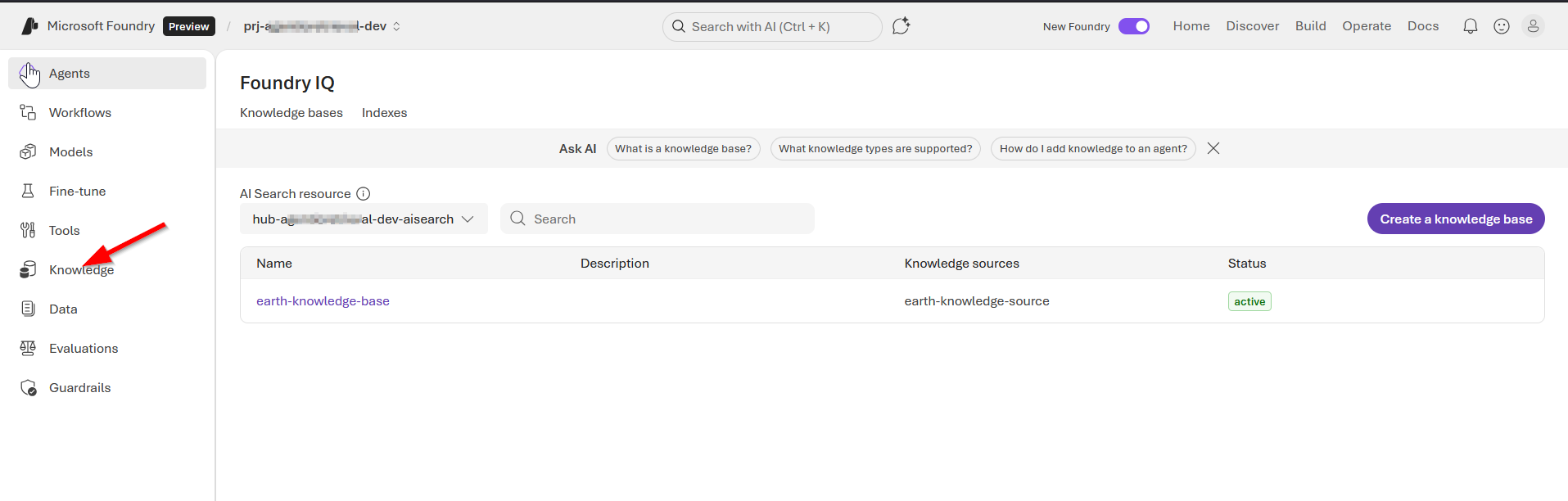
Screenshot 2 – knowledge base page
Screenshot 3 – our knowledge base details page
Screenshot 4 – our knowledge source (showing Azure AI Search index)
Step 9 – run code to Chat with the agent
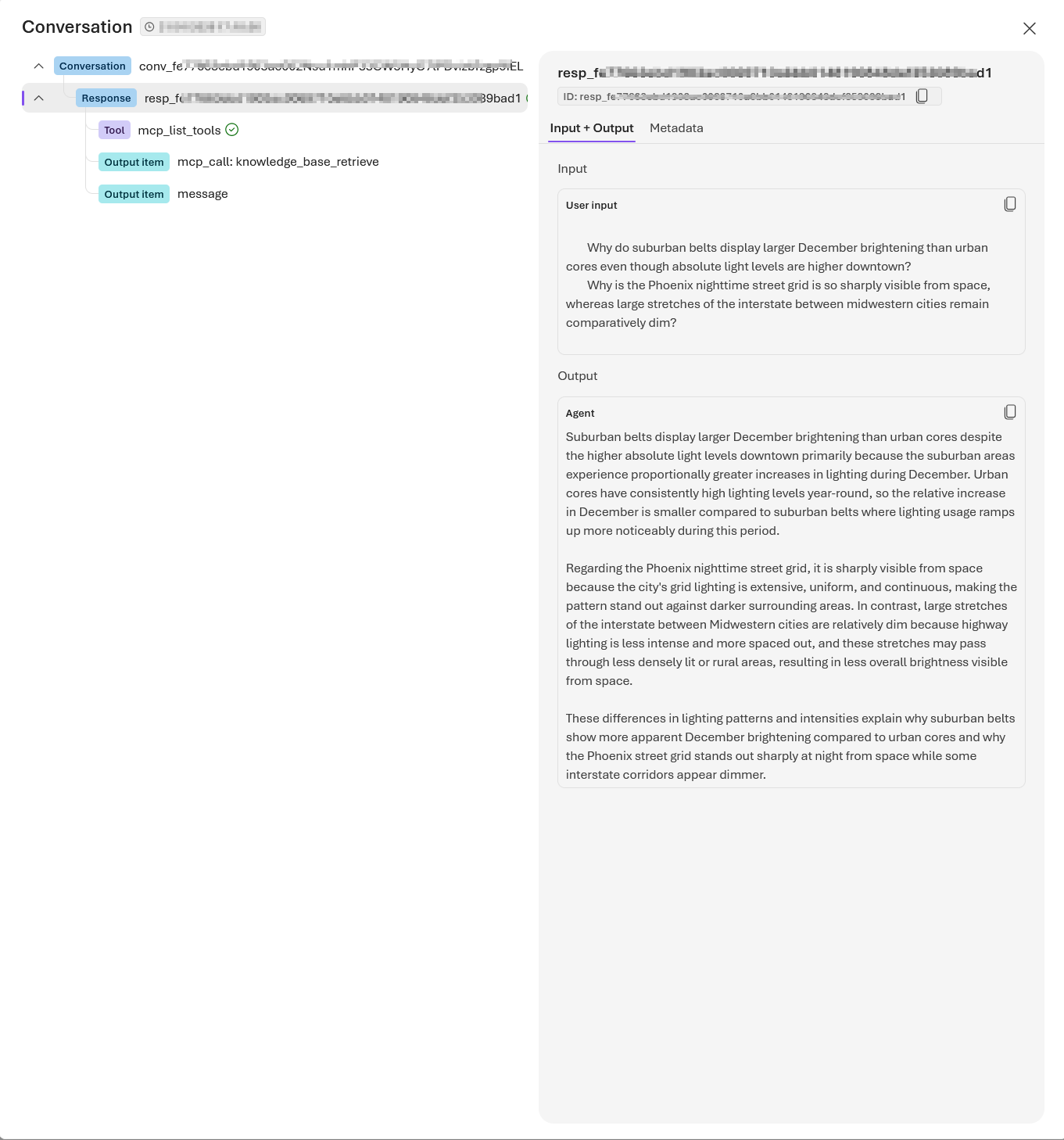
Your client app uses the Conversations and Responses APIs from Azure OpenAI to interact with the agent.
The following code creates a conversation and passes user messages to the agent, resembling a typical chat experience. The agent determines when to call your knowledge base through the MCP tool and returns a natural-language answer with references. Setting tool_choice="required" ensures the agent always uses the knowledge base tool when processing queries.
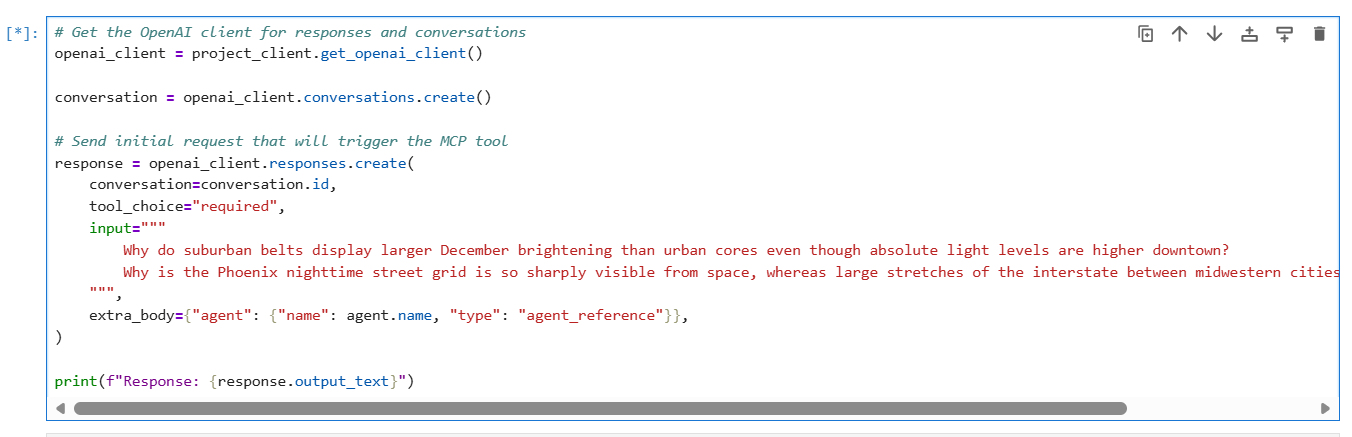
The response should be similar to the following:
Step 10 – run code to Clean up resources
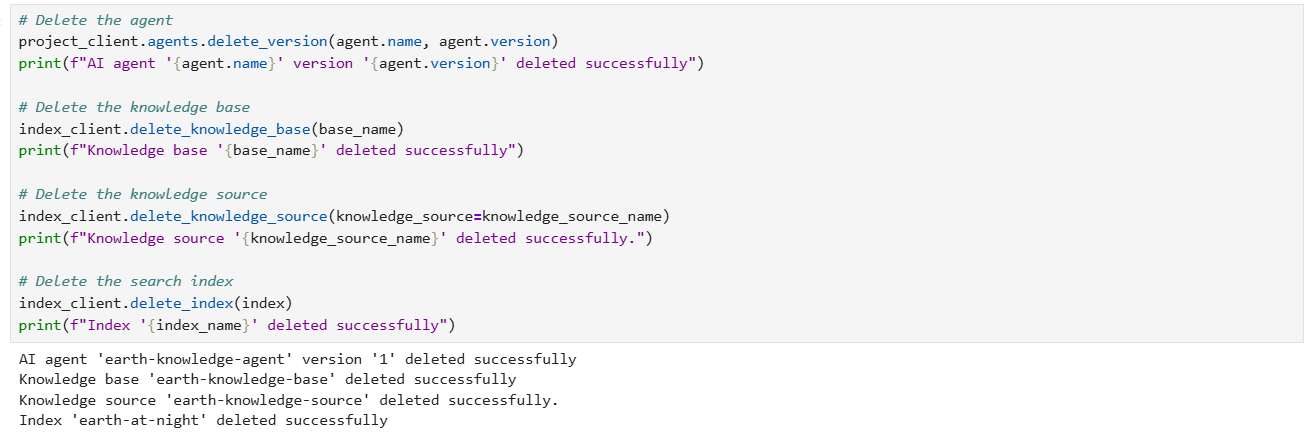
When you work in your own subscription, it’s a good idea to finish a project by determining whether you still need the resources you created. Resources that are left running can cost you money.
In the Azure portal, you can manage your Azure AI Search and Microsoft Foundry resources by selecting All resources or Resource groups from the left pane.
You can also run the following code to delete individual objects:
Full source code and references
You can access the full source code used in this solution from my GitHub repository. It is worth mentioning that I have adopted my solution from a similar tutorial from Microsoft Learn page.
Next steps
In this blog post, we deep dived into part 2 of our Foundry IQ – Agentic retrieval solution. We leveraged Jupyter Notebook to run through the various steps for our source code for implementing the end-to-end solution. The complete code listing in GitHub repository was also shared for your reference.
Stay tuned for future posts, feel free to leave us comments and feedback as well.