Sitecore Content Hub DevOps: New Import/Export engine with breaking changes is now default

Context and background

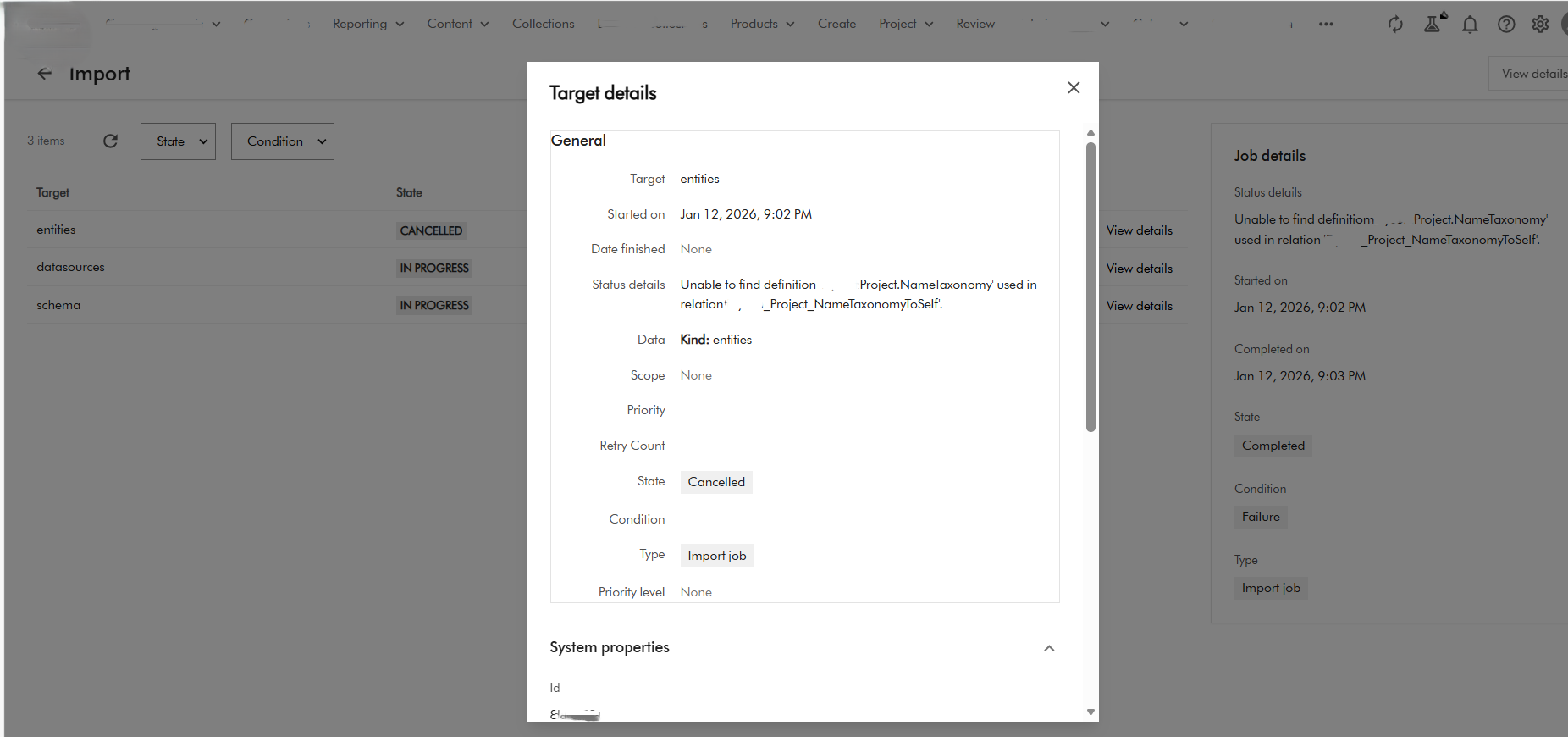
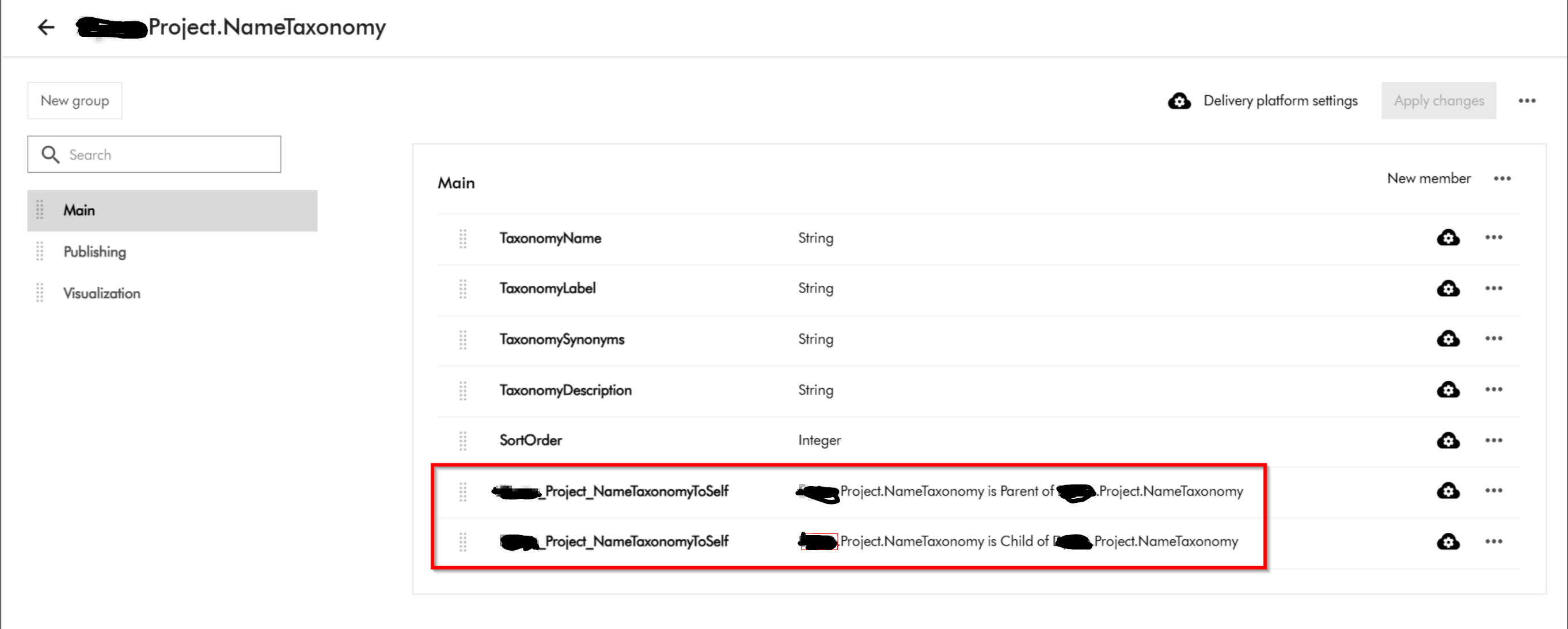
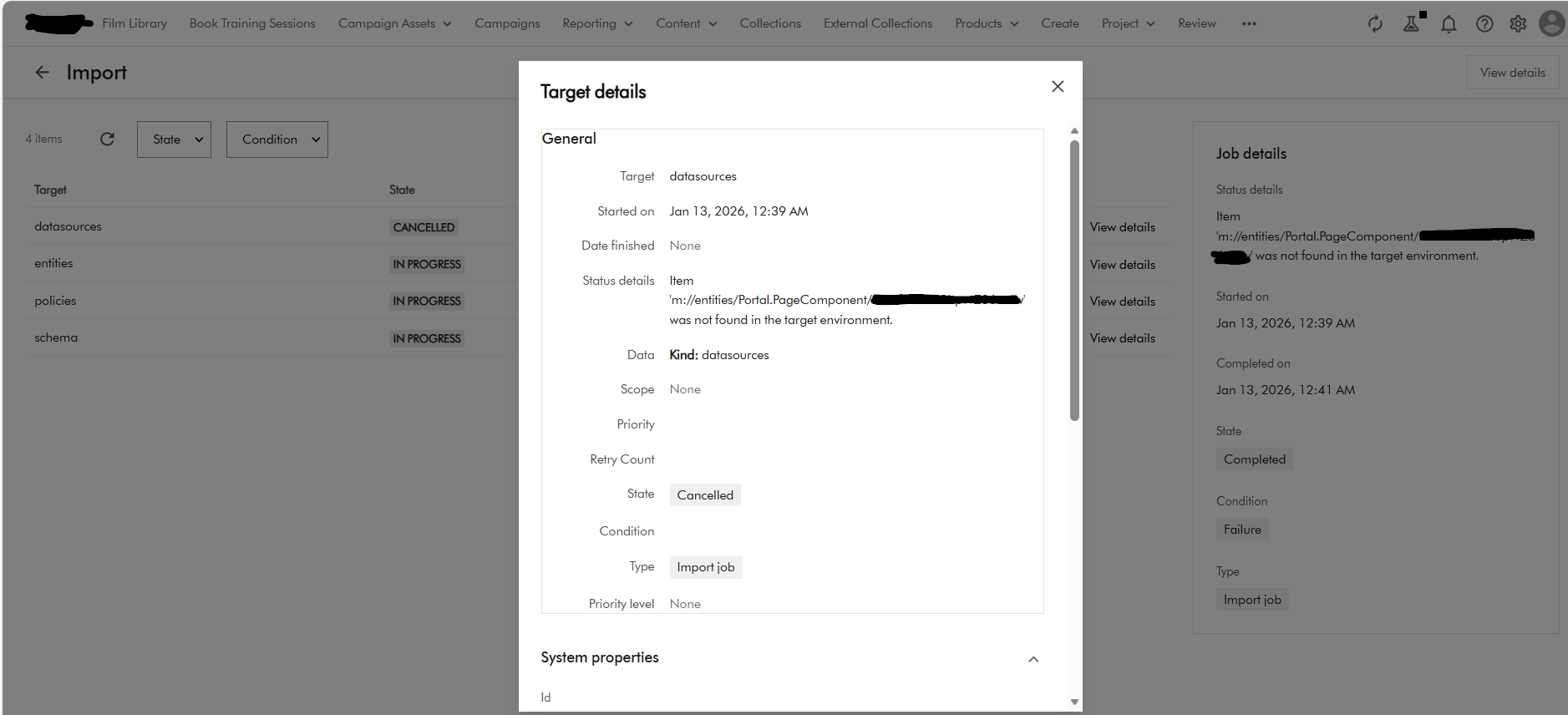
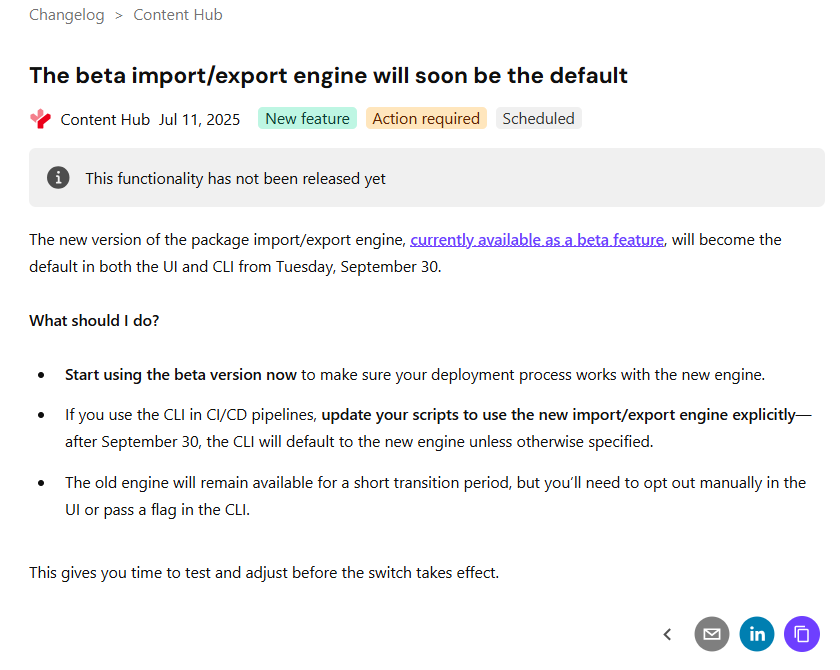
If you already using DevOps for deployments with your Content Hub environments, then you probably already aware of the breaking change that Sitecore introduced a few months ago. You can read the full notification on the Sitecore Support page The new version of the package import/export engine become the default in both the UI and CLI from Tuesday, September 30 according to the notification. Because of the breaking changes introduced, this means existing CICD pipelines won’t work. In fact, there is a high risk of breaking your environments if you try use existing CICD pipelines without refactoring.

In this blog post, I will look into details what breaking changes were introduced and how to re-align your existing CICD pipelines to work with the new import/export engine.

So what has changed in the new Import/Export engine?

Below is a screenshot from the official Sitecore docs summarizing the change. You can also access the change log here.

There is no further details available from the docs on specifics of the breaking change. However, it is very straightforward to figure out that Sitecore fundamentally changed the package architecture in the new import/export engine.

Resources are grouped by type

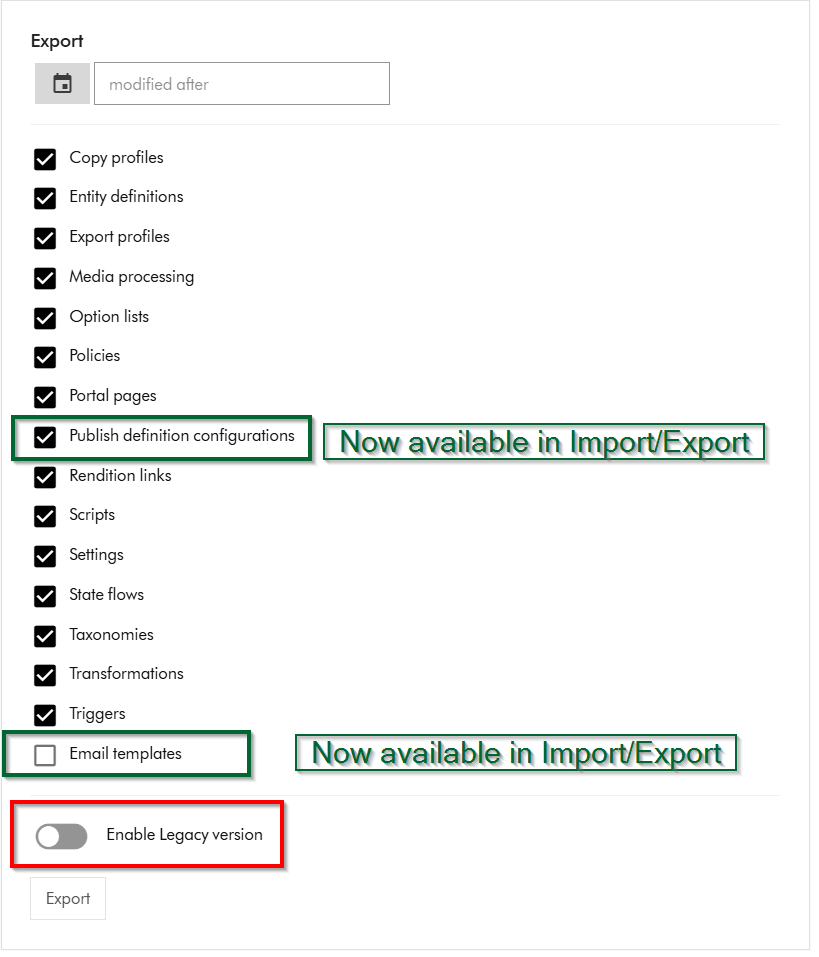
Within Sitecore Content Hub Import/Export UI, you have an option to Export components using both the previous/legacy engine and the new engine. As shown below, you can notice a toggle for Enable Legacy version, which when switched on will allow you to export a package with previous/legacy engine.

Also we can note that Publish definition configurations and Email templates are now available for Import/Export with the new engine. Email templates are unchecked by default.

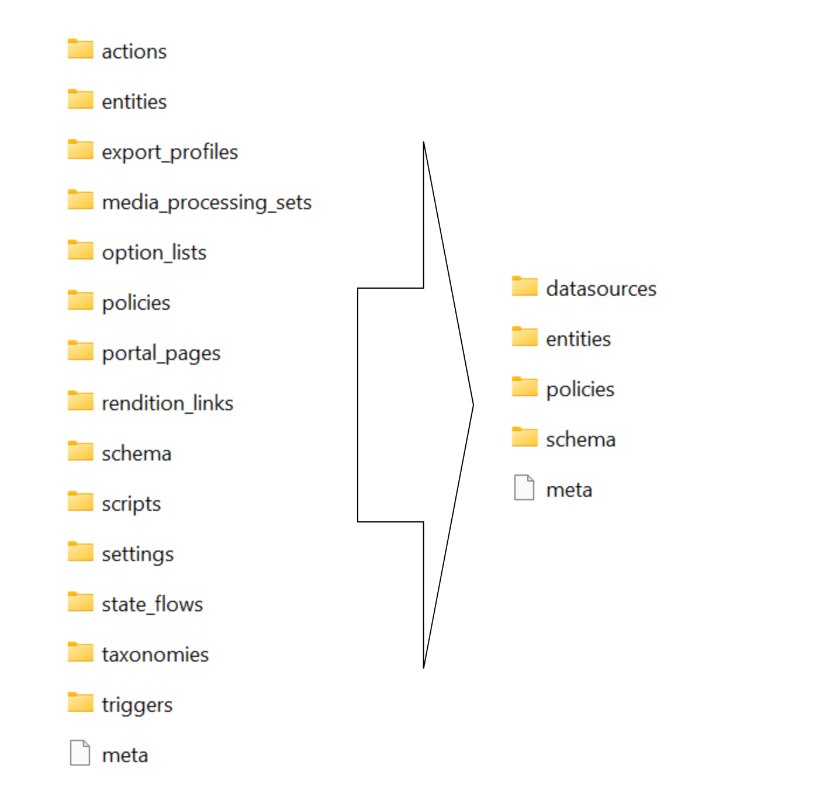
If you did a quick comparison between the export package from the old/legacy engine vs the new engine, it comes clear that Sitecore has updated the packaging structure to organise content by resource type rather than by export category

This change makes navigation more straightforward and ensures greater consistency throughout the package.

Summary of the changes between legacy and new export packages

Below is a graphic showing how the package structure was changed. On the left hand-side, we have the legacy/old package and on the right hand side is the new one.

Full comparison of package contents between old and new

Below is a more detailed comparison, showing how the packages differ.

ComponentLegacy package sub foldersNew package sub folders
Copy profilescopy_profilesentities
Email templatesn/aentities
Entity definitionsentities
schema
option_lists
datasources
entities
schema
Export profilesexport_profilesentities
Media processingmedia_processing_setsentities
Option listsoption_listsdatasources
Policiespoliciesdatasources
entities
policies
schema
Portal pagesentities
portal_pages
datasources
entities
policies
schema
Publish definition configurationsn/aentities
Rendition linksrendition_linksentities
Settingssettingsentities
State flowsstate_flowsdatasources
entities
policies
schema
Taxonomiestaxonomiesdatasources
entities
schema
Triggersactions
triggers
entities
Scriptsactions
scripts
entities

Resources are grouped by type

Instead of separate folders like portal_pages, media_processing_sets, or option_lists, the new export engine places files according to their resource type. ​

For example:​

  • All entities are stored in the entities/ folder.​
  • All datasources (such as option lists) are found in datasources/ folder​
  • Policies and schema files have their own dedicated folders.​

Each resource is saved as an individual JSON file named with its unique identifier.

Related components are now separated

When a resource includes related items—such as a portal page referencing multiple components—each component is now saved in its own JSON file. ​

These files are no longer embedded or nested under the parent resource. ​

Updating your CICD pipelines

It is very straight forward to update you existing CICD pipelines once we have analysed and understood the new package architecture. You can revisit my previous blog post where I covered this topic in detail You need to simply map your previous logic to work with the new package architecture. You will also need to re-baseline your Content Hub environments within your source control so that you are using the new package architecture.

Next steps

In this blog post, I have looked at the new Content Hub Import/Export engine. I dived into how you can analyse the packages produced from the legacy/old engine and compared it with the new engine. I hope you find this valuable and the analysis provides a view of what has changed in the new package architecture.

Please let me know if you have any comments above and would like me to provide further or additional details.

Everything Sitecore AI – Marketer MCP integration with Microsoft Copilot Studio

Context

As you may be aware, the Marketer MCP now has a capability to integrate with Microsoft Copilot studio. You can now connect your Microsoft Copilot Studio agents to the Sitecore Marketer MCP for seamless access to Sitecore’s marketing features.

The Marketer MCP is the Model Context Protocol (MCP) for marketing in Sitecore. It connects AI agents to Sitecore tools through the Agent API, providing secure access across the entire digital experience lifecycle.

In this blog post, I will walk you through a step-by-step guide, complete with screenshots.

Pre-requisites

Before you begin, make sure you have:

  • A valid Sitecore account with required permissions
  • A valid Microsoft Copilot studio account with access permissions to Create agents and Create Custom Connectors

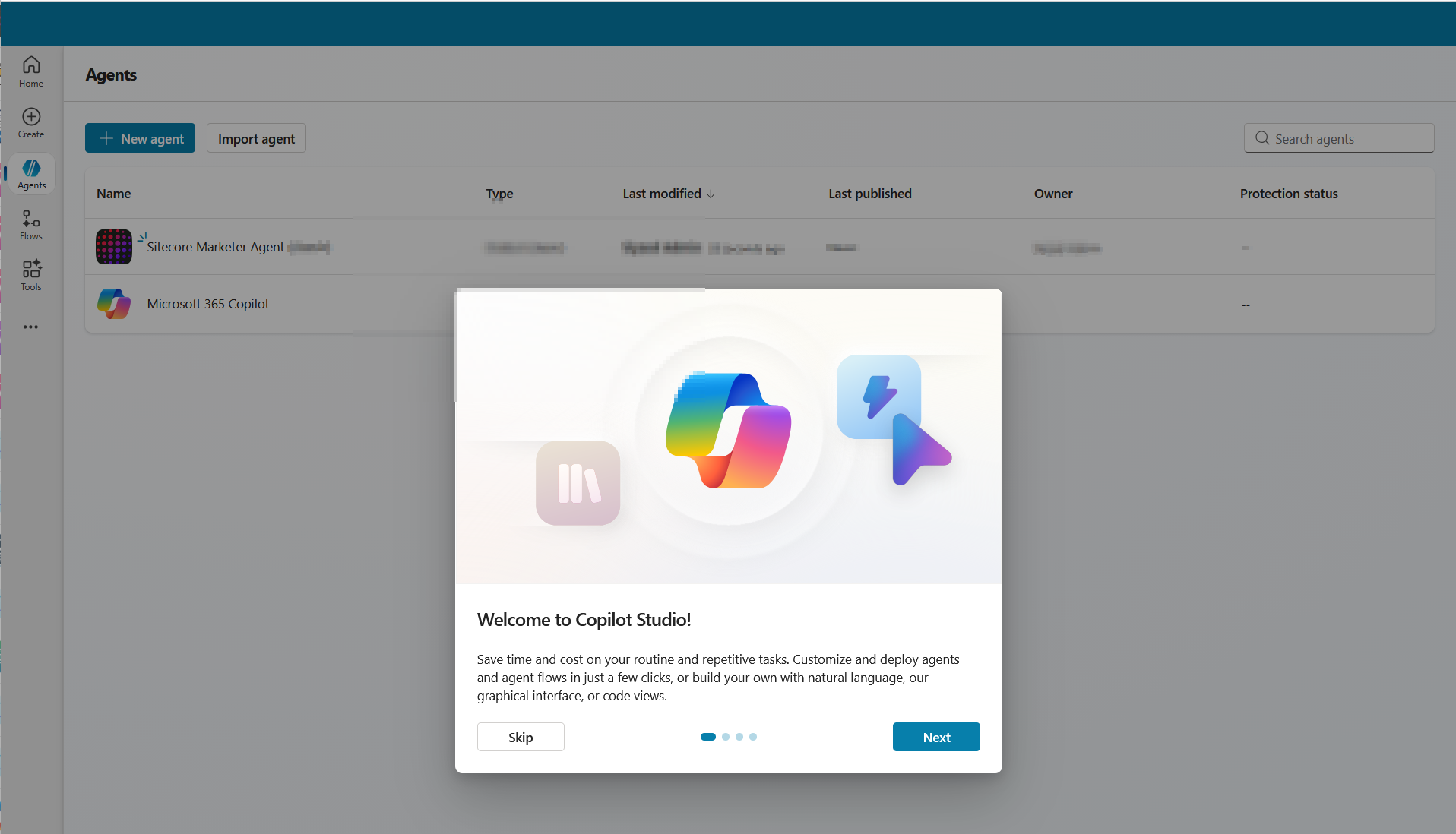
Step 1 – Create a new agent in Copilot Studio

  • Open Copilot Studio and either create a new agent or open an existing one.
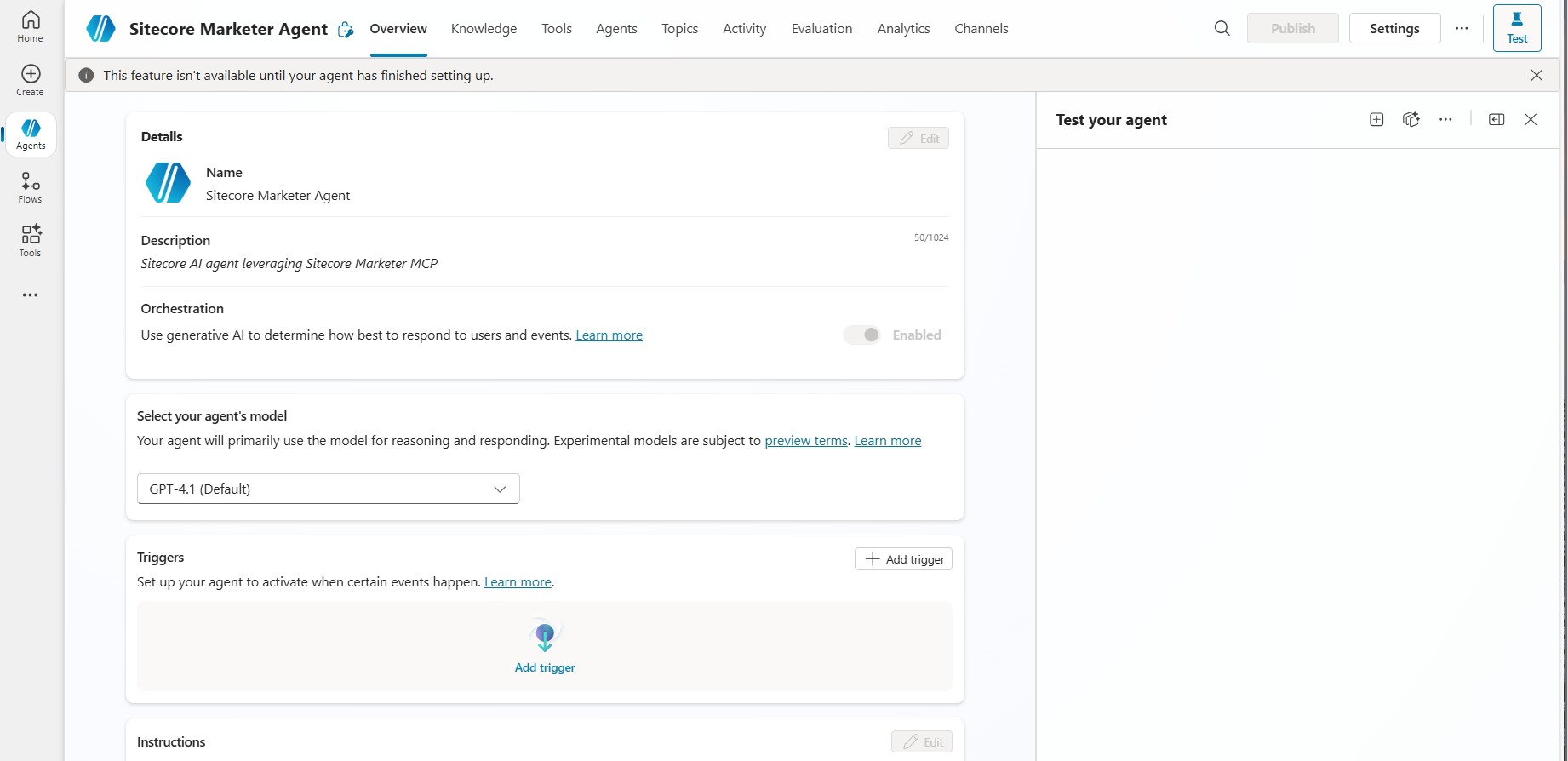
  • As shown in the screenshot below, specify the following minimal details for your agent:
    • Name: The name of your agent
    • Description: Description of your agent
    • Icon: You can choose an icon for your agent (optional)
  • Create agent in Copilot Studi0

Step 2 – Add a tool to the agent

  • Go to the Tools tab for your agent then click Add a tool.
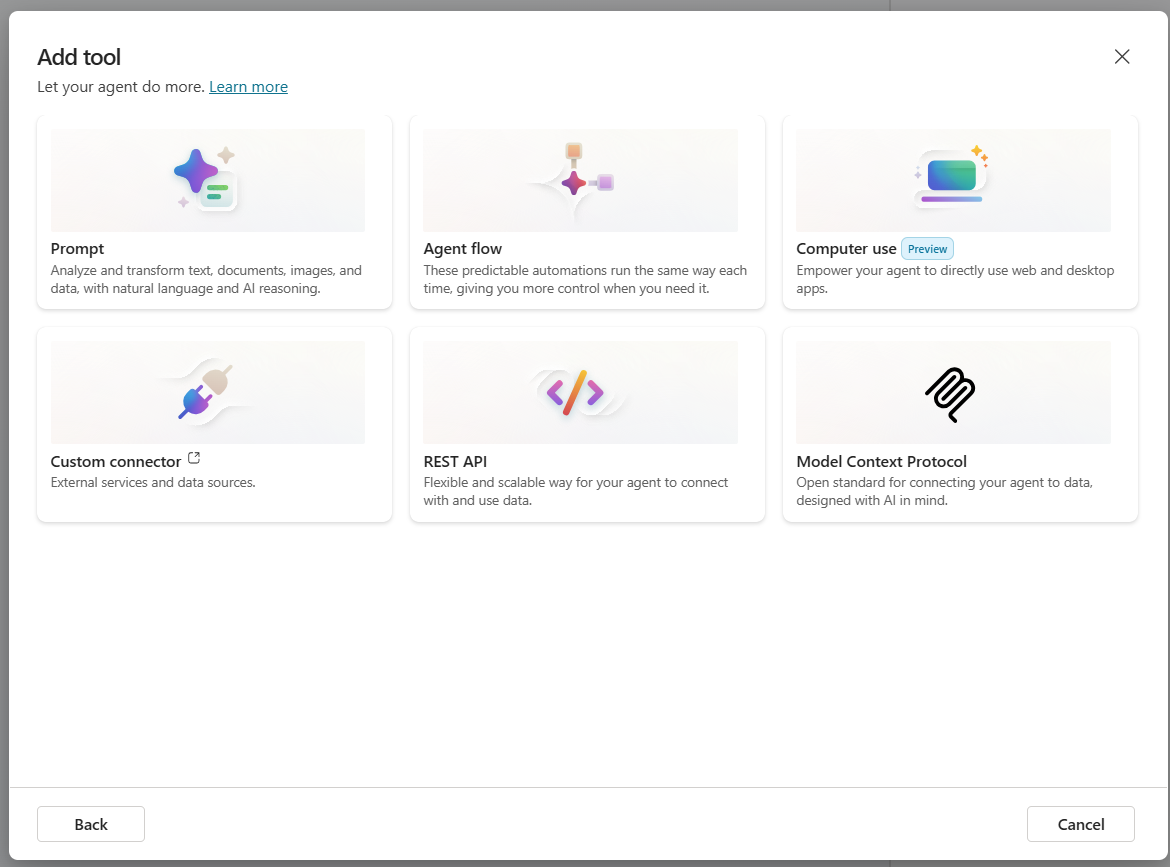
  • Select New tool then choose Model Context Protocol. The MCP onboarding wizard opens
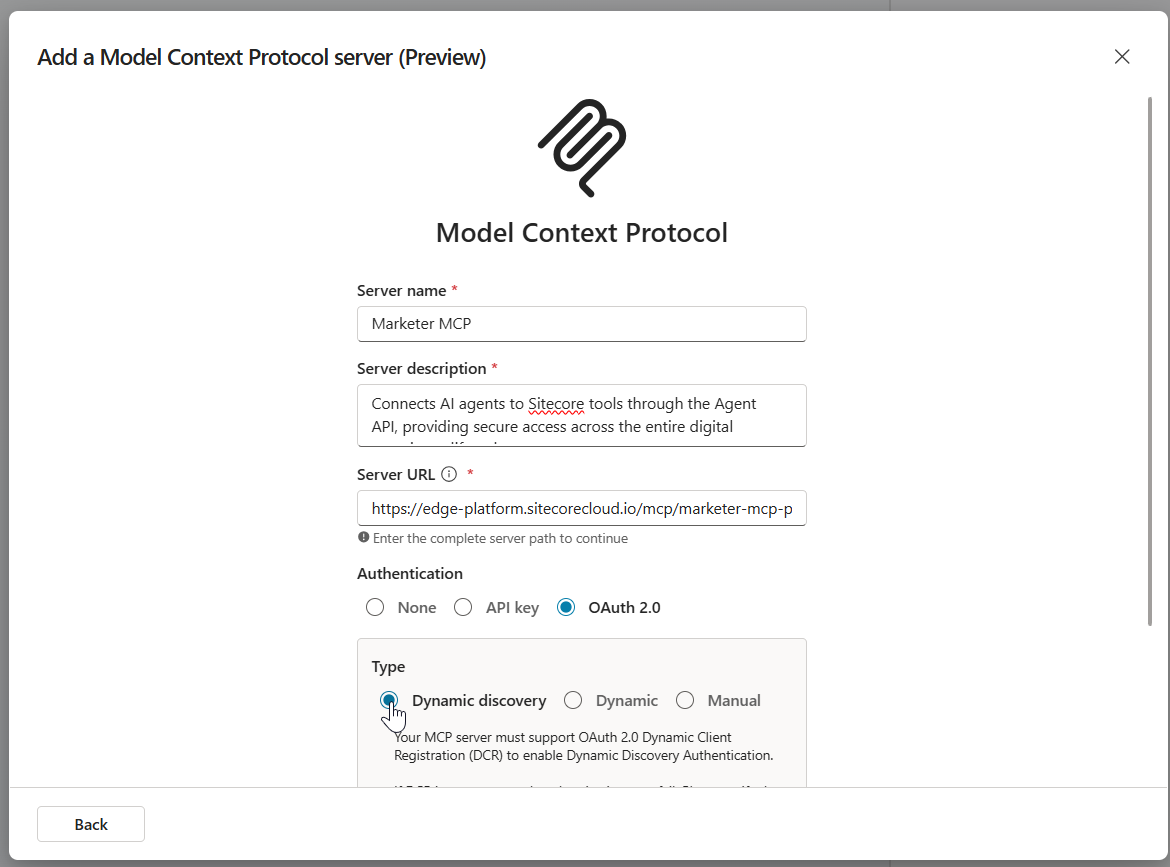
  • Enter the following details, as show in screenshot below
  • Under Authentication, select OAuth 2.0 and Dynamic discovery type. Then click Create.
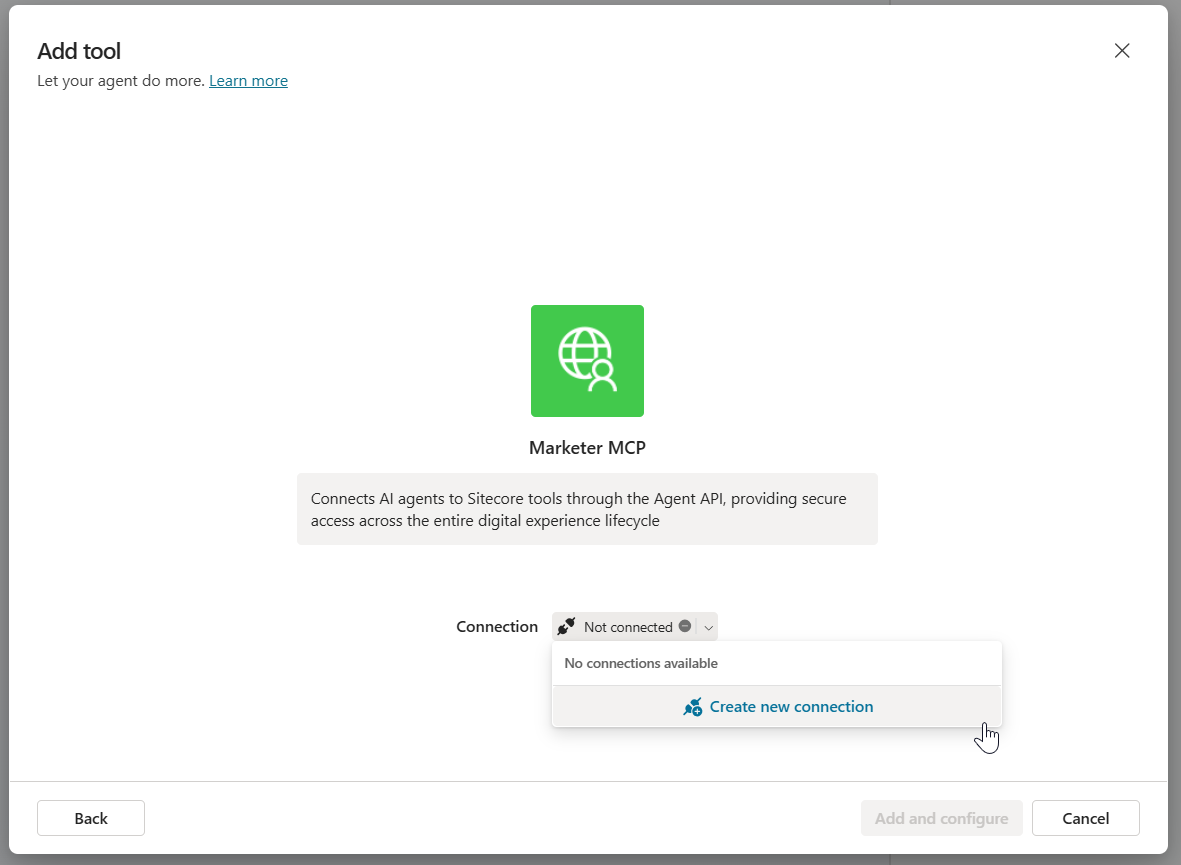
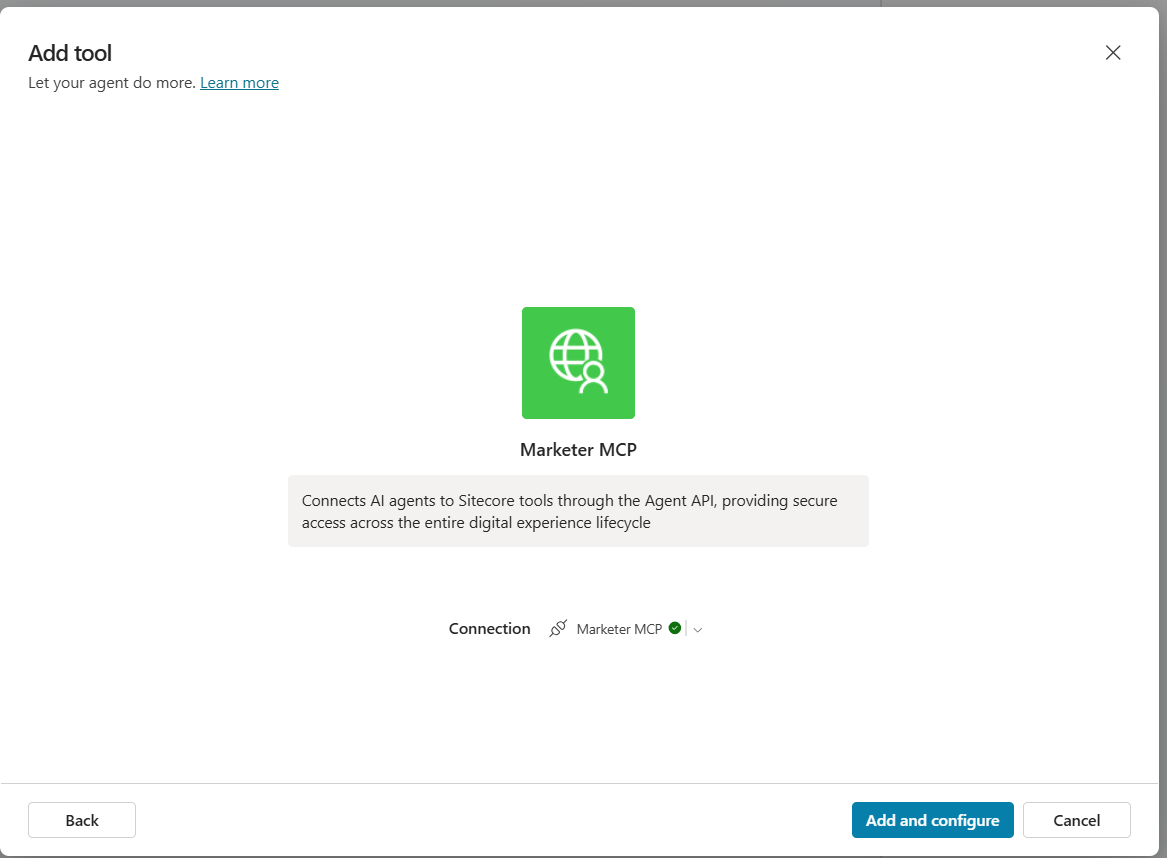
    • The Add tool dialog will be displayed as shown below.
    • In the Add tool dialog, in Connection, click Not connected > Create new connection. Then click Create.
    • A pop-up dialog appears as per the screenshot below, with the message Resource parameter is required. This is expected. Follow the workaround below.
    • Copy the entire URL shown in the dialog. Append the following resource parameter to the end of the URL:
      • &resource=https%3A%2F%2Fedge-platform.sitecorecloud.io%2Fmcp%2Fmarketer-mcp-prod
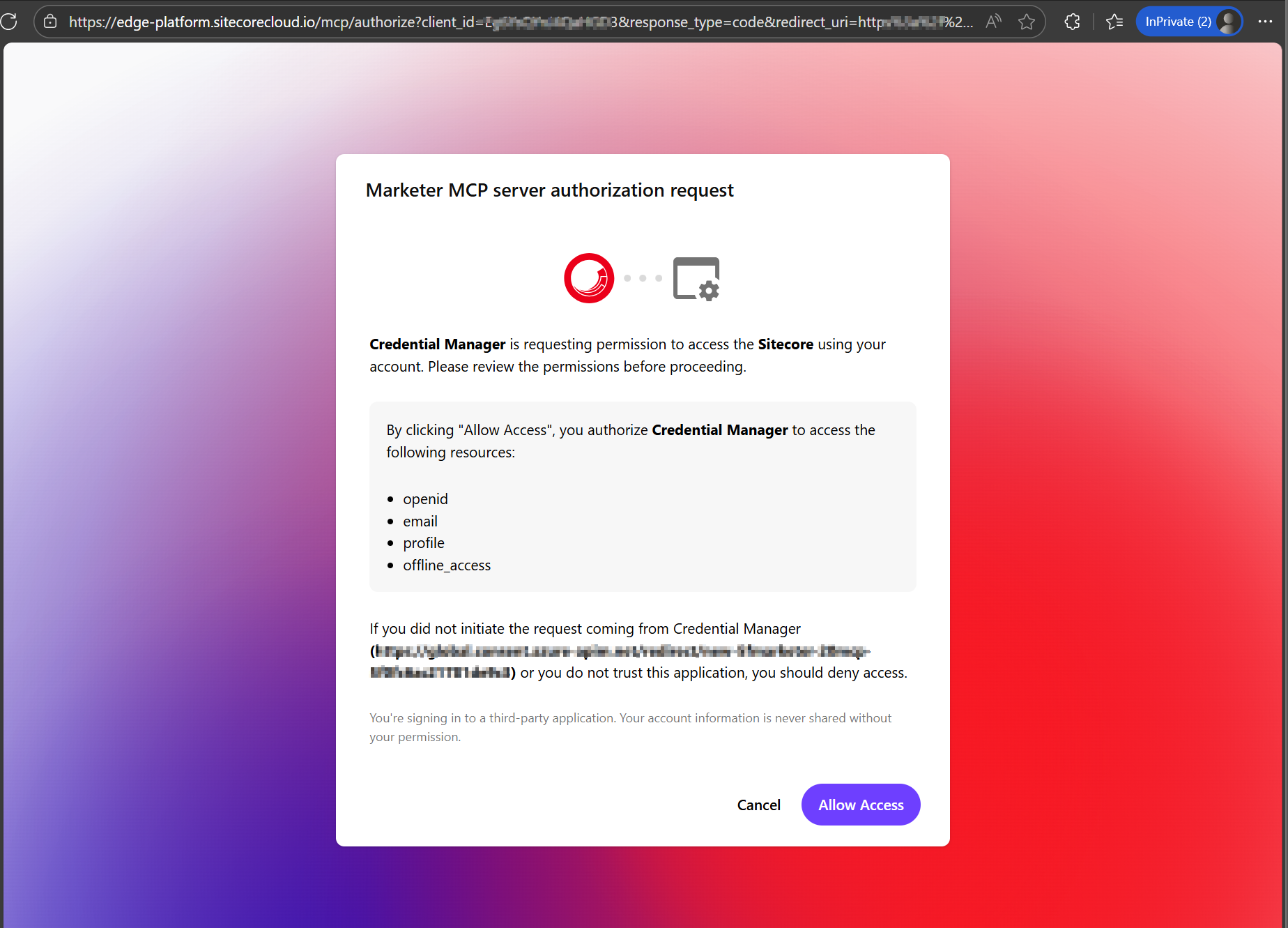
    • Open a new browser window, paste the updated URL into the address bar and press Enter.
    • In the Marketer MCP authorization request dialog (see screenshot below), click Allow Access.
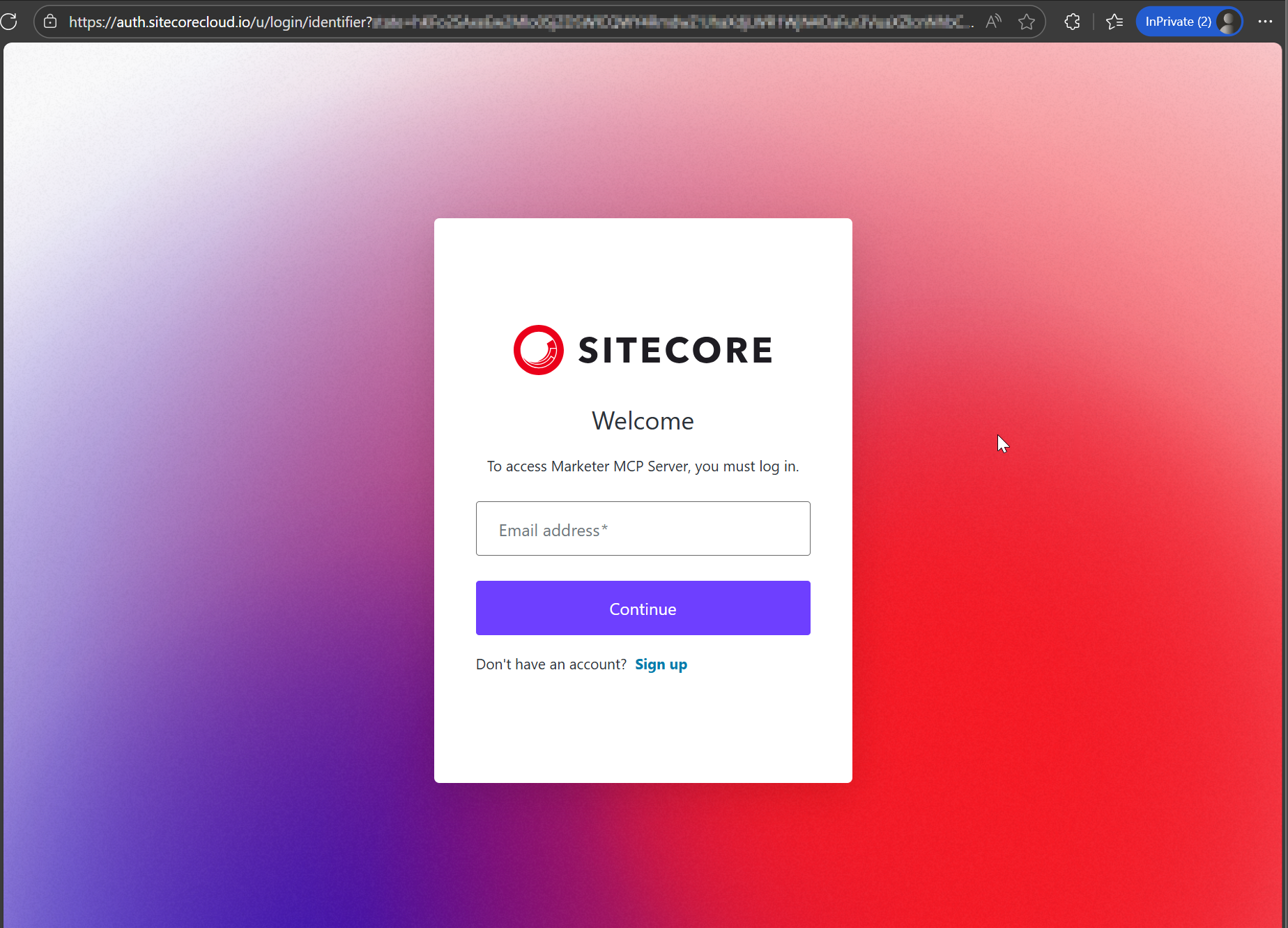
    • This will prompt you to login to your Sitecore Cloud Portal
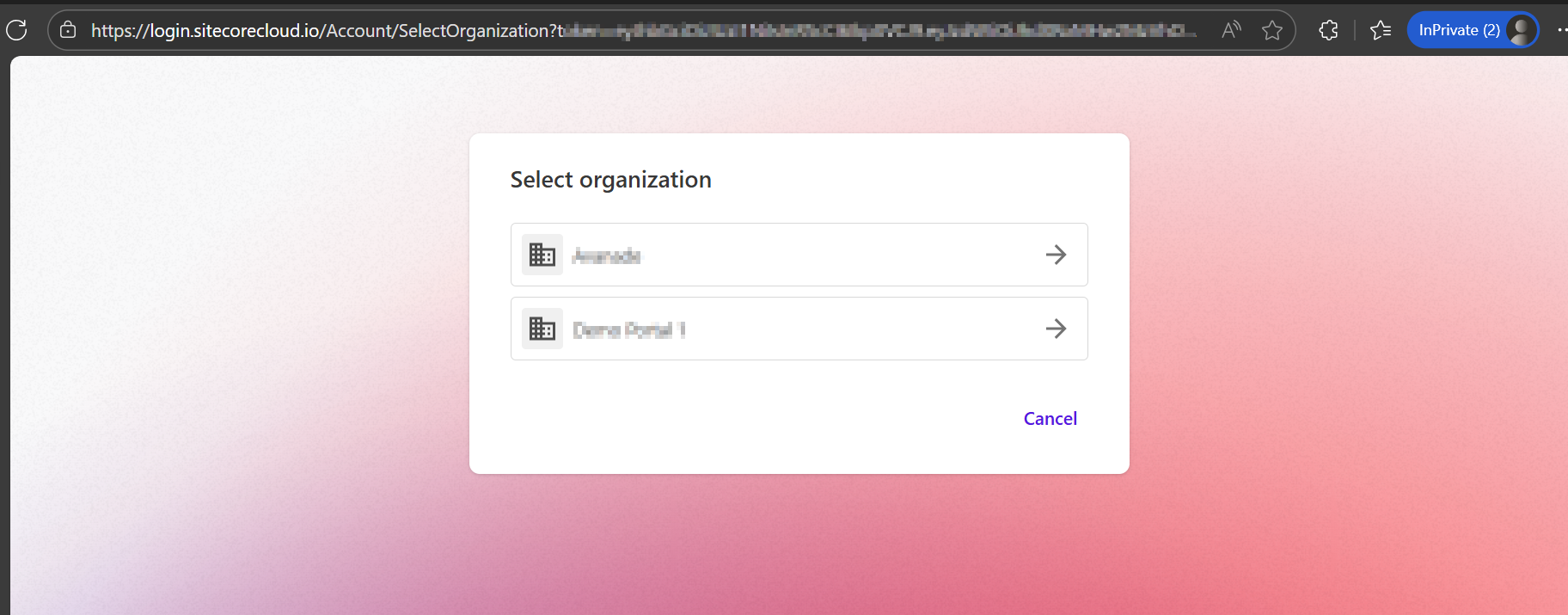
    • Then select the organization and tenant you want to use when interacting with the MCP server (as per screenshot below)
  • Return to the Add tool dialog in Copilot Studio. When it shows that you’re connected to the MCP server, click Add and configure.

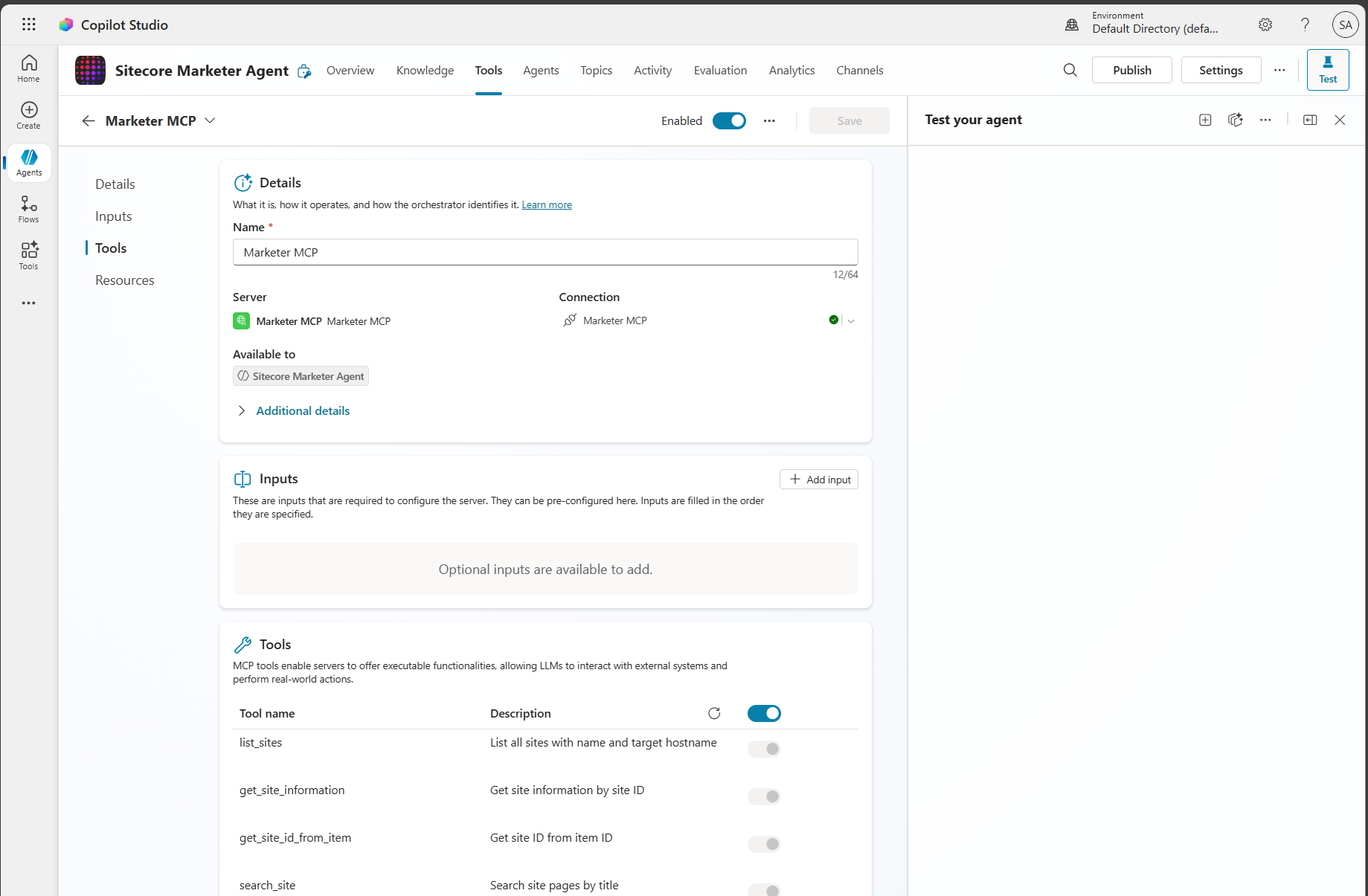
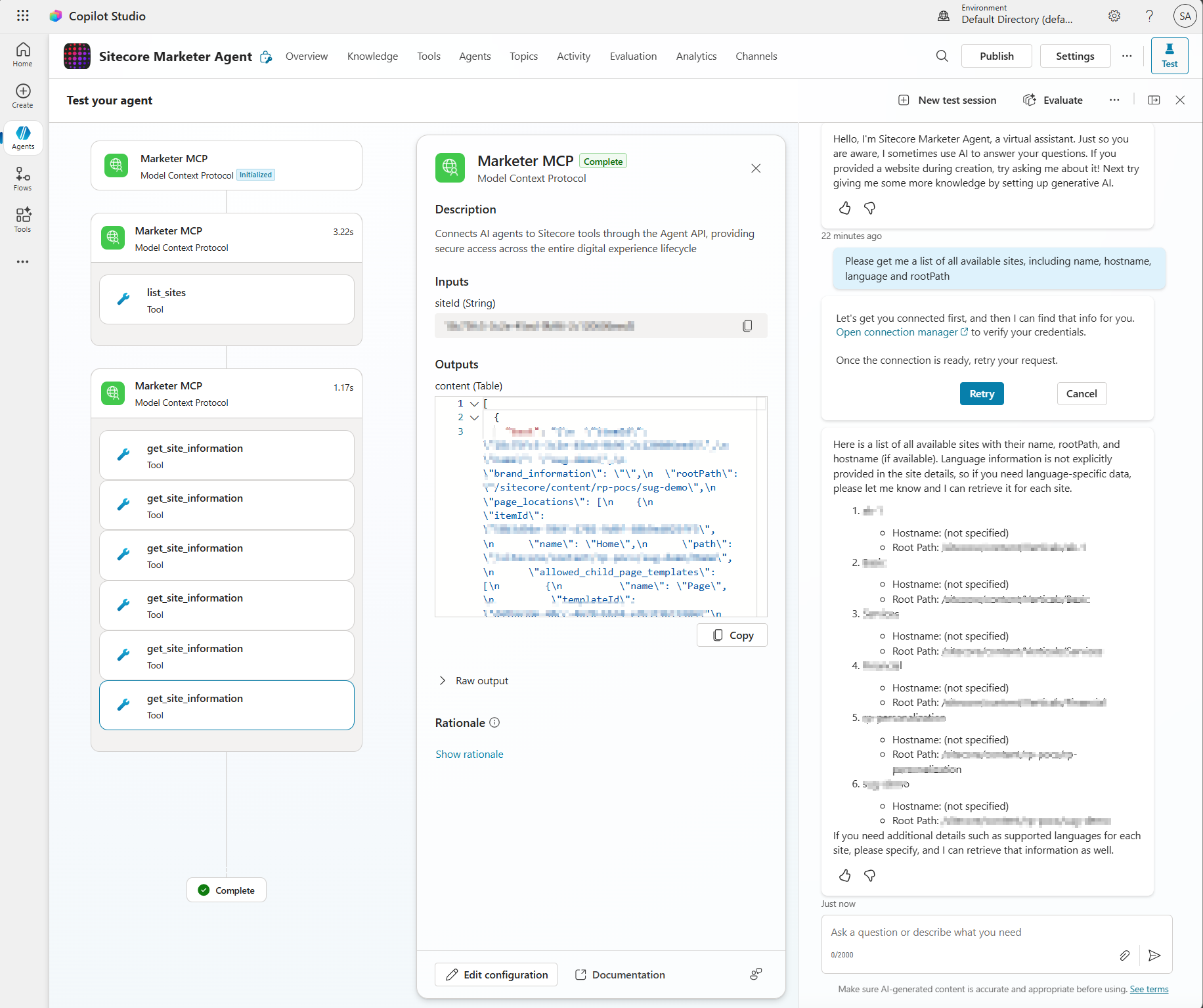
You should now see the Marketer MCP details and its tools enabled and ready to use. You can begin entering prompts to interact with Sitecore through the MCP.

Step 3 – Get prompting

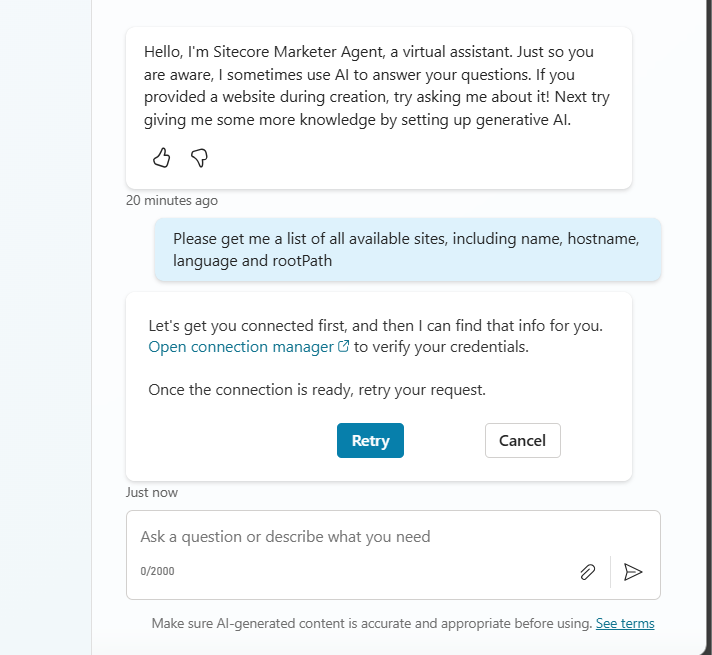
From your Copilot prompt text area, you can now use natural language to prompt and perform actions in SitecoreAI. The first time you write a prompt, you may see a connection warning message shown below.

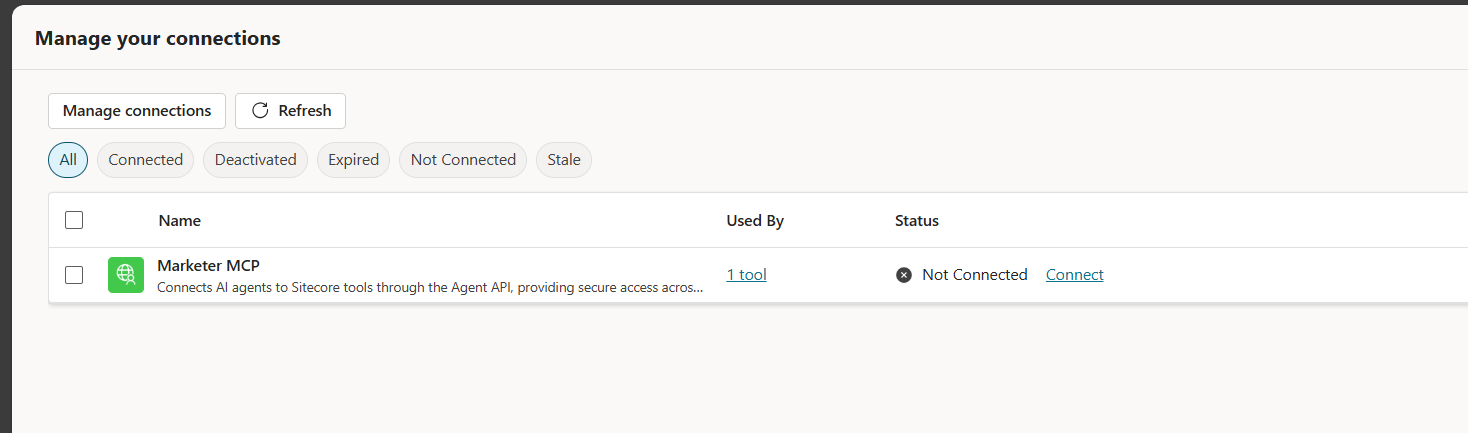
Simply follow the Open connection manager link to get connected. The link will open the dialog shown below

Click on Connect link. You will now get a response from your Sitecore AI as shown below.

Troubleshooting

You may come across some issues when establishing the connectivity into Marketer MCP from Copilot Studio. Below are the issues I encountered and how I resolved them.

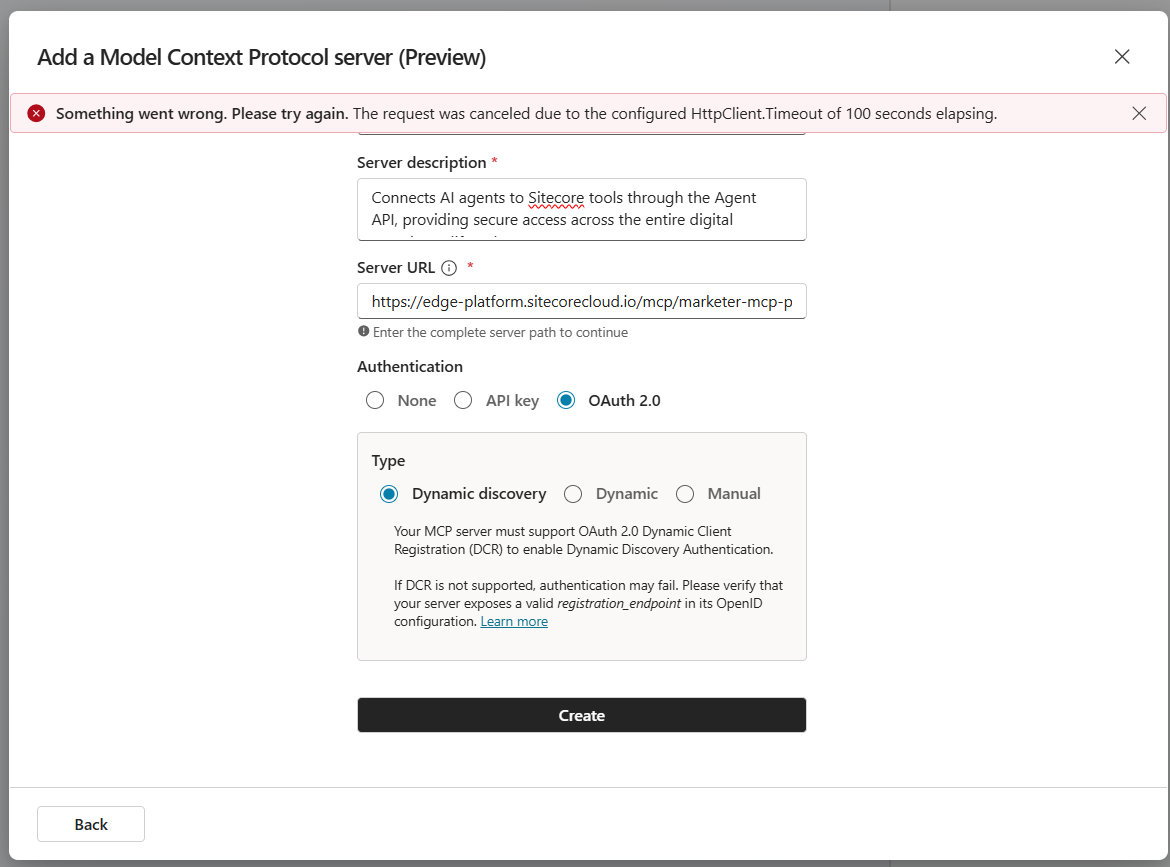
Issue 1: Timeout error

I got this error when Creating the connection:

Issue 1 Resolution:

I simply repeated that step for the second time and issue was resolved

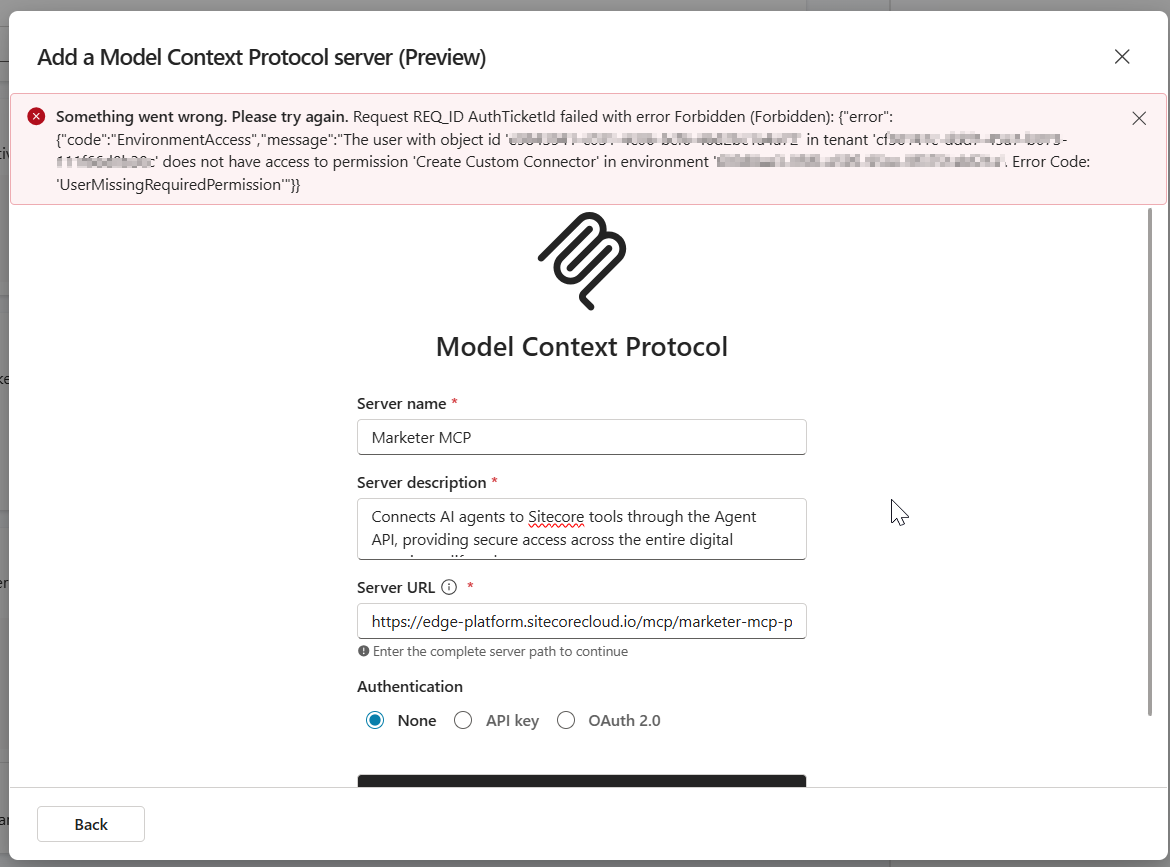
Issue 2: Environment Access permission error

The error below may occur when your Copilot Studio account doesn’t have access permissions to create a custom connection

Issue 2 Resolution:

Work with your ITS teams to provision the correct level of needed access in Copilot Studio

Next steps

In this blog post, we looked at a step-by-step guide on how to set the Marketer MCP integration with Microsoft Copilot Studio. We looked at potential connectivity issues that you may encounter and how to resolve them to get it working.

The Marketer MCP provides tools to create content, manage campaigns, run marketing automation, and handle content management. This is an evolving tool and remember to check latest updates from Sitecore.

The Marketer MCP is only reliable for the supported use cases listed here. Responses outside this scope have not been validated by Sitecore and might be inaccurate.

SitecoreAI docs

Stay tuned for future posts, feel free to leave us comments and feedback as well.

The Agentic Leap: Sitecore Symposium 2025 AI Deep Dive into Strategy, Use Cases, and Client Success

The content below was generated with help of AI. I prompted AI to help create an executive summary and curated list that covers everything AI in upcoming Sitecore Symposium 2025, scheduled for November 3-5 in Orlando.

Executive Summary: The AI Mandate at Sitecore Symposium 2025

Sitecore Symposium 2025, will center on the fundamental redefinition of digital experience driven by Artificial Intelligence. The overarching theme, “Next is Now,” acknowledges that AI has profoundly altered consumer behavior, replacing traditional search with summarization and converting clicks into definitive conclusions. This shift mandates that brands meet customers across novel channels and touchpoints that did not exist recently.

  • The New Paradigm: Augmentation vs. Automation – A key strategic indicator of Sitecore’s direction is articulated by CEO Eric Stine, who will emphasize the limitations of existing, disconnected marketing solutions and the fragmented experiences they create. The strategic focus of Sitecore’s platform evolution is clear: prioritizing augmentation over automation and relevance over reach. This positioning redefines Sitecore’s AI not merely as a tool for reducing labor costs, but as a critical growth engine designed to scale human creativity and accelerate the marketer’s capacity to connect, create, and compete.
  • Industry Context and Strategic Sponsorship: Accenture’s Agentic Shift – The focus on agentic frameworks at Sitecore mirrors a broader industry trend among global professional services firms. Accenture, for example, is leveraging similar principles, having recently launched its “Physical AI Orchestrator” solution. This cloud-based offering integrates AI agents from Accenture’s AI Refinery™ platform to help manufacturers create software-defined facilities and live digital twins, highlighting the enterprise reliance on autonomous, goal-oriented AI systems. Accenture is participating as a Strategic Sponsor at Sitecore Symposium 2025. Furthermore, they are the exclusive partner for the highly anticipated #ExecutiveExchange, a premier program designed for senior industry leaders to explore the possibilities of content, data, and AI, and gain valuable actionable insights. Joined by Sitecore’s leadership and a select group of global thought leaders, this Exchange is designed to spark ideas and foster meaningful connections for C-suite attendees.
  • The Three Pillars of Sitecore’s AI Strategy – The Symposium agenda is structured to address the complete lifecycle of enterprise AI adoption, from strategic planning to implementation and governance. The sessions reveal a focus on three core pillars essential for achieving the AI advantage:
    • Strategic Vision: Establishing the architectural foundation, the product roadmap, and the necessary governance frameworks for the future “Agentic Web.”
    • Tactical Execution: Showcasing specific, measurable use cases in both content orchestration (velocity and compliance) and developer acceleration (code generation and platform governance).
    • Real-World Validation: Presenting client stories that validate how global brands build trust, achieve scalable personalization, and modernize their architecture to be truly “AI-ready.”

Strategic Vision: Sitecore’s AI Roadmap and Agentic Future

The strategic sessions at Symposium will focus on establishing the architectural and corporate intent behind Sitecore’s AI investments, demonstrating a shift beyond rudimentary generative capabilities toward advanced, integrated intelligence.

  • Defining the Advantage: Speed, Scale, and Trust – The General Session, “Speed, scale, and trust: The AI advantage for marketers,” sets the executive tone for the event. Sitecore Chief Product Officer Roger Connolly, joined by leaders from major global enterprises including Infor, Regal Rexnord, AFL Global, and Berkeley Homes, will discuss how intelligence and imagination must work together to unlock entirely new ways to compete in the digital space. The discussion centers on utilizing AI to accelerate content delivery, amplify creative output, and, most critically, build lasting trust at scale.  The repeated emphasis on “trust” is highly significant in the enterprise context. It signals that Sitecore recognizes the profound corporate liability associated with AI outputs, such as hallucinations or compliance breaches. Therefore, the core strategy involves developing AI solutions with inherent guardrails for brand safety, data integrity, and regulatory adherence, positioning AI not just as an efficiency tool, but as a critical competitive advantage built on verifiable governance.
  • The Agentic Framework: The Technical Roadmap – A key session provides an exclusive look into Sitecore’s product roadmap, focusing on how its platform is being reimagined with intelligence. This session details how advanced agentic frameworks will power intelligent and seamless workflows across the entire product suite. This move toward agentic frameworks signifies a major architectural transition. Rather than relying on rigid, sequential DXP workflows, Sitecore is building decentralized, goal-oriented AI entities—or “agents”—that possess the autonomy and context needed to execute complex, cross-product tasks. These AI agents will be empowered to “plan, synthesize, and act” wherever assistance is needed. The necessary precursor for this capability is a fully composable, API-first backbone, such as XM Cloud, which provides agents with the required data context and execution permissions to operate effectively and autonomously across the DXP ecosystem.
  • The Foundational Imperative: The Experience OS – For AI acceleration to be effective, a unified and governed digital ecosystem must be in place. The session “The Experience OS: Preparing Digital Foundations for AI Acceleration” addresses this foundational requirement. The analysis indicates that fragmented, ungoverned legacy systems (characterized by low content and data maturity) inevitably lead to inconsistent AI outputs and dramatically increase the human resources required for correction and oversight. Leaders from Horizontal Digital and Gradial will share how AI can accelerate site operations only after a foundation is built that successfully unifies teams, standardizes components, and establishes scalable governance. Establishing this “Experience OS” is therefore the fundamental structural step that enables the desired strategic outcome: efficiency, consistency, and accelerated delivery across all digital properties.

Strategic Partner Spotlight: Accenture’s AI and Innovation Sessions

Accenture’s presence at Sitecore Symposium 2025 extends far beyond the Executive Exchange, featuring a strong lineup of engaging sessions that showcase innovation and customer impact, particularly around AI-driven strategies. Attendees are encouraged to visit Accenture at booth 229 to connect with their Sitecore experts and explore how AI-driven content strategies are shaping the future of digital experience.

Key sessions featuring Accenture include:

The Curated AI Session Guide

The following table provides a curated list of key Sitecore Symposium 2025 agenda items, summarizing their strategic importance, technical focus, and client application.

Session TitleCore Theme/FocusSpeakers/Client Case StudySummary and Key TakeawaysRegistration Link
Speed, scale, and trust: The AI advantage for marketers (General Session)Executive Strategy & TrustRoger Connolly (Sitecore CPO), Infor, Regal Rexnord, AFL Global, Berkeley HomesExecutive insights on positioning AI as an advantage, leveraging intelligence and imagination to accelerate delivery and build lasting trust at scale, moving beyond mere automation.Link
Sitecore’s AI roadmap: How agentic frameworks will transform digital experienceAI Roadmap & Agentic ArchitectureSitecore Product TeamExclusive look at the AI roadmap, demonstrating how future AI agents will be empowered to “plan, synthesize, and act” across the DXP for seamless, intelligent workflows.Link
Harnessing AI for content creation: Introducing AI Experience Generation for Sitecore XM CloudContent Use Case & Product DemoRichard Seal (Principal Engineer, Sitecore), Mo CherifPractical demonstration of the new AI Experience Generation app in the XM Cloud Marketplace, detailing AI-driven page creation and the technical architecture for building Marketplace extensions.Link
Orchestrating the Future: AI-Powered Content Operations with Sitecore, Gradial, and EPAMContent Supply Chain & Operational EfficiencyTimothy Marsh, Amanda Follit (EPAM)Strategic methods to overcome content fragmentation and slow cycles by implementing intelligent, orchestrated AI content supply chains that enhance audience resonance.Link
Navigating AI readiness – it’s not what you thinkOrganizational Strategy & AdoptionVickie Bertini (EPAM)Addresses the non-technical hurdles of AI implementation, focusing on organizational resistance, strategic roadblocks, and how to effectively manage change in the enterprise.Link
Creating an AI-powered content supply chain for regulatory markets using SitecoreIndustry Use Case & ComplianceMike Shaw (CI Digital)Essential session for high-compliance sectors (H&LS, FS) detailing how AI-driven automation ensures governance, streamlines approvals, and transforms regulatory data into compliant narratives.Link
Cutting Sitecore development time by up to 80% with AIDeveloper Tooling & Code GenerationRajitha Khandavalli (Meritage Homes)Deep dive into leveraging context augmentation with MCP Servers and integrating external data (Jira, Figma) to enable accurate, high-speed, AI-generated code generation, drastically reducing development cycles.Link
Deliver Measurable Operation Efficiency with Agentic AIPlatform Governance & DevOpsN/A (HelixGuard Focus)Introduction to the HelixGuard “AI co-pilot,” blending MCP intelligence, analytics, and automation to proactively elevate platform performance, governance, and experience delivery in an agentic framework.Link
Scaling smarter: How Vizient uses Sitecore to personalize, integrate, and innovate in a complex B2B healthcare landscapeClient Story & AI FoundationJonathan Price (Americaneagle.com)Case study detailing how a complex B2B healthcare organization established “AI-ready infrastructure” and achieved smart personalization and faster time to market following a digital transformation.Link
The Experience OS: Preparing Digital Foundations for AI AccelerationInfrastructure Strategy & GovernancePam Butkowski (Horizontal Digital)Strategic session outlining the necessary pre-conditions for AI success: unifying teams, standardizing components, and establishing scalable governance models for faster delivery and consistency.Link

Conclusion: Leading the Future of DX with Sitecore AI

The Sitecore Symposium 2025 agenda confirms a decisive strategic pivot: Sitecore is transitioning from providing a traditional Digital Experience Platform (DXP) to offering an Intelligent Experience OS built on the principles of augmentation and agency. The analysis of the session topics suggests that the focus is on three intertwined strategic vectors: the deployment of agentic frameworks to automate complex, cross-platform workflows; the delivery of measurable efficiency via AI-driven content orchestration and developer acceleration; and the commitment to enterprise governance to ensure trust and compliance in high-stakes environments.
For digital leaders and technologists, the Symposium presents a compelling narrative that moves beyond simple generative AI experimentation. It outlines a comprehensive, strategic path forward where AI serves as the catalyst for continuous innovation, provided that organizations first establish the required foundational agility, standardization, and change management principles necessary to support a truly intelligent and composable digital future.

Next steps

In this blog post, we looked at the upcoming Sitecore Symposium 2025, where we looked at everything AI related. With help of AI, I have managed to review the agenda items and come up with this curated list. Stay tuned for future posts, feel free to leave us comments and feedback as well.

Step-by-step guide to integrating with Sitecore Stream Brand Management APIs

I previously blogged about Sitecore Stream Brand Management and looked at a high level architecture on how the Brand Kit works under the hood. Today, I continue this conversation and look at a more detailed step-by-step guide on how you can start integrating with the Stream Brand Management APIs.
As a quick recap, Sitecore have evolved the Stream Brand Management to provide a set of REST APIs to manage life-cycle of the brand kit as well as getting a list of all brand kits. You can now use REST APIs to create a new brand kit, including sections and subsections, and create or update the content of individual subsections. You can also upload brand documents and initiate the brand ingestion process.
  • Brand Management REST API (brand kits, sections/subsections)
  • Document Management REST API (upload/retrieve brand documents).

These new capabilities opens opportunities such as allowing you to ingest brand documents directly from your existing DAM. You could also integrate them with your AI agents so that you can enforce you brand rules

Step 1 – Register and get Brand Kit keys

Brand Management REST APIs use OAuth 2.0 to authorize all REST API requests. Follow these steps below:

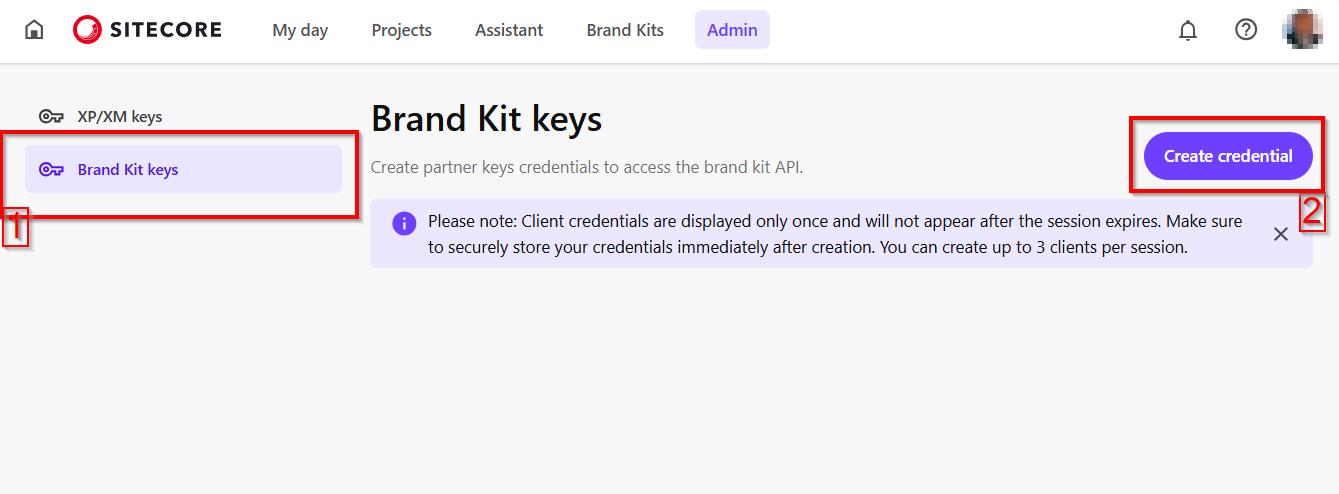
a) From your Sitecore Stream portal navigate to the the Admin page and then navigate to Brand Kit Keys section, as shown below.

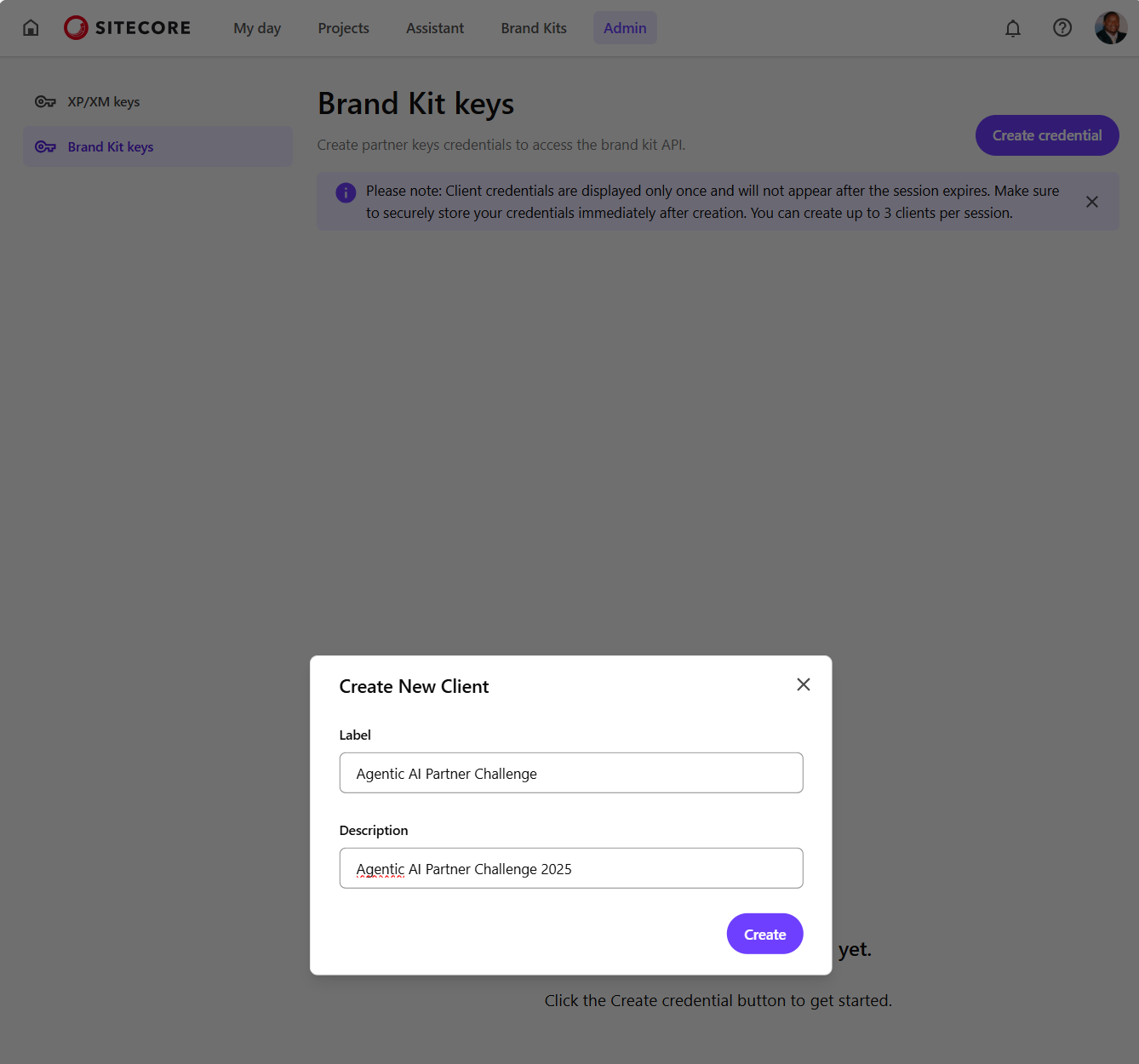
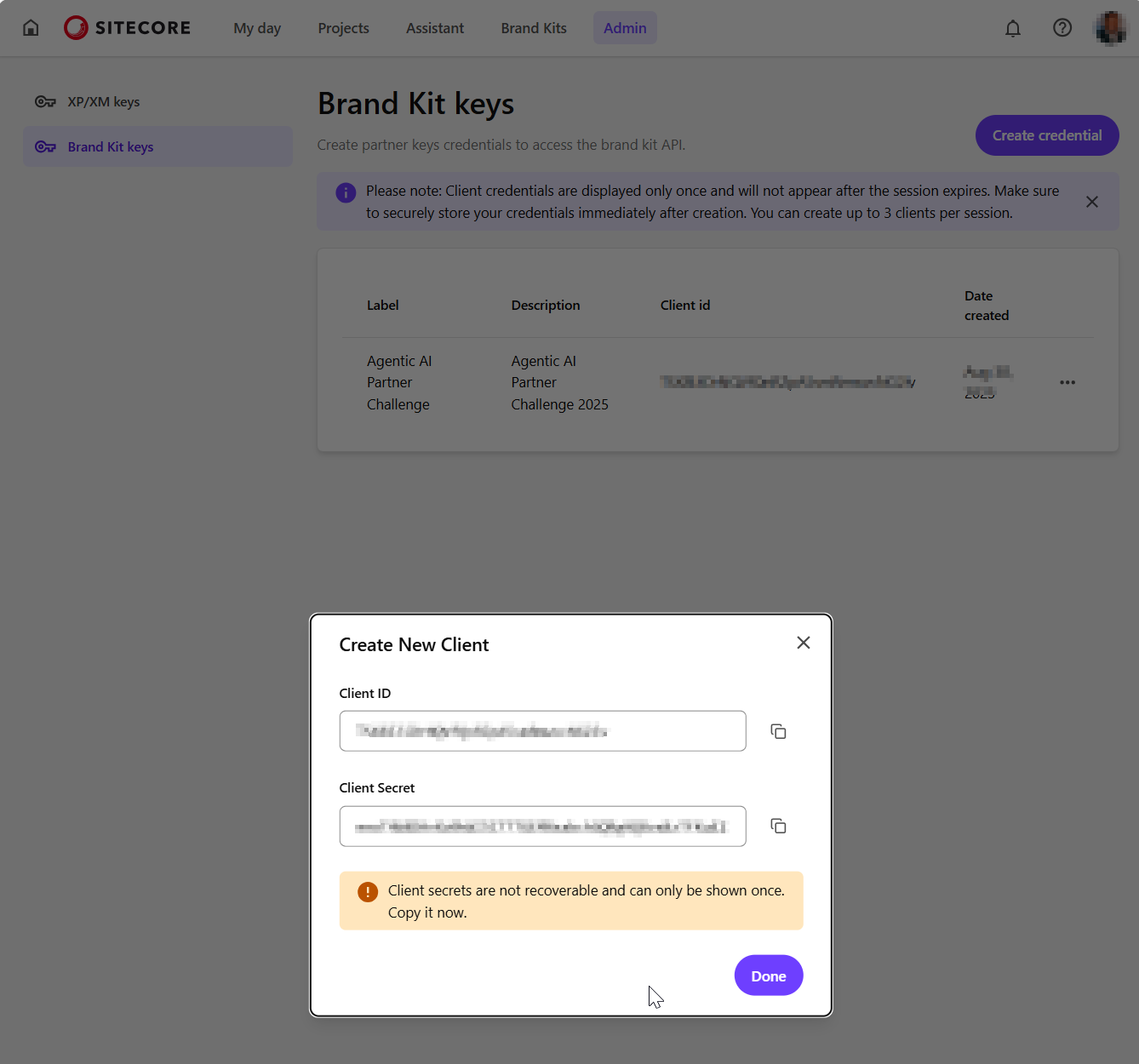
b) Then click on Create credential button which opens the Create New Client dialog similar to one shown below. Populate with the required client name and a description, then click on Create

c) Your new client will be created as shown below. Ensure you copy the Client ID and Client Secret and keep them in a secure location. You will not be able to view the Client Secret after you close the dialog.

Step 2 – Requesting an access token

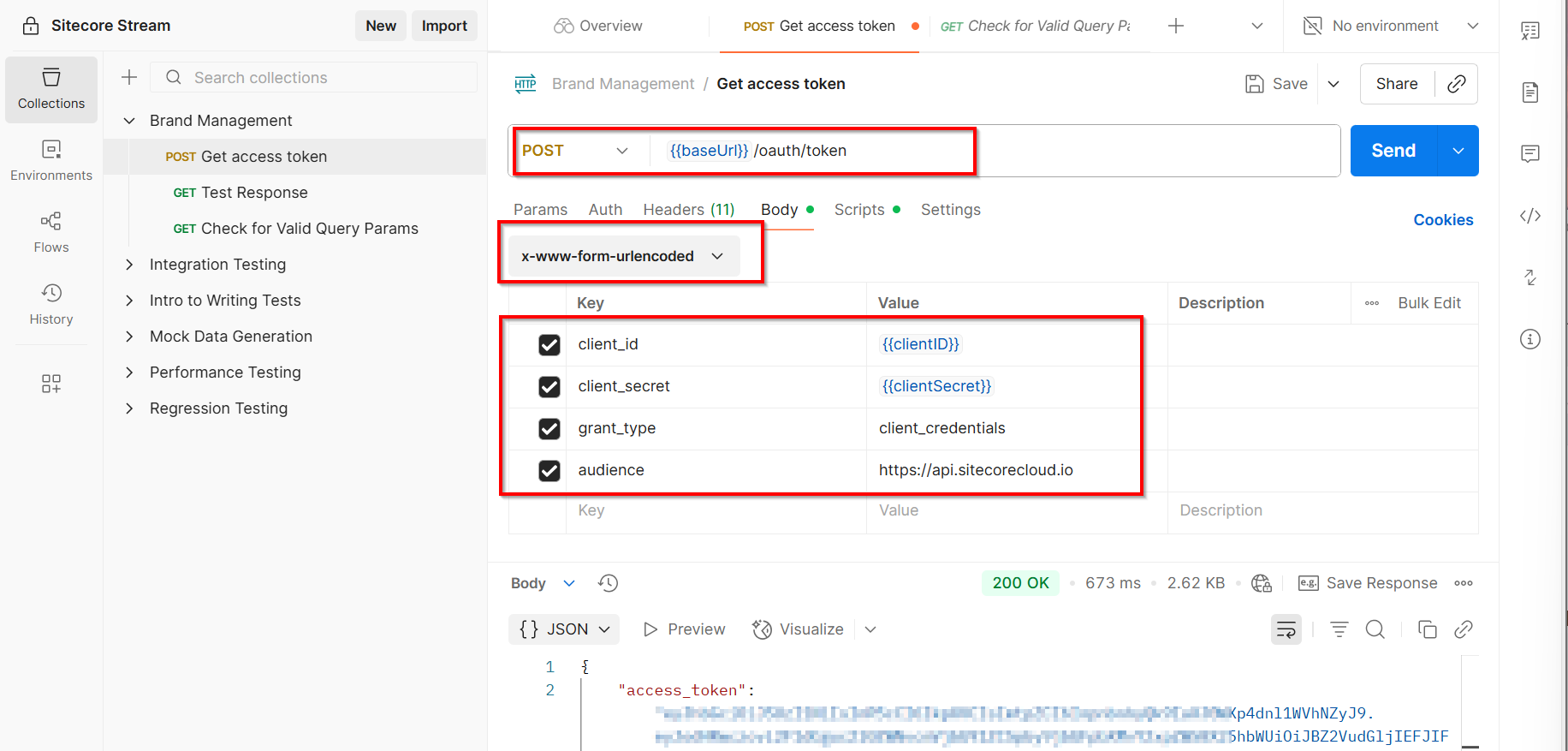
You can use your preferred tool to a request the access token. In the sample below, I am leveraging Postman to send a POST request to the https://auth.sitecorecloud.io/oauth/token endpoint.

  • client_id This is the Client ID from previous step
  • client_secret This is the Client Secret from previous step
  • grant_type This defaults to client_credentials
  • audience This defaults https://api.sitecorecloud.io

If successful, you will get the response that contains the access_token as shown below

  {
    "access_token": "{YOUR_ACCESS_TOKEN}",
    "scope": "ai.org.brd:w ai.org.brd:r ai.org.docs:w ai.org.docs:r ai.org:adminai.org.brd:w ai.org.docs:w ai.org:admin",
    "expires_in": 86400,
    "token_type": "Bearer"
  }

Step 3 – Query Brand Kit APIs

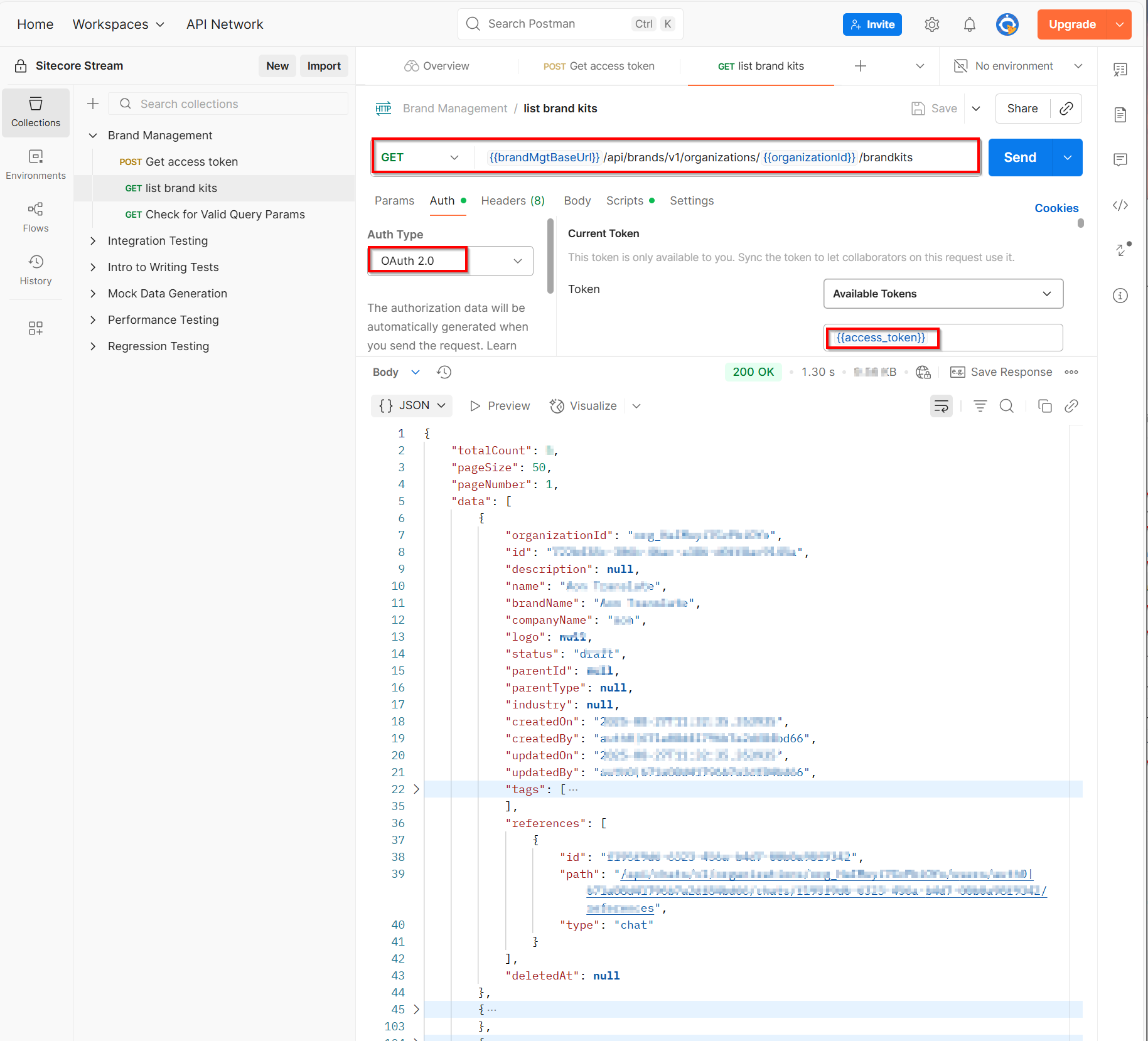
You can start making REST APIs securely by using the access token in the request header.

Get list of all brand kits

Below is a sample request that I used to get a list of available brand kits for my organisation. I am leveraging Postman to send a GET request to the https://ai-brands-api-euw.sitecorecloud.io/api/brands/v1/organizations/{{organizationId}}/brandkits endpoint.

You can get your organisationId from your Sitecore Cloud portal

https://portal.sitecorecloud.io/?organization=org_xyz

Full list of Brand Kit REST APIs

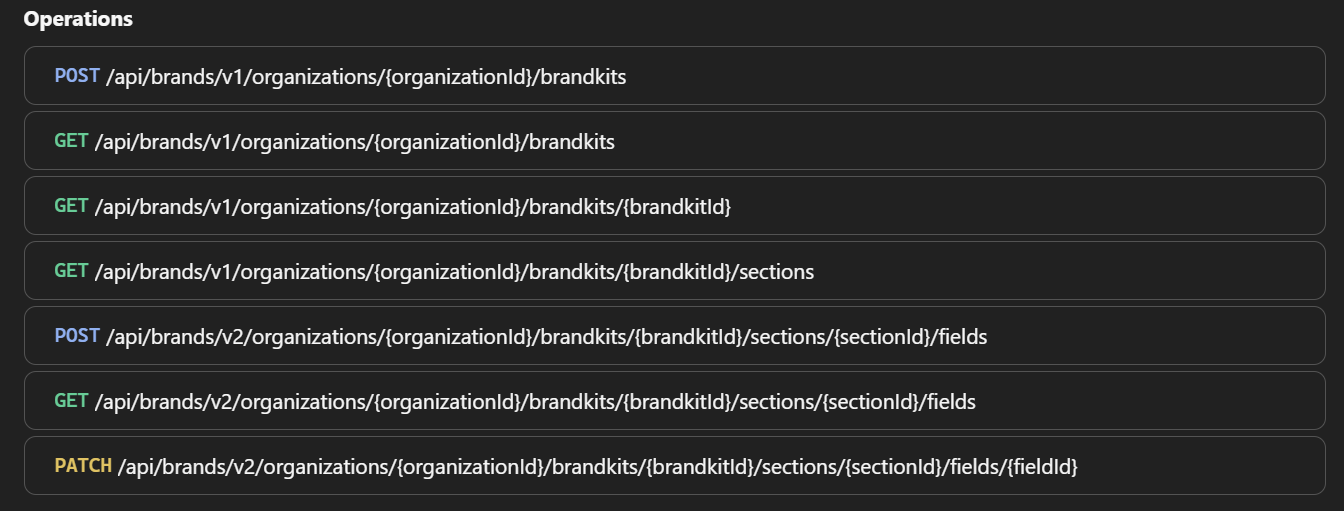
Sitecore API Catalog lists all the REST APIs plus sample code on how to integrate with them. Below is a snapshot of the list of operations at the time of writing this post:

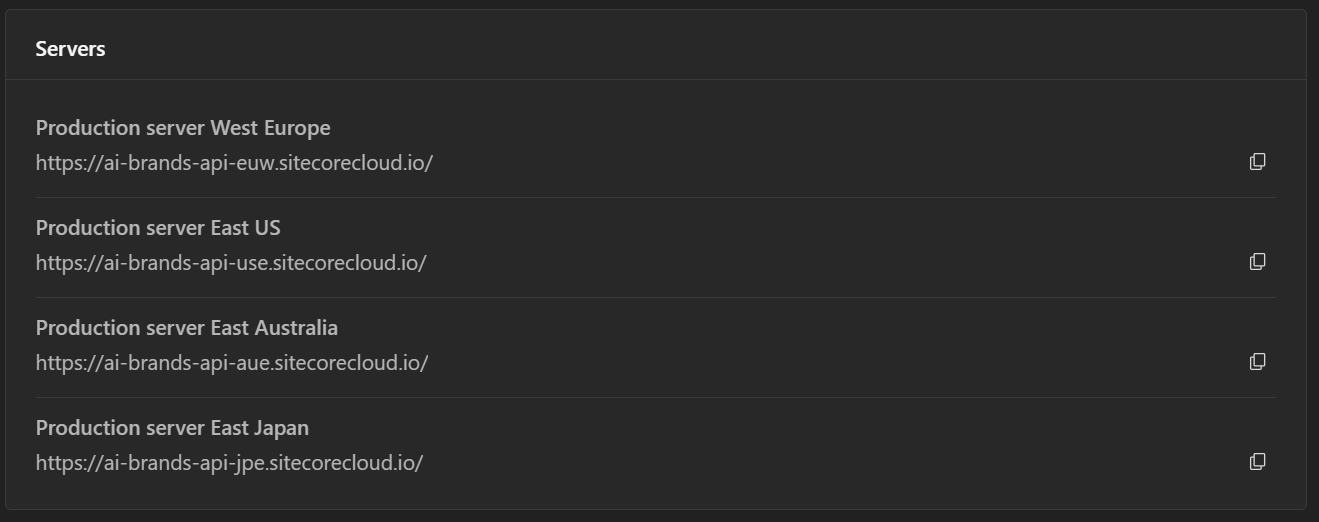
Ensure you are using the correct Brand Management server. Visit Sitecore API catalog for list of all the servers. Below is a snapshot of the list at the time of writing this post:

Next steps

Have you started integrating Sitecore Stream Brand Management APIs yet? I hope this step-by-step guide helps you start exploring the REST APIs so you can integrate them with your systems.

Stay tuned for future posts, feel free to leave us comments and feedback as well.

How do I add custom class to CKEditor in XM Cloud?

Do you know how to add a custom class using “new” text editor CKEditor? I want to add a custom "<p class="my-custom-class"></p>"

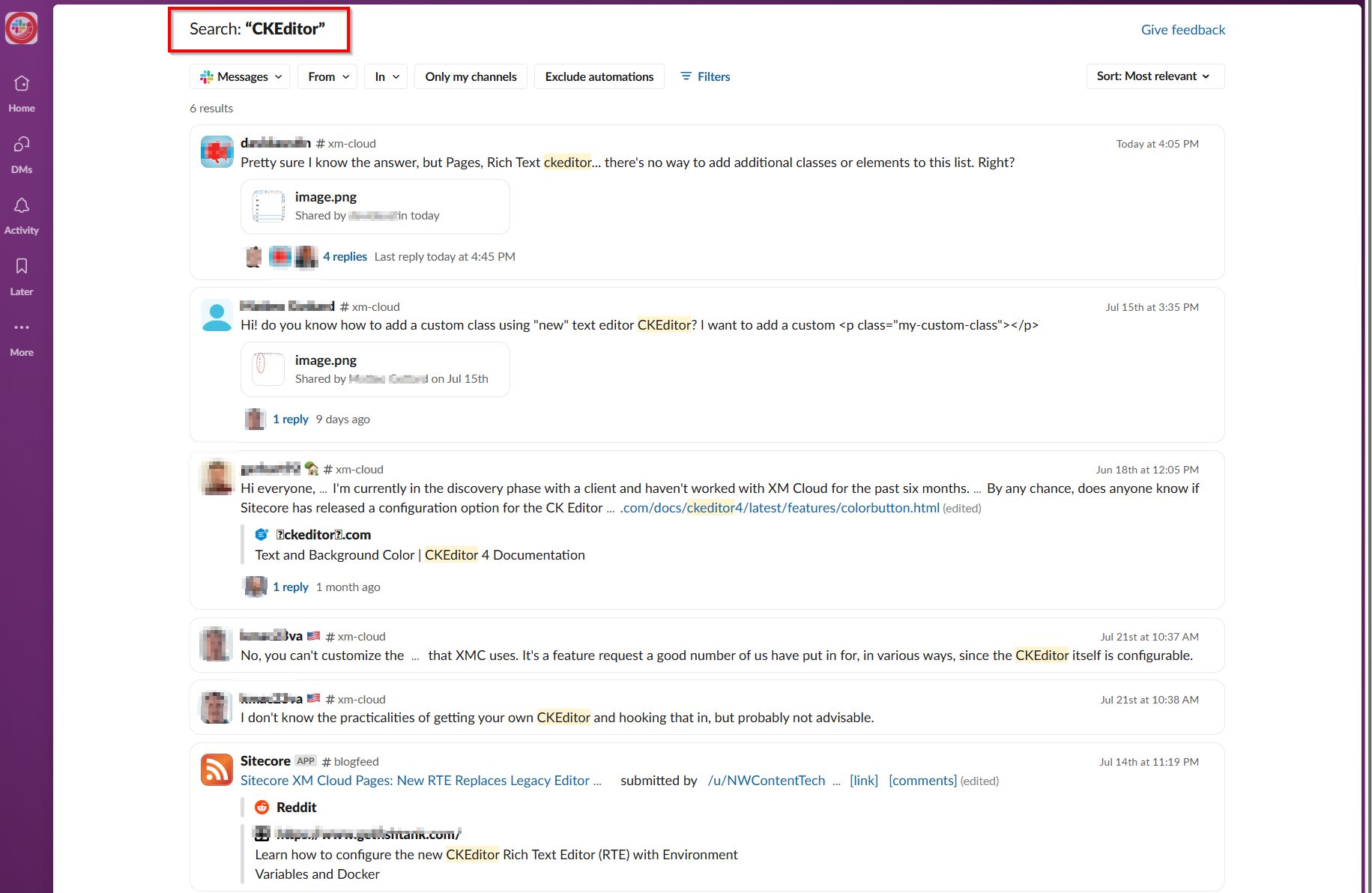
Sounds familiar? This is a common query which XM Cloud developers are grappling on Sitecore developer community channels, including Slack.

In fact, a quick search reveals an active topic as shown below:

What is CKEditor?

On May 8, 2025 Sitecore deprecated the legacy Pages rich text editor in XM Cloud. This was previously accessible from the right-hand side panel. The newer CKEditor rich text editor becomes the default editor. The link I have shared above provides guidance on how to enable the newer CKEditor rich text editor. This involves adding the env variable PAGES_ENABLE_NEW_RTE_EDITOR in the Deploy app and set its value to ‘true’

What are some of the benefits of CKEditor

The CKEditor significantly improves Rich Text Editing experience within XM Cloud Pages, introducing several new features such as:

  • capability to add tables
  • capability to find and replace text
  • capability to style images with more options
  • supporting new markup (this was not possible with previous legacy editor)
*The image above has been adopted from developers.sitecore.com

But how do I add custom class to CKEditor?

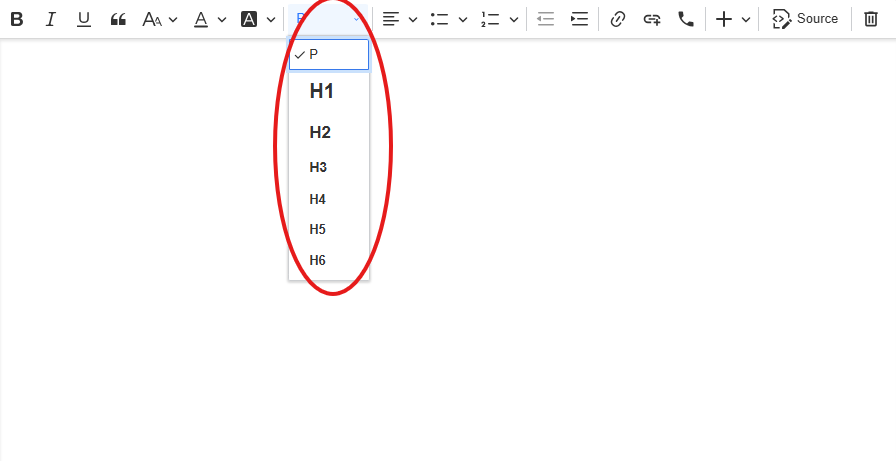
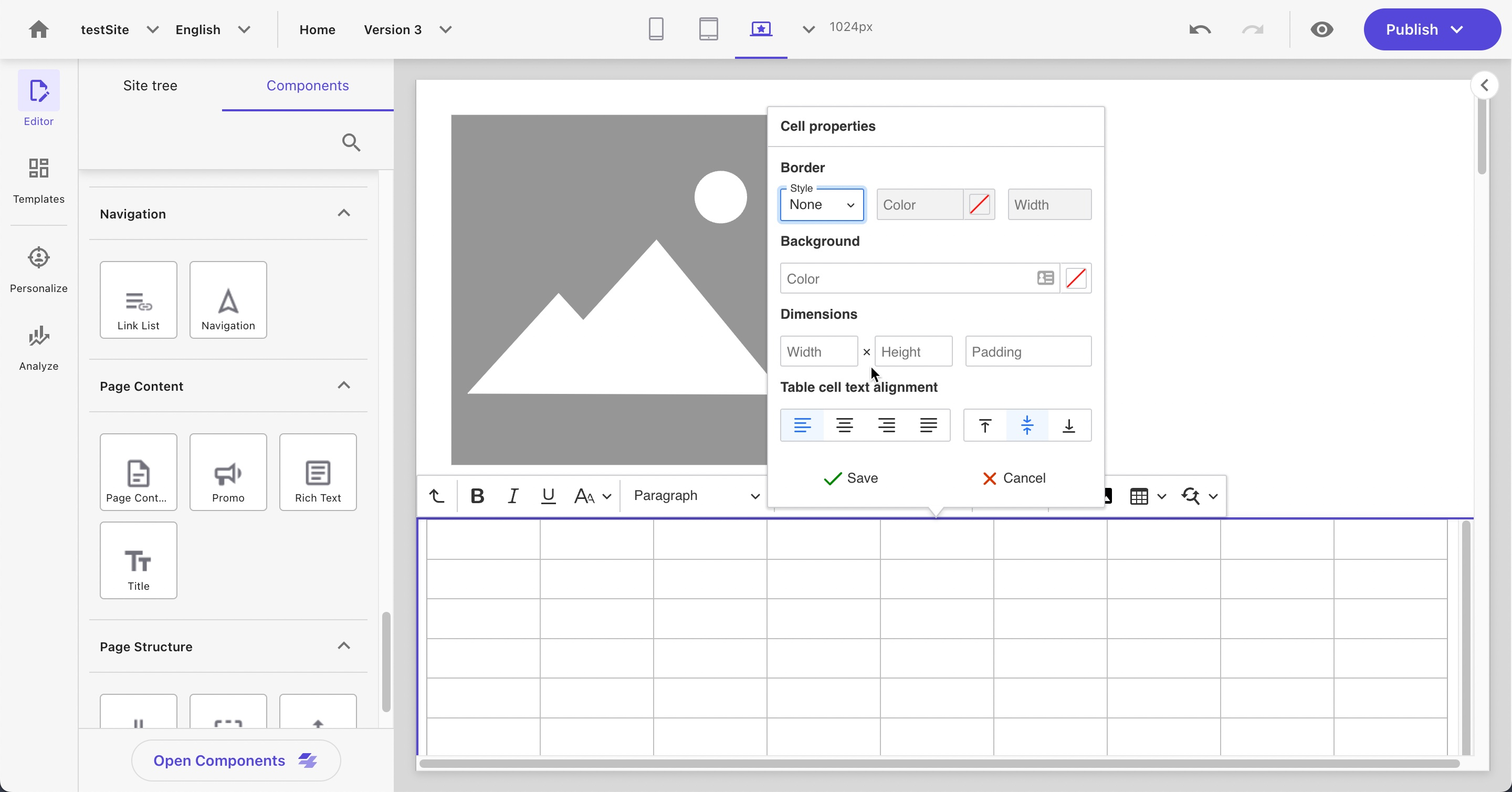
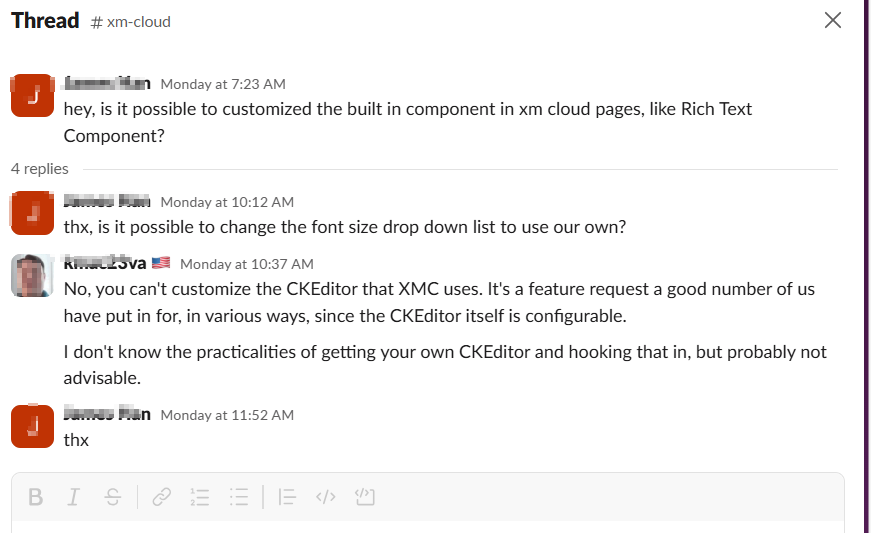
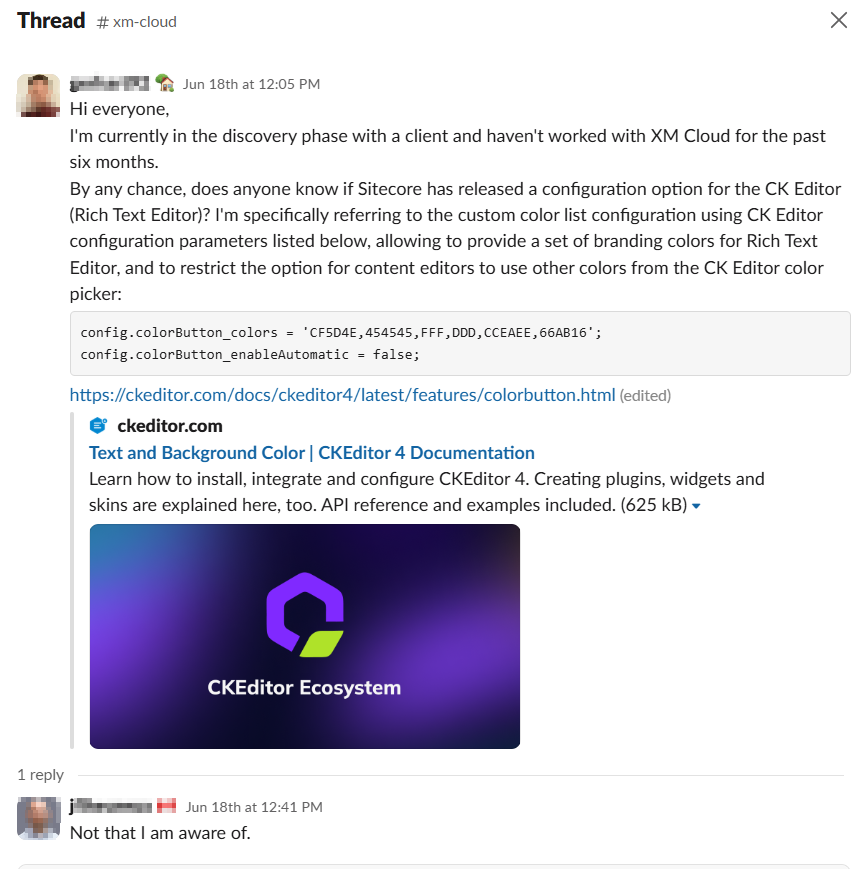
With all these new capabilities and UX improvements, unfortunately you can not customize the CKEditor in XM Cloud (yet). As mentioned earlier, there seems to be demand for a capability to customize the list of the options available from the formatting drop down.

Makes sense to be able to create custom classes to be included in the list right?

Back to you Sitecore XM Cloud team.

What are other developers of XM Cloud saying?

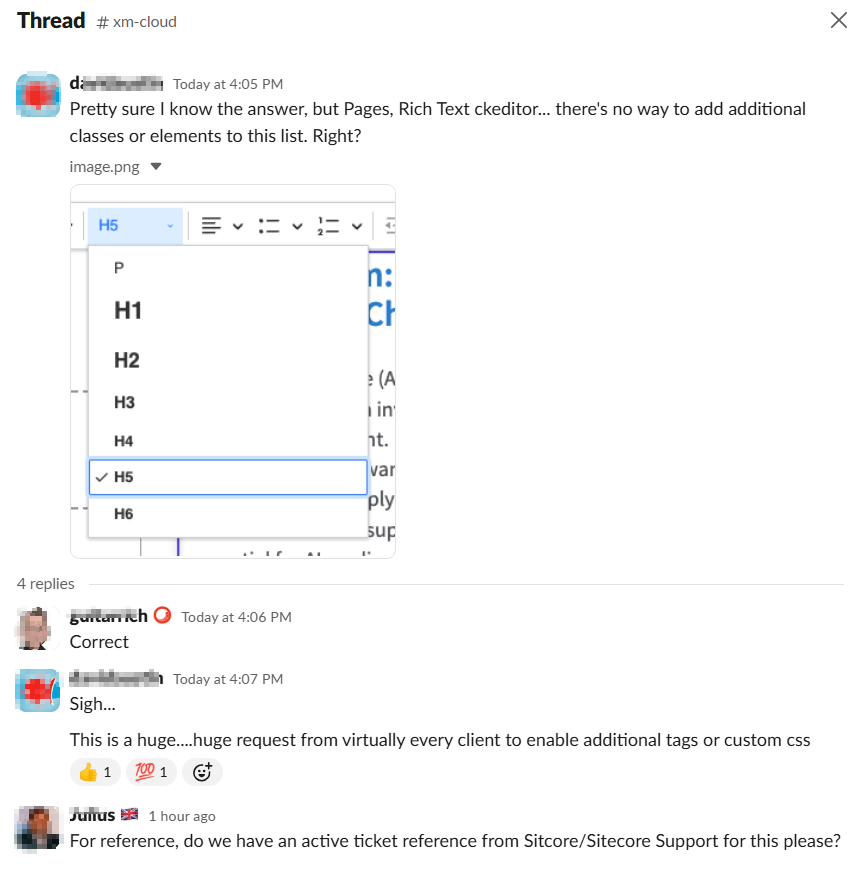
Below are some of the answers to this question on Slack:

Next steps

Joined Sitecore Slack channel yet? Head over to https://sitecore.chat to join the community. In the meantime, stay tuned and please keep any eye on this feature request. Also please give us any feedback or comments.

Everything Sitecore AI and value to marketers – part two

Context

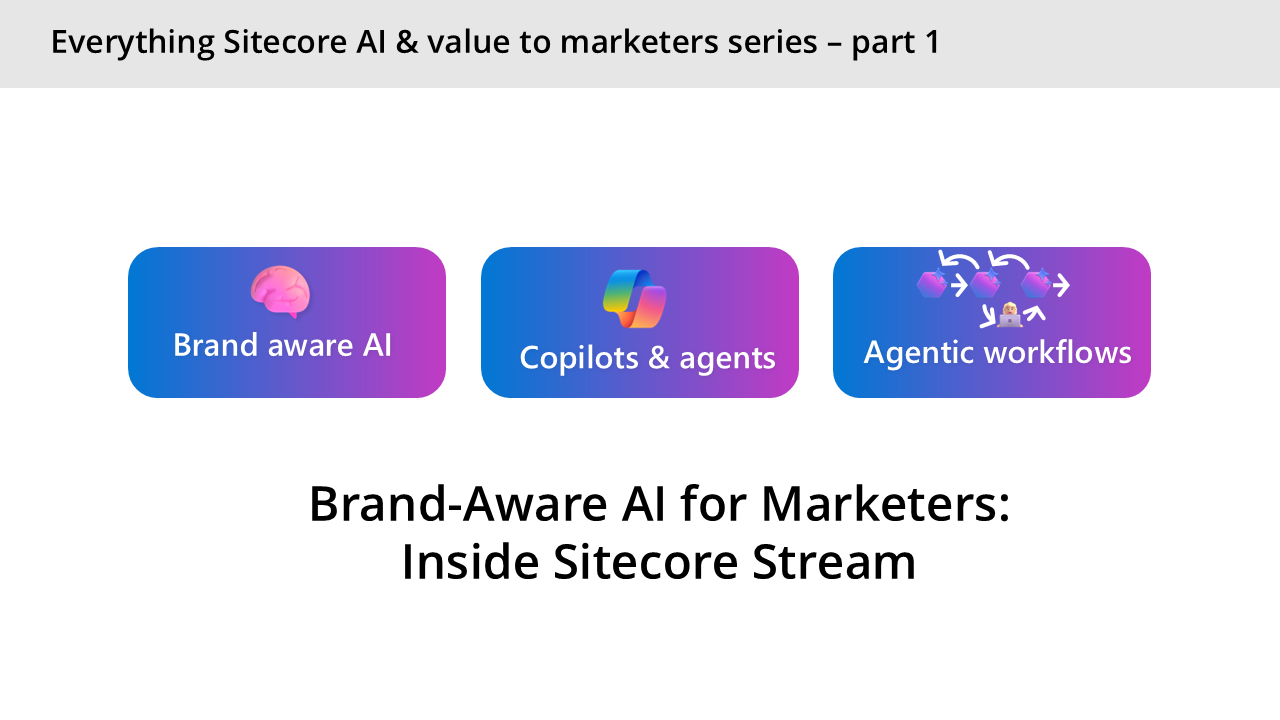
Welcome to part two of  this series about Everything Sitecore AI and value to marketers. In the previous session, we introduced Sitecore Stream and looked at the three main features: Brand aware AI, Copilots & agents and Agentic workflows.

In this blog post, we will explore further How the Brand Aware AI works, by looking at the architecture of Agents and how we bring them to life in our Stream Brand Assistant agent. There is also an accompanying video series on my YouTube channel.

What is an agent?

An agent is simply a software service that uses AI to assist users with information and task automation: An agent does a task, Take this do it and let me know when you are done.

We have three main elements on an Agent, as shown in the architecture below:

  1. Model – We now have access many Large Language Models and Small Language models that does the thinking
  2. Knowledge – This is the Instructions, data sources that enable the agent to ground prompts with Contextual data
  3. Tools –  A set of tools that agents can invoke such as retrieving information, Actions such as making API calls, and keeping a thread in memory of current conversation. You can also create custom tools using your own code or Azure Functions

How Brand Assistant agent works

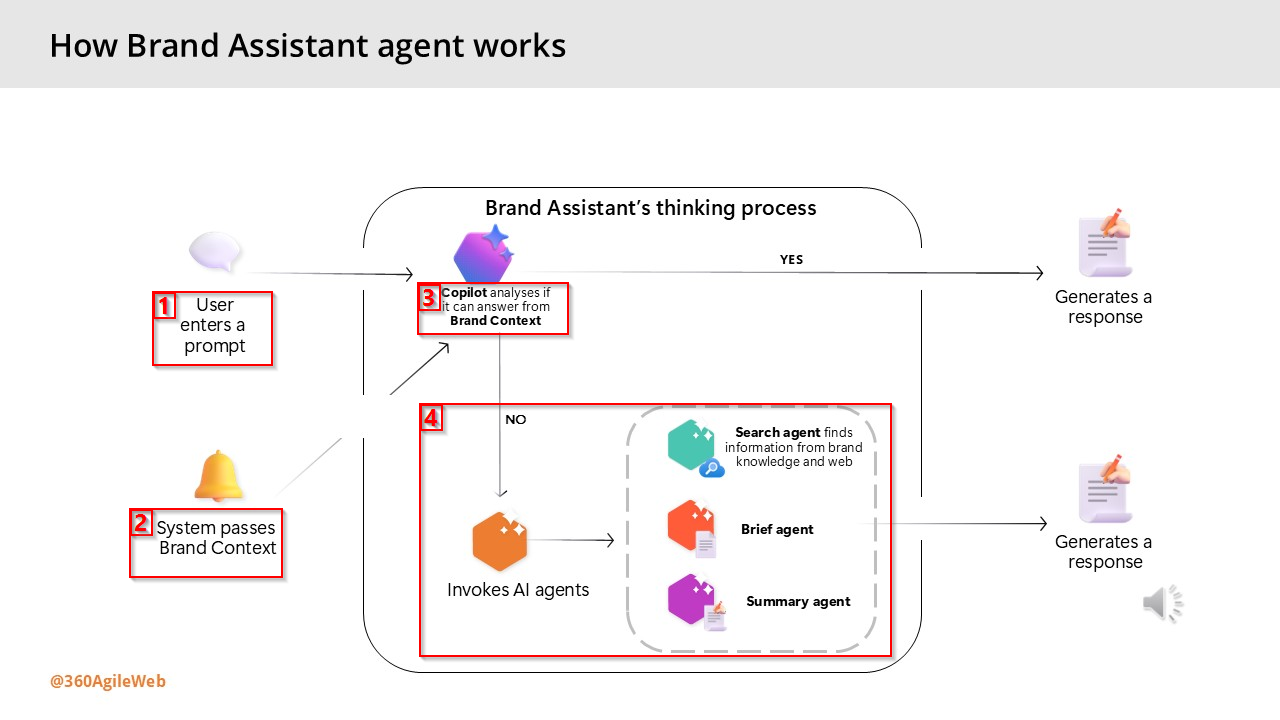
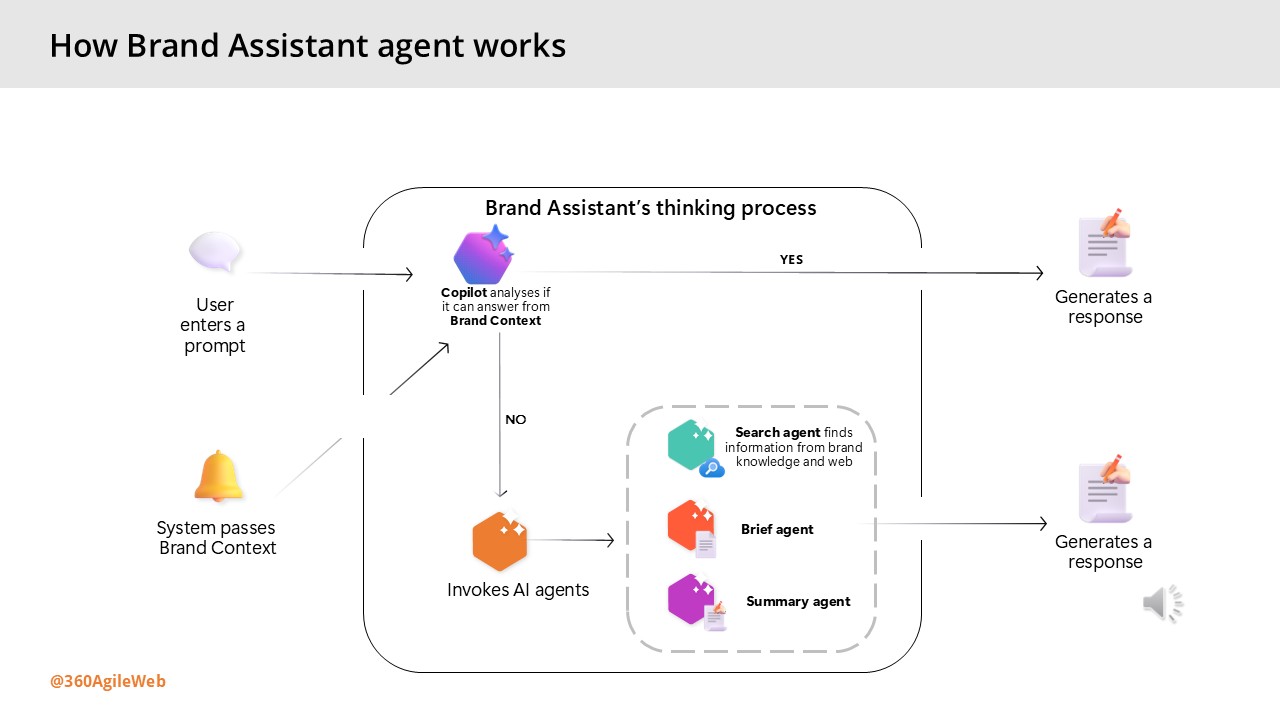
Below are the steps involved when interacting with the Brand Assistant within Sitecore Stream:

  1. The user enters a prompt – the user enters a prompt in Brand Assistant – such as a question or an instruction as shown during the demo by Alessandro earlier.
  2. The system passes information from the Brand Context – the system automatically provides information from the Brand Context brand kit section as a system prompt.
  3. Copilot analyzes if it can answer from Brand Context – the thinking process begins. The Brand Assistant evaluates whether the information passed from the Brand Context alone is enough to answer the prompt.
  4. Based on the analysis, the process continues in one of two ways:
    • Generate a direct response – if the Brand Context provides sufficient information, the Brand Assistant generates a direct response using only that content.
    • Invoke other AI agents – if the Brand Context doesn’t answer the prompt and more information is needed, the Brand Assistant automatically activates one or more AI agents to search and organize the information and generate a response:
      • Search agent – uses tools to find information from your brand knowledge, web searches, or both.
      • Brief agent – activated only when the user specifically requests a campaign or creative brief
      • Summary agent – condenses all retrieved information into a concise, relevant response.

Next steps

Have you started using Sitecore Stream with your Sitecore products yet? You can reach out to Sitecore directly by filling in the ‘Sitecore Steam: Get Your Demo’ form on their website. You can now access our YouTube video series accompanying the blog posts, which is available to watch on demand.

You can also get started integration Sitecore Stream Brand Management APIs with your solution by following this step-by-step guide.

Stay tuned for future posts, feel free to leave us comments and feedback as well.

Everything Sitecore AI and value to marketers part one

Context

As generative AI continues to evolve and become more deeply embedded in our digital landscape, its applications have expanded well beyond simple chat interfaces. Today, these models are powering intelligent agents capable of autonomously executing complex tasks and streamlining operations.

Forward-thinking organizations are now harnessing this potential to build AI-driven agents that orchestrate business processes and manage workloads in ways that were once out of reach.

In this post, we’ll take a closer look at how Sitecore is embracing this shift—leveraging Brand-Aware AI to transform the way enterprise marketing teams operate. There is also an accompanying video series on my YouTube channel.

Some of pain points that marketers face today

Before we look at how Sitecore are leveraging AI with Sitecore Stream, let me set  the context around some of the pain points that marketers face today:

  1. Keeping brand consistency – challenges around keeping their brands aligned with latest trends, efficiently improving previous campaigns & briefs, assets to keep a consistent brand tonal voice
  2. Taking longer time to make decisions – challenges around decision making turnaround time due to manual processes and large volumes of content and material that needs reviewing as part of the creative process
  3. Availability of robust Self-Serve tools –  challenges around lack of tools for efficient task planning, content supply chains, moving faster removing blockers and having more control
  4. Generic AI/ChatGPT has gapsChatGPT or similar generic AI products are not specific to marketers

What is Sitecore Stream

To address these challenges, Sitecore has taken steps to introduce AI-Driven marketing by creating Sitecore Stream. Sitecore Stream is the way Sitecore are infusing AI capabilities across their products.

Sitecore Stream consists of three components: Brand-aware AI, Copilots & agents and Agentic workflows, as discussed below.

Brand-aware AI

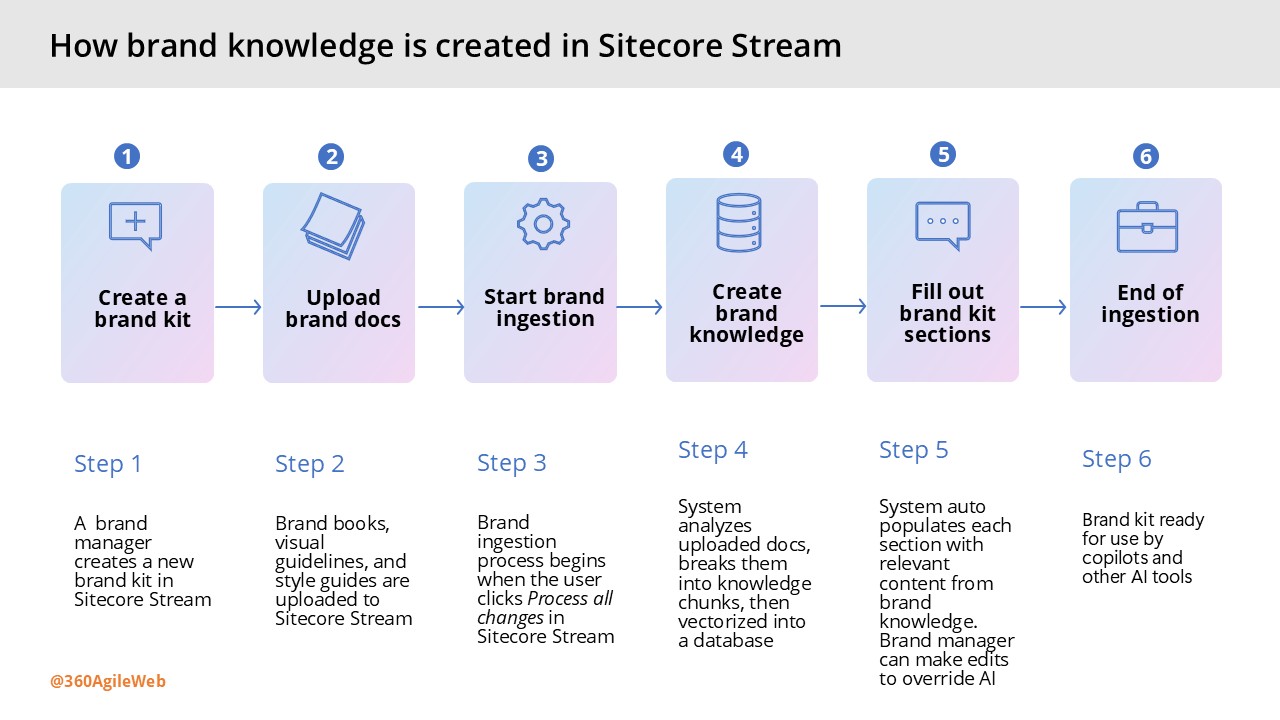
This is what powers Sitecore AI tools to generate content that reflects your brand’s identity. This is made possible by a foundational understanding of your brand called brand knowledge. In the next slide, I will show in detail how this brand knowledge is created in Sitecore Stream.

Brand-aware AI enables marketers to create high-quality content faster, by combining deep brand knowledge with real-time Web insights to generate outlines and long-form drafts in seconds.

Copilots and agents

These are the AI assistants designed to increase marketers’ productivity by speeding up decision-making and task execution. Copilots are for humans, Agents are for processes. Copilot is the UI for AI – the chat based interface is where you can ask specific questions about your brand. Better still, you can actually brainstorm with AI, e.g. you want to create new content for blog post or a campaign brief.

Agentic workflows

These are advanced tooling to orchestrate tasks and streamline marketing project management across teams. This capability enables you to discover gaps in your campaigns and reduce planning time with help of AI that understands  your brand and project context.

You can essentially ideate & plan entire campaign with help of AI. AI will recommend key top deliverables to bring your campaigns to life and recommend tasks to get them completed within seconds. Providing full agentic experiences to marketing campaigns, which human-in-the-loop too keep or discard suggestions

How to create your brand knowledge in Stream

This involves a 6-step process as outlined in the infographic shown below. If you are managing a multi-brand enterprise, you can repeat this process for each of your separate brands. Essentially creating multiple brand kits within Sitecore Stream.

Next steps

Have you started using Sitecore Stream with your Sitecore products yet? You can reach out to Sitecore directly by filling in the ‘Sitecore Steam: Get Your Demo’ form on their website.

I have also created a YouTube video series accompanying the blog posts, which is available to watch on demand.

Stay tuned for future posts, feel free to leave us comments and feedback as well.

SUGCON EUROPE 2025 Belgium – Takeaways part 2

This is a second part of my key takeaways from the recently concluded SUGCON Europe 2025. In my previous blog, I covered the keynotes from Sitecore leadership including the key announcements. In this blog post, I will cover the rest of my key takeaways from the conference.

Key highlight sessions continued

Session: Building the Future: Extending XM Cloud with Marketplace Apps

  • Spyros Misichronis (Marketplace Architect, Sitecore)
  • Liz Nelson (Product Lead of XM Cloud)

Summary: Liz and Spyros gave a high level overview of the Sitecore XM Cloud Marketplace Apps, headlining it as “Extensibility Umbrella” comprising of a Public Portal and Developer Marketplace.

Session key takeaways:

  • Developers can now leverage the CLI, SDK on GitHub to build extensions to integrate with XM Cloud APIs.
  • Developers can embed features into Pages directly or creating standalone tools.
  • Developers can build applications that enhances functionality and streamline workflows
  • Spyros’s live demo of building a sample Marketplace App showcased that we can start leveraging existing the developer tooling right now to build the apps.

Session: Leading in the new era of AI

  • Hans Verbeeck (Technology Manager @ Microsoft)

Summary: Hans session covered the journey of AI to date, highlighting how things have changed from the early days of Scaling Laws that pretty much limited computing capacity. With computing capacity and storage readily available with cloud and data centres, Microsoft has made rapid progress with Copilots, AI platform and Agent Frameworks. He amplified the need to make a choice between Buy or Build in this new era of AI and he was leaning towards “better of Buying” or “consider Buying before Building”.

Session key takeaways

  • When it comes to AI, better of Buying” or “consider Buying before Building”
  • Think of what you can Buy first
  • Copilot is the UX for AI, Copilot is for Humans
  • Agents are for Processes
  • Sitecore Stream is AI-enabled capabilities with Sitecore products, that is underpinned by Brand-aware AI, Copilots & Agents and Agentic Workflows.
  • Sitecore Stream leverage Azure’s scalability, reliability, security, advanced analytics, AI and machine learning
  • Call to action: Read more about Sitecore Stream from official docs

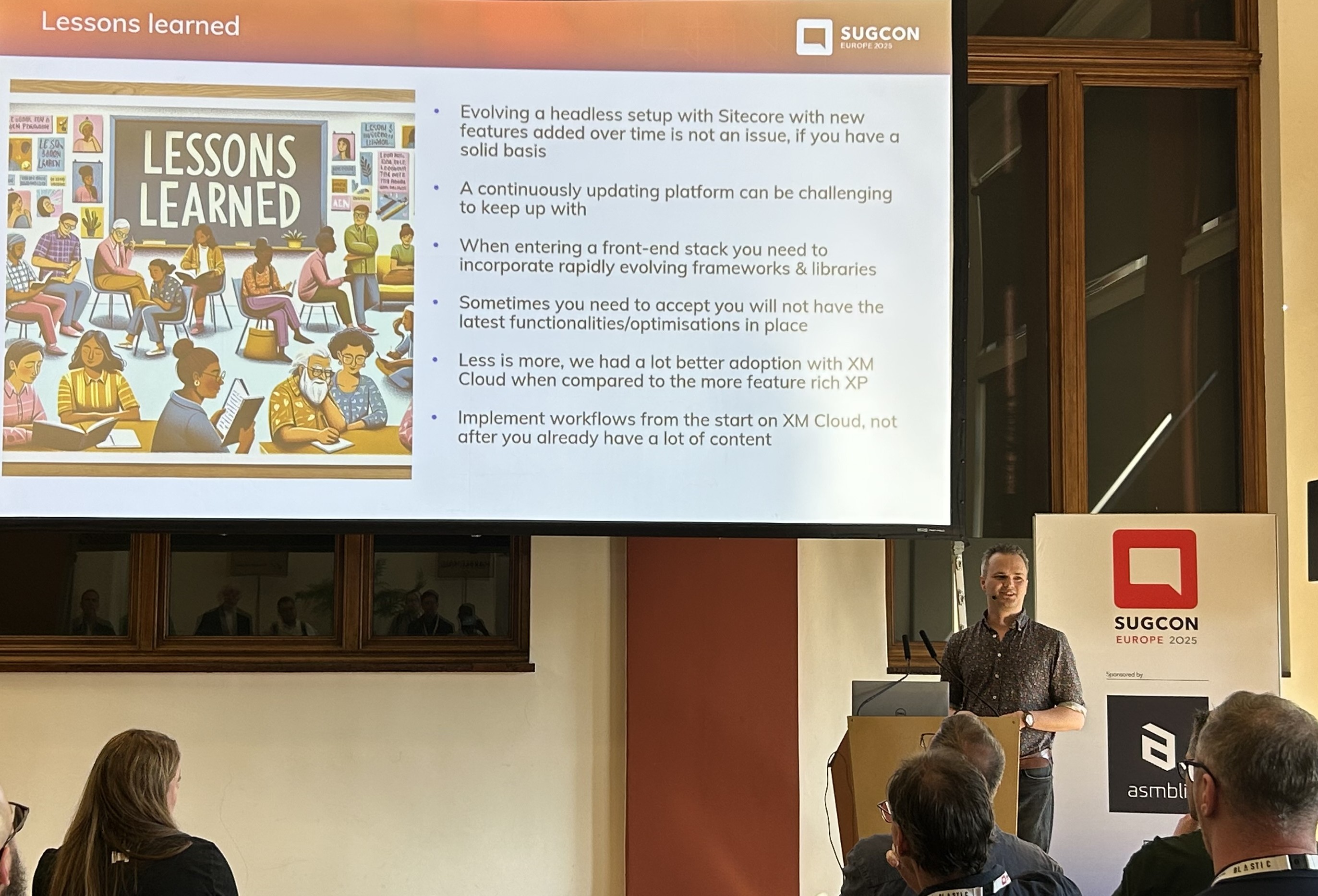
Session: Lessons learned – 2 years after building our first XM Cloud platform

  • Derk Hudepol (Avanade CX Solution lead & Architect and Technology MVP)

Summary: In this session Derk took us through his journey with XM Cloud over the past two years at BDR Thermea. They had started small—with just one site—after building a solid core platform. From there, things really took off as they expanded to support five brands and over ten sites, adding features like eCommerce and search along the way. Derk also shared the lessons learnt and some tips and tricks working with XM cloud.

Session key takeaways

  • Have a solid basis for your CM Cloud solution
  • It is challenging to keep up with a continuously updating platform (XM Cloud)
  • Less is more, XM Cloud provided a lot better adoption compared to XP platform
  • Implement workflows from Day 1 for XM Cloud projects
  • Experience Edge comes with a lot of benefits, but also has challenges around rate limiting, stale content /cache issues and lack of Admin UI
  • You can read more insights on his blog: https://blog.derkhudepol.nl/

Session: Building advanced RAG systems with Sitecore products. Putting AI assistants in Production

  • Sergey Baranov (Technology MVP)

Summary: Sergey’s session was a classic of how to get value from your data leveraging AI. In his well researched and presented session, he demonstrated how to unlock the potential of your data by transforming it into meaningful interactions with advanced Retrieval-Augmented Generation (RAG) systems.

Sergey explored how to design advanced virtual agents using RAG, connecting LLMs with Sitecore tools like CDP, Personalize, and OrderCloud to create personalized, data-driven customer interactions, while also covering optimization, cost-efficiency, and quality monitoring

Session key takeaways

  • Know differences between traditional Virtual Assistants and Naive RAG systems
  • Understand Large Language Models (LLM) limitations when building RAGs, such as limited knowledge, hallucinations, no personalisation
  • Naive RAG versus Advanced RAG: the former improves responses of LLM responses, the latter improves the quality of RAG
  • GPT-40 mini is recommended for RAGs (actually always leverage mini versions in RAGs)

Session: The Future of Design Library for Multi-Site, Multi-Channel Content

  • Liz Nelson (Product Lead of XM Cloud)
  • Eirini Kalampogia (Product Director, Sitecore)

Summary: Liz doesn’t need introduction, but Eirini this was her first presentation. During the session Liz and Eirini shared how a centralized Design Library helps manage components and design across complex multi-site, multi-channel ecosystems. It improves consistency, streamlines workflows, and boosts developer efficiency through integration with client codebases, unified templates, and usage metrics—creating a one-stop hub for scalable, high-quality digital experiences. The session had a live demo that showcased identifying “duplicate” components with new Design Library – a common pain point marketers face today.

Session key takeaways

  • Design system is needed so that we can have consistency across channels, have visibility of components, with faster delivery cycles (and reduced tech debt).
  • Design library gives marketers autonomy they much so need
  • Design at scale is a smarter way to manage components
  • Avoiding fragmentations of components (marketer vs developer), code & no-code means better together
  • Look out for future announcements on Design Library and capabilities available within Sitecore products. Especially leveraging AI component generation, whereby a marketer starts component creation (no-code) and developer later takes AI-generated code and improves it. And marketer plays with it iteratively
  • The vision being “A single platform where devs build structure, marketers bring stories to life and AI scales the creative output across audiences and channels”

Session: Sitecore Stream in Platform DXP

  • Vignesh Vishwanath (Product Manager, Sitecore)

Summary: This was a session by Vignesh where he provided a full overview of the Sitecore Stream module within Sitecore Platform DX. He showcased the available features today as well what is in the roadmap.

Session key takeaways

  • Demonstrated Language translation with Stream Translate (which adds new item version)
  • You can use Stream with Content Structure, Content Auditing (review and suggest improvements)
  • You can use Stream for Image to Alt Text
  • You can use Stream for Component Generation (leveraging prompts)
  • Highly recommend further reading from official Sitecore docs

Session: The joys and challenges of managing thousands of websites in a single Sitecore instance

  • Adam Najmanowicz (Developer)

Summary: Adam need no introduction. His session theme was basically lessons learnt, tips and tricks from the joys and challenges of managing a large number of websites in a single Sitecore instance.

Session key takeaways

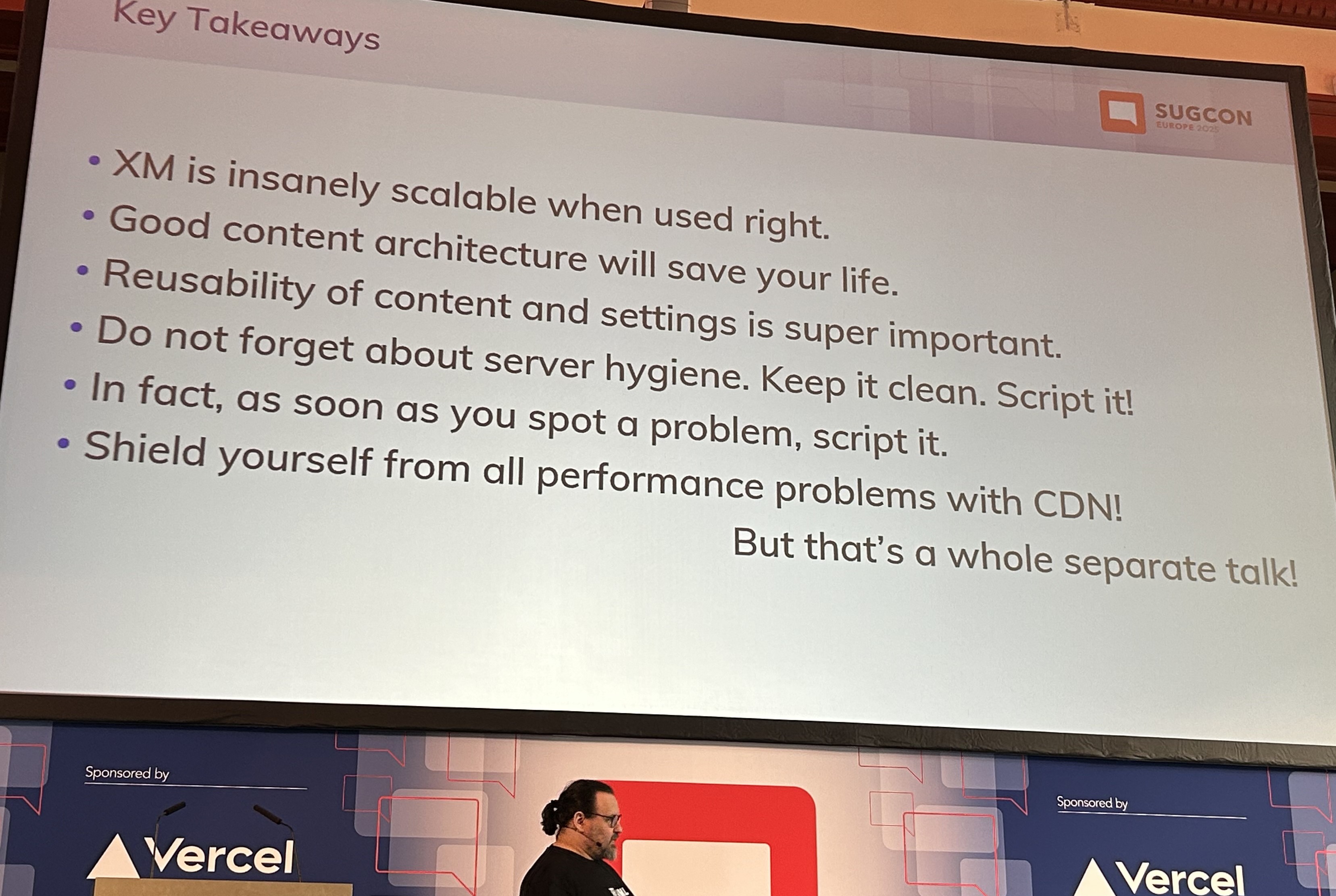
  • Don’t run in integrated mode for XM Cloud
  • Servers are “cattle not pets”
  • Go headless node from the very start of XM Cloud projects
  • Reusability of content and settings is super important

Session: Better XM/XP deployments with Kubernetes

  • Peter Procházka (Sitecore Solutions Architect @ Accenture and Technology MVP)

Summary: Pete’s session was mostly lesson learnt and his insights using Kubernetes with Sitecore XM/XP workloads. He showcased Kubernetes and how it enables cloud orchestration and self-healing among other features. This session was more valuable for anyone transitioning from IaaS or PaaS, as Pete shared useful reference architectures.

Session key takeaways

  1. Nice recap of what Traditional vs Cloud-based services workloads look like, IaaS vs CaaS
  2. Local developer workflows and process to follow
  3. Docker architecture, Image registry, Docker compose and override files
  4. Why Kubernetes (with declarative vs imperative use cases) and pros/cons for either approach
  5. DevOps /GitOps and tooling (Flux/Helm)
  6. Reach out to Pete or visit his blog for more details: https://tothecore.sk/

Session: Synchronizing Sitecore XM Cloud Content with Azure DevOps

  • Robbert Hock (Technology MVP)

Summary: This was a fast-paced 15-minute lightning talk in which Robbert Hock(who needs no introduction) shared how his team addressed a common challenge with Sitecore XM Cloud: keeping lower Sitecore XM Cloud environments synchronized with production. I will point you to read more about it on Robbert follow up blog post. Robbert actually demonstrated his solution as well as the Azure DevOps CI/CD pipelines his team had built.

Session: Sitecore’s Marketplace roadmap review & Developer program

  • Krassi Eneva (Senior Product Manager, Sitecore)
  • Justin Vogt (Principle Product Manager, Sitecore)

Summary: Already covered this as part of the Key Product Roadmaps announcements in part one post.

Other sessions attended

Below is a high level summary of other sessions I managed to attend

Session: Our Conversational AI future – Predicting the new web by looking to the past

  • Presented by Rob Coyle (Director of Product Design, Sitecore)

Summary: Rob session was on “a speculative future of Web and CMS” where he demonstrated concepts such as: “Show recommendations based on time to go home”. He explored futuristic use cases such as Content remixes and Agent rules.

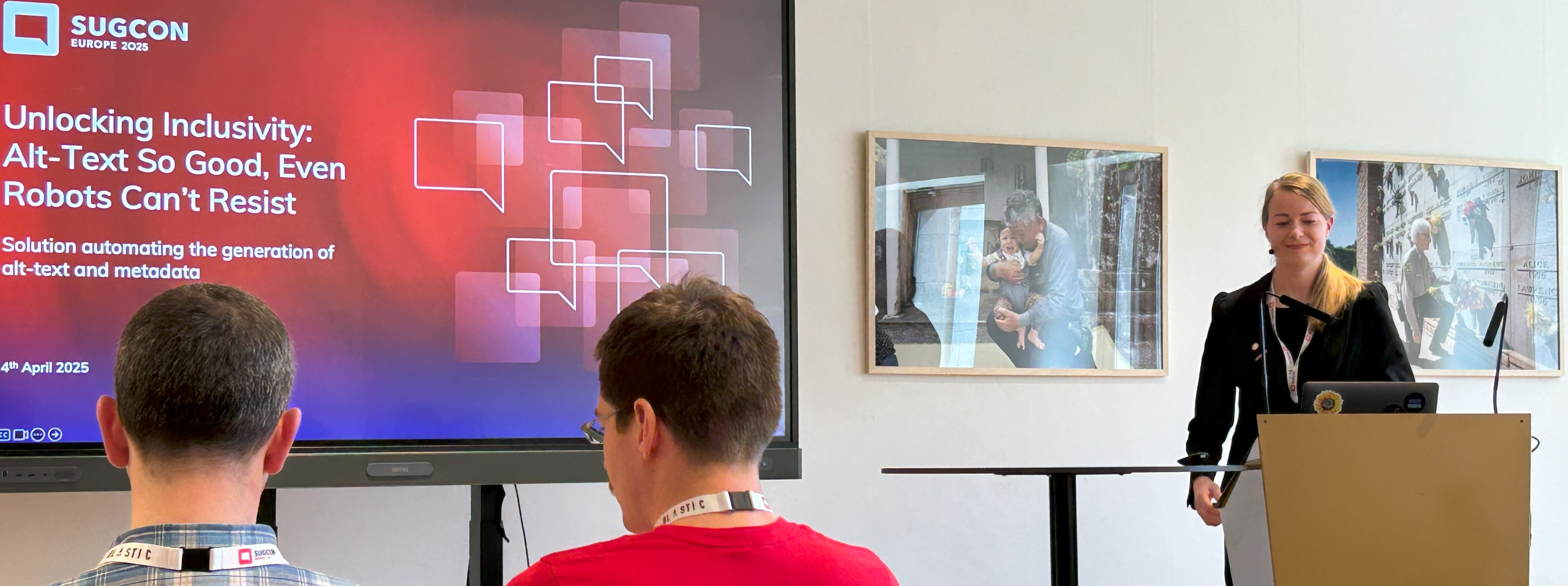
Session: Unlocking Inclusivity – Alt-Text So Good, Even Robots Can’t Resist

  • Presented by Anna Pokorna (Ambassador MVP)

Summary: In this session, Anna shared how they leveraged AI to automate the generation of Image alt-text and metadata for their client. Thereby enhancing accessibility, SEO, and maintaining brand tone of voice. The solution was implemented over a year ago, well before Sitecore Stream was announced, highlighting Anna’s company forward-thinking approach as the industry now moves toward similar capabilities.

Session: Full Circle – The Architect of XM Cloud builds an XM Cloud Site (as a partner for the first time)

  • Presented Andy Cohen (Honorary MVP)

Summary: Andy Cohen doesn’t need further introduction — the founding architect of XM Cloud, was sharing his own story and experiences as he built his first project on XM Cloud—this time from a partner perspective. It was an interesting session that was well attended.

Session: Diversity in the Age of AI – Why It Matters More Than Ever?

  • Presented by Daniela Militaru (Senior Sales Engineer, Sitecore)

Summary: Daniela’s session was a group discussion in the format of a fire-side chat where the audience explored the vital role that diverse perspectives play in developing ethical, innovative, and effective AI solutions. Very engaging and great to see so many contributions from the engaged audience in this important AI topic.

Session: A walk-through of XM Cloud Content

Round up from Sitecore community

Below is a summary of related blog posts from our Sitecore community, whereby Sitecore MVPs, marketers and developers alike are sharing their key takeaways as well. Please note this list has not been presented in any particular ordering.

  1. SUGCON EU Excitement! The most interesting announcements from the Sitecore team, by Jeremy Davis: https://blog.jermdavis.dev/posts/2025/sugcon-excitement (accessed on 8th May 2025)
  2. 10 Highlights from SUGCON Europe 2025 in Antwerp, Belgium – by Rob McGovern: https://remarkable.global/insights/sugcon-europe-2025/ (accessed on 8th May 2025)
  3. LinkedIn post by Anna Pokorna summarizing her key takeaways (accessed on 8th May 2025)
  4. Key takeaways by Nick Allen summarized in 3x blog posts: https://www.thinkfreshfreelance.co.uk/blog/post/sugcon-europe-2025-keynote-insights (accessed on 8th May 2025)
  5. SUGCON Europe 2025: One Platform, Bold Future, by Nikhil Kulkarni: https://techienikhil.wordpress.com/2025/04/10/sugcon-europe-2025/ (accessed on 8th May 2025)
  6. Recap: SUGCON Europe 2025 – Synchronizing Sitecore XM Cloud with Azure DevOps, by Robbert Hock: https://www.kayee.nl/2025/04/11/recap-sugcon-europe-2025-synchronizing-sitecore-xm-cloud-with-azure-devops/ (accessed on 8th May 2025)
  7. My SUGCON Europe 2025 highlights, Jeroen Breuer: https://www.jeroenbreuer.nl/blog/my-sugcon-europe-2025-highlights/ (accessed on 8th May 2025)
  8. SPExAI Report Builder: A Winning Sitecore Hackathon submission (announced during SUGNCON Europe 2025): https://www.sitecoregabe.com/2025/04/spexai-report-builder-hackathon.html (accessed on 8th May 2025)
  9. SUGCON Europe 2025 – Recap, by Simon Hauck: https://sitecore.merkle.com/sugcon-recap/ (accessed on 8th May 2025)
  10. Unlocking the Sitecore Marketplace: A Deep Dive from SUGCON Europe 2025, by Akshay Sura: https://konabos.com/blog/unlocking-the-sitecore-marketplace-a-deep-dive-from-sugcon-europe-2025 (accessed on 8th May 2025)
  11. SUGCON Europe 2025 Takeaways, by Martin Miles: https://blog.martinmiles.net/post/sugcon-europe-2025-takeaways (accessed on 8th May 2025)
  12. SUGCON YouTube Channel with SUGCON Europe 2025 sessions, https://www.youtube.com/playlist?list=PLvwdDTmlDsRy5DRArU-nmWNlWED0vHuJS

Conclusion and next steps

Overall, I observed a positive sentiment during this conference. There was positive energy and buzz throughout the event, and this was echoed in various social media posts as well. I have also provided a round up from Sitecore community for your convenience – I hope you get time to read through the blog posts to corroborate my key takeaways and feedback from other attendees. SUGCON Europe is a key event in Sitecore calendar and there is already talk about next year! We are also looking forward to SUGCON ANZ later in the year and Sitecore Symposium is back again in Orlando during November 2025. In the meantime, stay tuned.

SUGCON EUROPE 2025 Belgium – Takeaways part one

Sitecore User Group Conference Europe 2025 has just concluded. It was held over two days in Antwerp city, Belgium last week (3-4 April 2025) and I was one of the lucky attendees. In this blog post, I will be sharing my experiences and key takeaways from the conference.

Firstly, I would like to thank the SUGCON organizers and the Sitecore community for making the event such a success. The choice of venue was spot on! Held in A Room with a ZOO – Antwerp, Belgium, the venue was most accessible via train seamlessly connected to the adjacent Belle Époque international station, which links to the European rail network. And right next to the Antwerp Central Station, the most beautiful station in the world. The food and hospitality were top notch, with variety of Belgian cuisine and desserts on the menu.

Secondly, the event schedule was the best you could have asked for. It catered for both developers and marketers alike, with keynotes from Sitecore leadership team, Sitecore product updates, great Sitecore community contents and demos alike. This year SUGCON also provided an accompanying SUGCON app to help personalise your sessions, keep track schedule and the room switches! Whether it was the usual ad hoc chit chat along corridors with other attendees, over lunch and dinner everyone was engaged. Including a Community Scavenger hunt app powered by Deckle, that kept everyone engaged and exploring the venue with many prizes won by those on top of the leaderboard at close of the event!

Keynote: Powering the Future of Sitecore Together

  • Dave O’Flanagan (CEO, Sitecore)
  • Roger Connolly (CPO, Sitecore)
  • Danny Robinson(CTO, Sitecore)

Keynote from Dave: This was Dave’s 4th SUGCON, and his first as Sitecore CEO. Dave shared stats that highlighted the key role our Sitecore community in success of Sitecore, such as 100+ user groups with over 30k members across 30+ countries, producing over 1k+ developer artefacts. Keynote was held in the “Darwin Room” which had a huge skeleton of a whale provided a great backdrop of his “Adapt” messaging. He reminded us, to echo famous Darwin mantra, that those who “evolve” and “adapt” thrive and survive. We are at what he called “The AI Inflection point”. His key message was he’s very much building Sitecore as an “AI First” company going forward. We will see marketing significantly change, let’s embrace the “The Intelligent DXP” built on a world-class CMS that is underpinned by AI (Sitecore Stream). With AI capabilities already being infused across Sitecore products and as AI agents are becoming more capable, Sitecore can deliver on their promises such as personalisation.

Keynote from Roger: Roger swiftly picked on from where Dave left and his messaging revolved around Content with Context will fuel the AI future. Content is King. Simple. He challenged whether “Is AI the UX of the future?” as we are seeing UX patterns shifting fast. With AI capabilities already being infused across Sitecore products, you can use Sitecore Stream with DXP 10.2+ and XM Cloud to generate content. As well as Contextual AI tagging and Visual Search in Content Hub which solves the metadata and retrieval main issues he sees within Content Hub. He also touched on the changing face of Search in the AI age and showcased the AI-powered A/B/n testing, personalisation and language translation tools available to us now.

Keynote from Danny: Last but not least, Danny shared his vision and roadmap with his key messaging also revolving around Innovating faster with AI. He re-emphasized Dave’s “Intelligent DXP” by showcasing how he is evolving the architecture for the future. He is also very much driven in improving developer experience by enabling developers with tools and SDKs they need. He sees this as ground-up, embedded AI capabilities, federated content, AI-powered site creation and bringing Sitecore Stream to all products. He promised that on June 4th, 2025 he will be making a significant future innovation announcement, so keep an eye on that date.

Key product roadmaps and announcements 

Throughout the conference, we were given key product roadmap announcements.

a) Delivery on the promise, Sitecore Stream set of AI capabilities are available now.

Sitecore Stream in itself is not a product, but a set of AI capabilities that are already being infused across Sitecore products.

  • Available now on DXP 10.2+
  • Available now on XM Cloud
  • Available now for A/B/n testing/personalisation
  • Available now on Content Hub for Contextual AI metadata auto tagging and AI Visual Search

b) Sitecore’s Marketplace & Developer program

We had two separate sessions around Sitecore Marketplace. First session by Liz Nelson (Product Lead of XM Cloud) and Spyros Misichronis (Marketplace Architect, Sitecore) where they showcased the Sitecore XM Cloud Marketplace Apps, which she called an “Extensibility Umbrella” comprising of a Public Portal and Developer Marketplace.

  • Developers can now leverage the CLI, SDK on GitHub to build extensions to integrate with XM Cloud APIs.
  • Developers can embed features into Pages directly or creating standalone tools.
  • Developers can build applications that enhances functionality and streamline workflows

Spyros Misichronis demonstrated a live demo of building a sample Marketplace App leveraging the developer tooling.

The second session was by Krassi Eneva and Justin Vogt (Product Managers from Sitecore) who took a deep dive into more detail and showcased different use cases for Sitecore’s Marketplace and Developer program. Sitecore Marketplace brings the following benefits: faster time to value, flexibility & extensibility and growth & enablement.

  • Contribute to the community or build for your use cases. Sitecore is providing three models for this
    • Custom Single Tenant – Built for a specific organization & available right away
    • Custom Multi Tenant – Build for selected number of organizations & partner managed
    • Public – Available to any Sitecore customer or partner
  • What can you build? This is about what experience can you tailor for your end-users and not what type of apps. Scope is wide and covers creation of the following:
    • apps to the Sitecore portal
    • apps within XM Cloud
    • apps within custom touchpoints such as panels in Page Builder in context of a page, fields editor and panels within sites dashboard
  • Early Access Developer Program – Sitecore’s Marketplace Early Access Program is currently in progress and Sitecore is actively working with the following:
    • Technology Partners
    • Sitecore Partners
    • Internal Sitecore teams
    • Individual community members
  • Is this like an App store we are used to? Similar analogy if you like. You are responsible for testing your own apps, responsible for supporting them in the marketplace. Apps once submitted will undergo review process before approval to Sitecore’s marketplace

This was a major announcement that brings a solution to plug in gaps currently available in XM Cloud as result of moving from Platform DXP. They demonstrated cool apps like copying content between XM Cloud environments, leveraging third party content translations within XM Cloud UI among others. Interesting space to keep an eye on.

c) XM Cloud Content (previously known as “Content Service”)

Alistair Deneys (System Architect, Sitecore) session focused on showcasing the progress made with the Enterprise-grade, innovative headless “CMS” which we now know will be called XM Cloud Content. He set context by giving the brief history and evolution of CMS from the monolith old days, through headless and a look at the future as XM Cloud Content. He also introduced the XMC Content Architecture, diving into domain models covering the following:

  • Content Types define structure
  • Taxonomies define classification
  • Content is stored in Content Items
  • Fragments allow composition. He highlighted the preference for composition over inheritance in the design

He gave a live demonstration of the core set of APIs that underpin XM Cloud Content, walking through various scenarios on how you can build content using API-first.

Some of the key capabilities from XM Cloud Content are:

  • Entity lifecycle – Draft/Published/Archived
  • Worksets – new concept of publishing
  • Content Delivery – GraphQL endpoints includes tenant name. “IsDirectQuery=false” keeps query cleaner. Persisted queries, restrict query tokens to specific persisted queries, schema pinning
  • Fragments with composition over inheritance enables re-usability of set of fields thus a mechanism of delivering “system functionality and extensions”
  • Separate queries for “Pages” content, say, articles, news, etc
  • Query Token security enhancements such as disabling of Introspection
  • Content management capabilities: environment merging, availability & archive dates on content items, more field types, content collections among others
  • Sitecore Change Logs are running from XM Cloud Content

Developers will be excited with XM Cloud Content, although what was demonstrated is still in early development. Watch this space and future announcements.

d) Modernizing the JSS SDK and Starter Kits for XM Cloud

Liz Nelson (Product Lead of XM Cloud) and Christian Hahn (Technical Product Manager) unveiled groundbreaking updates to the JSS SDK and starter kits, designed to simplify workflows, eliminate legacy complexity, and enhance flexibility.

Welcome the “new” one. In summary, in the new solution

  • Split responsibilities
  • Only get what you really need
  • Reduce complexities and sizes

Some of key improvements shared in the session

  • disk size of the starter kit site folder reduced from 8MB down to 600KB
  • almost halving the bundle size
  • overall improvements in First Contentful Paint FCP metric of 200 milliseconds
  • editorial performance gains, with about 10x as many UI components can be added to an editable page

The SDK and documentation are available now, and currently in “Beta” but confident developers can start building new projects. Watch this space for announcements on the final releases which will be soon.

e) June 4th, 2025 – Future Innovation Announcement

Look out for an announcement from Danny Robinson(CTO, Sitecore) in June 4th

f) November 3-5, 2025 – Sitecore Symposium Orlando 2025

Sitecore Symposium 2025 is back and will be held at Walt Disney World Dolphin Resort, Orlando, the week of November 3, 2025. Ready to start your submission and step into the spotlight at Sitecore Symposium 2025 in Orlando, they are currently calling for speakers.

Key highlight sessions

With a total of about forty (40) sessions, it is impossible to attend them all. Below are some of my key highlight sessions that I attended. I will complete the list in a follow up blog post.

Session: XM/XP to XM Cloud Best Practices – Free Workshop

Summary: This was an early bird free workshop sponsored by Brimit which covered the best practices, decisions and considerations when migrating to XM Cloud. If you thinking of making the move, this session amplified what a migration path could look like. Sitecore provides XM/XP Migration Navigator as well and you can reach out directly to them.

Session: Optimizing your Content Hub development – Free Workshop

Summary: Another early bird free workshop sponsored by Brimit highlighting the productivity gains by leveraging Content Hub CLI in your workloads. A live CLI demo for developers and key takeaways in terms of best practices and optimising Content Hub DevOps journey.

Conclusion and Next steps

I observed a positive sentiment overall during the conference. There was positive energy and buzz throughout, and this was echoed in various social media posts as well. I look forward to reading and reviewing more feedback from other attendees. SUGCON Europe is a key event in our calendar and there is already talk about next year! We are also looking forward to SUGCON ANZ later in the year and Sitecore Symposium back again in Orlando during November 2025, with call for speakers now open.

You can continue with part 2 where I am covering more key highlight sessions.

Please give us any feedback or comments.

XM Cloud tips & tricks: Extending CLI with handy productivity plugins and tools

Context and background

I presume most of us are familiar with Sitecore XM Cloud plugin that provides the cloud command that help you manage XM Cloud projects, environments and deployments from the Command Line Interface (CLI). CLI plugins provide us with powerful tools that enable us to automate management of Sitecore XM Cloud workloads by leveraging existing DevOps processes and tooling. In this blog post, I will share some of my tips and tricks on how you can quickly stand-up on of these plugins to automate, say, migration of content between two Sitecore XM Cloud instances.

Anatomy of a CLI plugin – Sitecore XM Cloud plugin example

A CLI plugin typically consists of a command which has one or more subcommands. Using an example of Sitecore XM Cloud plugin, you can check the cloud command is available as shown below:

I have assumed that you have already installed the required pre-requisites on your local developer environment. If this is not the case, help is available on how to do this setup, from the official Sitecore XM Cloud docs.

Subcommands

As you can see from above screenshot, we have the cloud subcommands for login, logout, project, environment, deployment and organization

I will not be focusing on what these mean for now. You can read more about them in the official docs pages. The point I am simply illustrating the anatomy of the CLI plugin, demonstrating what the command is and subcommands are. We will apply this to our own custom plugin next.

Tips & tricks 1 – Creating your own custom CLI Plugin – command and subcommands

I am going to share tips and tricks of creating a custom plugin to extend the base sitecore plugin with an new migrate command, which has only one subcommand to start the migration.

A typical use-case is imagine using this command to start content migration from Sitecore XM Cloud environment A into environment B. After we have created the plugin, we can run it with the dotnet sitecore --help command to display the plugin info as shown below.

Notice the migrate command is now listed alongside the out of the box subcommands that come with sitecore command. Very cool, we have now extended the sitecore command.

And we can now explore the available subcommands for our custom plugin using dotnet sitecore migrate --help command as shown below.

Tips & tricks 2 – Creating a Visual Studio Project for CLI Plugin

To extend the base Sitecore CLI plugin, we need to create a new class library project.

  1. In Visual Studio, select File > New > Project.
  2. In the Create a new project window, select C#Windows, and Library in the dropdown lists.
  3. In the resulting list of project templates, select Class Library (with the description, A project for creating a class library that targets .NET or .NET Standard), and then select Next.
  4. In the Configure your new project window, enter a name of your choice  for the Project name, and then select Next.
  5. In the Additional information window, select an appropriate Framework, and then select Create.

It is recommended we use the best practices such as have a clear project names to help clearly identify them and give a hint what the CLI plugin is all about. Below is a sample project skeleton, with all necessary classes needed for my CLI Plugin.

You will notice this project has the following structure. I will explain the main code classes below

  1. MigrateCommand.cs – this is the class code file that gives my plugin the migrate command
  2. StartMigrateCommand.cs – this is the class code file that adds my start subcommand to migrate command
  3. StartMigrateCommandArgs.cs – this is the code file that defines any command line arguments needed for the migration process. Below are the arguments supported
    • source-url: The URL of the source XM Cloud environment
    • destination-url: The URL of the target XM Cloud environment
    • root-item: The GUID of root item you want to migrate
    • include-children: Whether to include child items (default is true)
  4. PerformMigrateTask.cs – this is the code file that defines the tasks being accomplished by the subcommands
  5. RegisterExtension.cs – This is the main entry point code file, and implements the ISitecoreCliExtension

The rest of the code files are used for the business logic for this plugin. In my case, I have encapsulated my business logic for content migration from Sitecore XM Cloud environment A into environment B within the MigrationClient.cs code file. Consider this a black-box for now.

Which dependencies are needed for this project

We need to reference the Sitecore.DevEx.Client.Cli NuGet package from Sitecore, as shown below.

Verifying my project file (.csproj)

To ensure no errors with your CLI Plugin, you can verify your project file looks similar to the one shown below. Especially with Target Framework of netcoreapp3.1

Tips & tricks 3 – Configure NuGet package properties

We are going to deploy this project as a NuGet package. So follow the steps below to configure package properties

  1. Select your project in Solution Explorer, and then select Project > <project name> Properties, where <project name> is the name of your project.
  2. Expand the Package node, and then select General.
  3. Give your package a unique Package ID and fill out any other desired properties
  4. Below is my sample settings:

Tips & tricks 4 -Publishing your CLI Plugin to NuGet public feed

Now that we understand the high level anatomy of a CLI plugin and how to create its C#/.NET project, I will also share some tips on how to publish it to a public repository or feed. This is to make it available for the community to use the plugin.

Head over to Nuget.org and register for an account. You will need a Microsoft account to sign in or sign up. On successful login, select your user name at upper right, and then select API Keys as shown in step 1 and step 2 in screenshot below

Follow these steps once on the API Keys page

  1. Select Create, and provide a name for your key.
  2. Under Select Scopes, select Push.
  3. Under Select Packages > Glob Pattern, enter *.
  4. Select Create.
  5. Select Copy to copy the new key.

Important to note:

  • Always keep your API key a secret. The API key is like a password that allows anyone to manage packages on your behalf. Delete or regenerate your API key if it’s accidentally revealed.
  • Save your key in a secure location, because you can’t copy the key again later. If you return to the API key page, you need to regenerate the key to copy it. You can also remove the API key if you no longer want to push packages.

With our API-Key at hand, use the following command to publish your CLI Plugin. Notice we need to specify the name of our .nupkg file as well as API-Key when using the dotnet nuget push command.

When successful, you can view the list of your published packages using the ‘Manage Packages’ in step 3 on the previous screenshot. You should see the package listed such as shown below

For detailed guidance and further reference, follow the Microsoft Learn tutorial on NuGet packages.

Next steps

In this blog post, we have looked at tips and tricks on extending CLI for your XM Cloud instance. We looked at the CLI plugin architecture including how to create a sample .NET project for it. We also looked at how to package the CLI plugin and deploy to Nuget packages repository. I hope you find this useful and can adopt it for your own productivity use cases. Look out for a follow up blog post, where I will take a deep dive at some of the code I have used for my plugin. I intent to open up the black-box.

Stay tuned and please give us any feedback or comments.