If you liked our TechEd 2011 app last year, we now got another one TechEdNA 2012. Get it from market place or use this link
Attendees will find this app useful as follows:
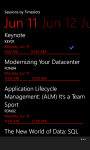
Browse all Sessions available
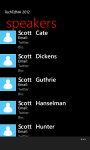
Browse all Speakers and Tracks available
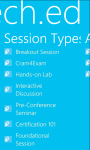
Browse filtered sessions by Session Type such as Breakout, Hands-on-labs
Browse filtered sessions by Levels such as Intermediate, Advanced, etc
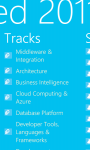
Browse filtered sessions by Speakers and Tracks such as Architecture, etc
Manage favorite sessions lists on the app
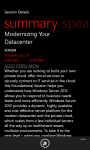
View details of each session including schedules, speakers, tracks, level, tags
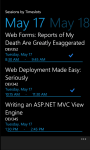
Browsing session now defaults to ‘timeslots’ view to filter ‘now showing’, ‘coming up’, and the day to day sessions
Favorite sessions now appear with a ‘favorite’ icon for easier identification on the browsing lists
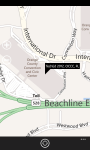
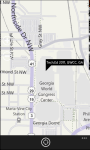
view Bing Map of the conference
View Conference Agenda
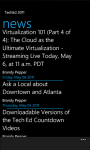
Browse TechEd News
The app uses:
* phone’s internet connection
* phone’s web browser
* location services
to access the Tech.Ed 2012 Conference Session OData feeds and website resources.
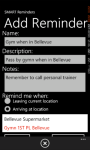
SMART Reminders is a handy location-aware app to help you:
manage your favorite locations
set up reminders when leaving current location
set up reminders when arriving at a location
set up reminders when arriving at a contact location
Do you usually forget to pass by your favorite bookshop when your are down town Bellevue? Forget no more as SMART Reminder is exactly for you, just set up a reminder to fire when nearby your bookshop! It makes use of – Bing Maps facilities – Background agents available in Mango version to trigger reminders when you are nearby your favorite locations. It also integrates with Bing Maps street-by-street navigation. With Live Tile updates on unread reminders!
You can get it either by searching it in the market place or downloading it directly using link below
SMART Reminders app
Live double-sided live tile updates
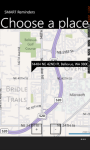
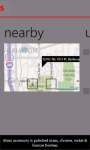
Choosing your favorite locations on Bing maps
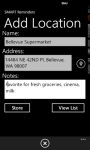
Adding location details
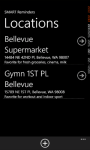
Locations list
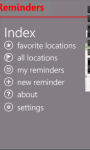
SMART Reminders index screen
Setting up reminders based on current location, destination location and contacts
Nearby locations
Instructions on setting up reminders
When leaving current location, you don’t need to add a location first
When arriving at a contact, you don’t need to add a location first, simply add new reminder
When arriving at destination, you need to add the destination location first using the Locations list.
Ensure you tick ‘Enable background location’ and ‘Enable live tile update’
Reminders will fire as a Toast Notification message and update the live tile with a count. Ensure you set pin up your live tile!
Live tile is double-sided and will show reminder count on one side, and a list of reminders on the other
Privacy Policy This app uses your current location when creating reminders which fire based on your current location. A background periodic task also runs and accesses your location, and use it to determine if your proximity to destination location which you setup within the app. Your location is not shared in any way with any third party. You can always override this option by using the ‘Settings’ page to disable the background location. PS: SMART Reminders app uses background agents which run periodically. Note that we ca not guarantee this periodic nature because the operating system has control over their scheduling.
Fresh off his keynote at the Norwegian Developers Conference in Oslo, Norway, Scott Guthrie dropped into the fishbowl to talk to Carl and Richard about his new role with the Azure team. Scott digs into how Azure has evolved and his focus on improving the developer experience. Read more and listen to his interview at .NET Rocks site.
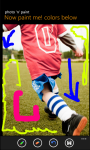
Photo n paint is a simple and handy app to allow you to select which background to use to make free hand paintings.
You have got a choice of:
Selecting an existing photo from your gallery on the phone
Taking a new photo using the phone’s camera
Start with a blank photo (either all white or all black)
It has a ‘tool box’on the application bar for easier access of:
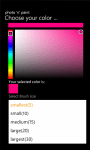
Brush stroke size and color selection
Eraser to erase sections of painting
Undo command to undo changes
Save command to save the painting to your photo gallery on the phone
This is indeed an handy app for your kids to learn and practice their painting skills.
They can also use it to learn their hand writing skills! And they will love it!
And its free!
Come on now, let your wp7 device be a great toy!
Now Photo n Paint 2 with Facebook photo sharing support
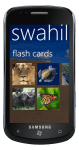
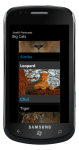
Swahili Flashcards is an easy to use app for quickly learning Swahili translations for some selected animals. The app provides a set of flashcards for preselected groups of animals.
Each flashcard has the English-Swahili translation and is presented in a fluid, user-friendly looping list. Just a flick away from the next flashcard and you will love it!
Swahili Flashcards has the following categories:
I just won Acer Iconia via #wp7 THINK.DEV Rewards
It is not late, you could still be one of the lucky winner in the Weekly Prize Draw.
In addition, you can now earn up to 8 points if your app is published in the marketplace and is a unique and original one! And this means you get to choose from another set of prizes on offer.
Visit the THINK.DEV Rewards website for full details.
Come on THINK, DEVelop those cool apps and you never know you could win something.
This discussion thread about the Windows 8, HTML 5 on the Official Silverlight forum is getting huge attention.
Tim Anderson’s ITWriting blog has analysed this discussion in detail.
I would say have a look at these discussions as something interesting may be unfolding.
The next Tech·Ed Europe will be held the week of June 25, 2012 at the Amsterdam RAI Exhibition and Convention Centre in the historical and picturesque city of Amsterdam.
TechEd 2012 is a free handy app for attendees of Tech.Ed 2012 Europe to be held in Amsterdam. This app in now available for download in the marketplace.
As TechEd 2011 in Atlanta comes close, this app allows you to start browsing the curriculum for TechEd 2012 Europe
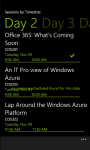
Browse recently updated sessions by timeslots
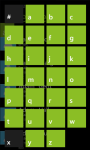
Browse all Speakers, Tags and Tracks available
Browse filtered sessions by Session Type such as Breakout, Hands-on-labs
Browse filtered sessions by Levels such as Intermediate, Advanced, Expert
Browse filtered sessions by Speakers and Tracks such as Architecture, Windows Phone, etc
Browse filtered sessions by Tags and Audience categories
Manage/Save your favorite sessions lists on the app for easier access later
View details of each session including schedules, speakers, tracks, level, tags
The app uses:
* phone’s internet connection
to access the TechEd 2012 Conference Session OData feeds.
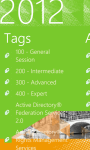
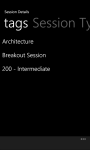
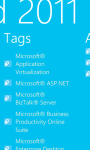
Browse sessions by tags
Browse session by tracks
Browse speakers and their sessions
Browse sessions by timeslots
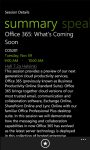
Session summary details
Note: The OData feeds dates are yet to be updated the reflect the June 25-29 2012 dates.
If you’re planning on attending Tech.Ed North America 2011 conference in Atlanta and if you own a Windows Phone 7, please check out our new TechEd 2011app for Windows Phone 7 that is now available in the marketplace. You can get it either by searching it in the market place or downloading it directly using link below
Update
Many thanks for checking this app out and giving us feedback, we appreciate all your comments which we’ve incorporated in the updates to the app. Latest version published is 1.7 fixes issue on ‘now showing’ and ‘coming up’ lists
Please note the app does NOT sync the sessions on the app with your sessions on the official website.
TechEd 2011 app
TechEd 2011 is a handy app for attendees of Microsoft Tech.Ed North America 2011 conference in Atlanta.
Views session tags, session type, session level
Browse all available session types
Browse all available tracks
Summary details for a session incl abstract, speakers, tracks. Manage schedule via link to website
Bing map it!
View recently updated sessions
Browse session tags
Now browsing sessions defaults to timeslots view, including ‘tick’ for your favorites
Speakers search screen using LongList selector
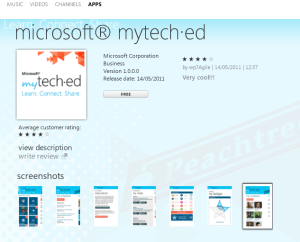
my Tech.Ed listing my sesions, all sessions, speakers, conference layout, maps, news
Tech.Ed 2011 News feed
Attendees will find this app useful as follows:
Browse all Sessions available
Browse all Speakers and Tracks available
Browse filtered sessions by Session Type such as Breakout, Hands-on-labs
Browse filtered sessions by Levels such as Intermediate, Advanced, Expert
Browse filtered sessions by Speakers and Tracks such as Architecture, Windows Phone, etc
Manage favorite sessions lists on the app
View details of each session including schedules, speakers, tracks, level, tags
View session Rooms to session summary details
Link from session Room opens the Conference layout
Browsing session now defaults to ‘timeslots’ view to filter ‘now showing’, ‘coming up’, May 15, May 16, May 17, May 18, May 19 and No Date
Favorite sessions now appear with a ‘favorite’ icon for easier identification on the browsing lists
Manage their Schedules by directly linking a selected session to the website
view Bing Map of the conference
View Conference Layout
View Conference Rooms and details
View Conference Agenda
Browse Tech.Ed News
The app uses:
* phone’s internet connection
* phone’s web browser
* location services
to access the Tech.Ed 2011 Conference Session OData feeds and website resources.
Disclaimer: TechEd 2011 app uses the official Tech.Ed 2011 Conference Session OData feeds to retrieve all the content displayed.
It also links to the official Tech.Ed 2011 website resources to serve hyperlinks.
wp7agile is not responsible for any content displayed.
TechEd 2011 uses:
* phone’s internet connection
* phone’s web browser
* location services
to access the Tech.Ed 2011 Conference Session OData feeds and website resources.
The performance and responsiveness of this app may be affected by slow internet connections.
By purchasing the app, you have agreed with terms and conditions.