

Background
I have previously blogged about creating Action Scripts to help aggregate your Content Hub data for sharing with external or third party integrations. In this blog post, I wanted to demonstrate how to access your entities audit data such as when the entity was created and who created it. Also when it was last modified and who made the modification.
IEntity is all you need
IEntity represents an entity within Content Hub.
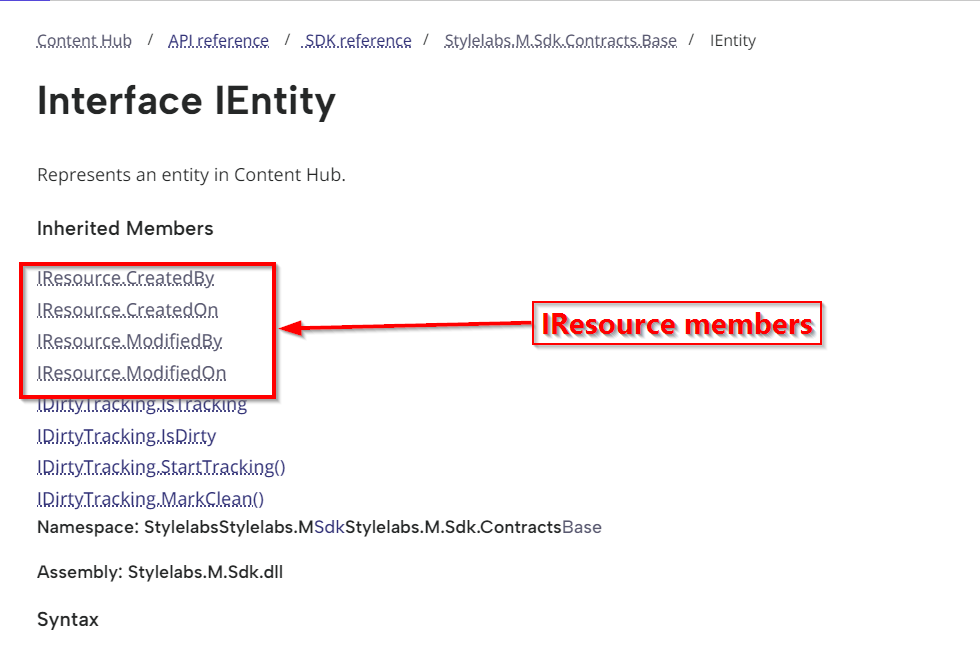
Luckily enough, IEntity already inherits the IResource type which defines the audit fields that we need, as highlighted above.
Sample Action script code
Below is a snippet of an action script, to demonstrate how to access these audit fields.

And below is the sample output from the above script.

Script explanation
- Line 14 through 27 demonstrates how to get the entity object within your action script. The Context object provides you with the triggering context properties. In this case we are can try obtain the entity from Context.Target as shown on Line 14. The rest of the code checks if we succeeded to get the entity object, in which case we can try load it using a custom function GetEntity as shown in Line 20. I will cover details about this in a minute.
- Line 29 demonstrates how to obtain the entity definition name
- Line 32 through 35 demonstrates how to obtain the entity auditing metadata.
How to load entity using custom fuction
Below is the code snippet how to load an entity using an entity Id, by leveraging the MClient.Entities.GetAsync method. Notice you will need to specify the load configuration, where additionally we can specify which properties and relations we need to load for the entity.

For example, I am loading the “AssetTitle” property as well as the “AssetTypeToAsset” relation for my M.Asset entity type.
You can view the full source code of the above script from my public GitHub Gist.
Sample Trigger for our script
Below is a sample trigger, indicating the triggering events we are interested in. As you can see, our trigger will fire whenever an entity has been created, modified or deleted within Content Hub.
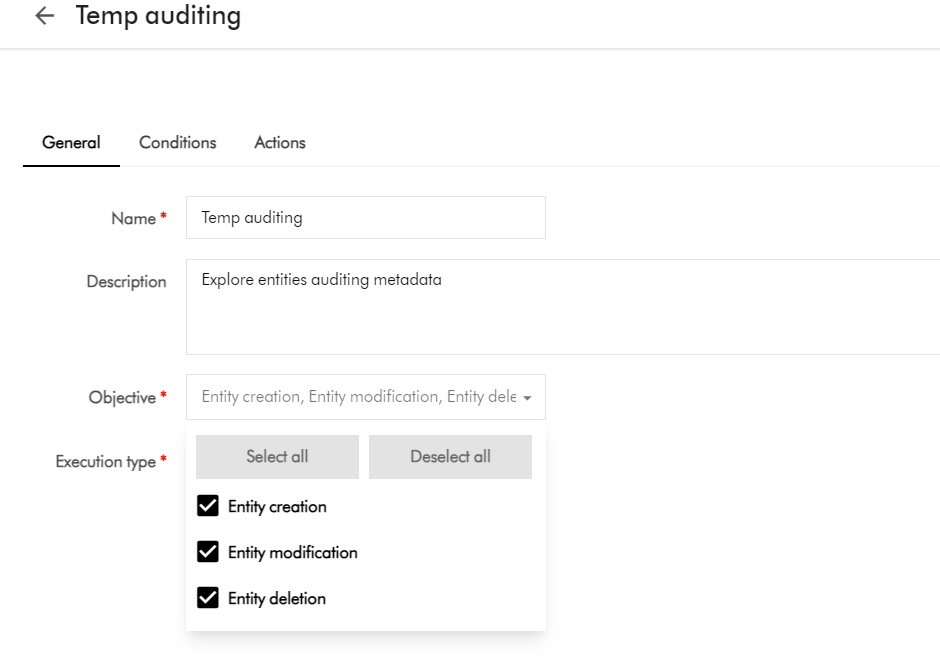
I haven’t shown the triggering conditions, and how to link this to an Action. This information is available within Content Hub documentation, if you would like to explore further.
Next steps
In this blog post, we have looked at a how to access an entity’s auditing metadata within an action script. I walked you through a sample action script and a sample output, and also shared sample source code for your reference. I hope you find this useful for your similar use cases.
Stay tuned and leave please us any feedback or comments.

One thought on “Content Hub tips & tricks: Getting entity created by, modified by and other audit data in your scripts”