

Background and context
When you are searching for assets within Content Hub, the search is underpinned by a search component within your page. You can also leverage the same search component, within the Search API to integrate the search results to an external or third-party system. One such use case, for example, is where you would like your business users to search for your assets on an external portal, without gaining direct access to Content Hub.
Search API – postman request
Below is an example of a POST request, indicating the search component Id within the request body. Of course you will also need to specify the required X-Auth-Token header to authenticate your request. (I am assuming you know how to go about this, and I have skipped these details)
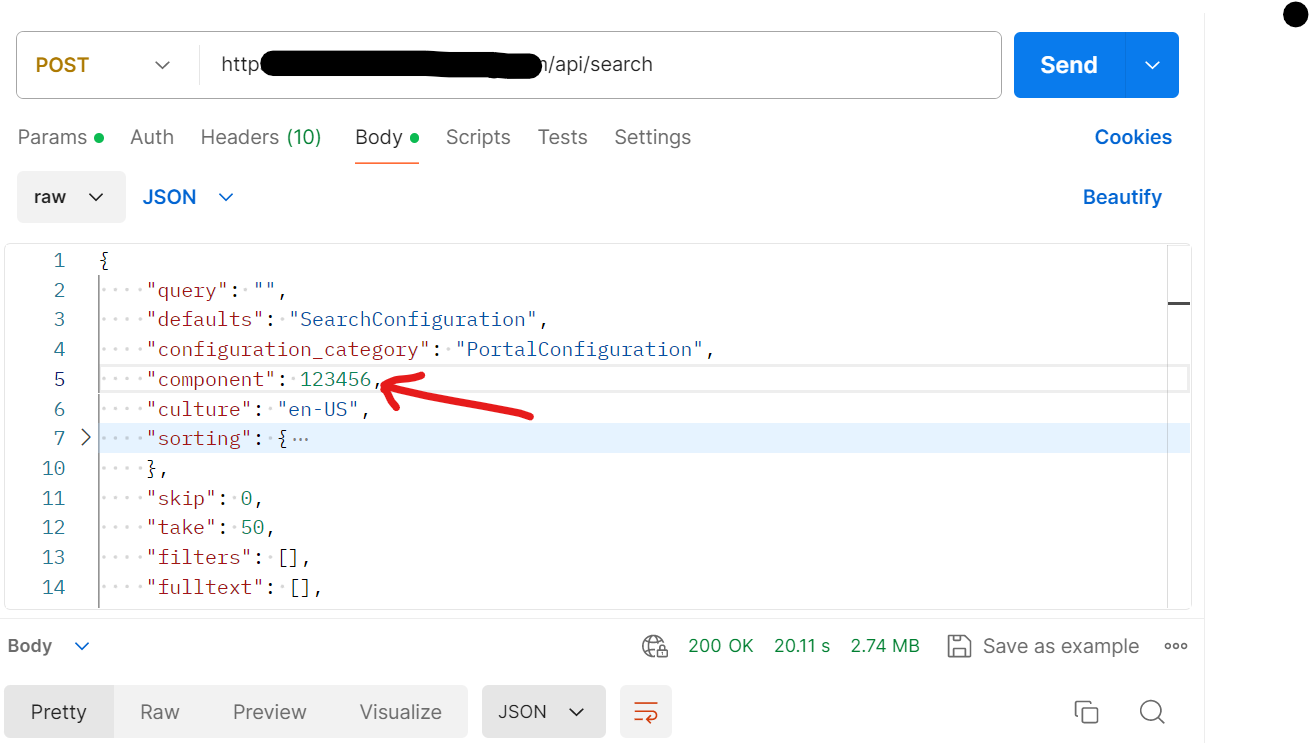
Delivery links default expiry duration is only 20 mins
The response that you receive from Search API will contain a list of your assets that meet the search criteria. Each item in the response will contain the asset metadata details defined in your search component. In addition, you will get Thumbnail delivery link for the asset. This is particularly of interest for me, as the default expiry time is set to 20 minutes and is not enough for my current scenario. Below is a snippet of such response, indicating the thumbnail delivery link. Notice the expires url param indicated.
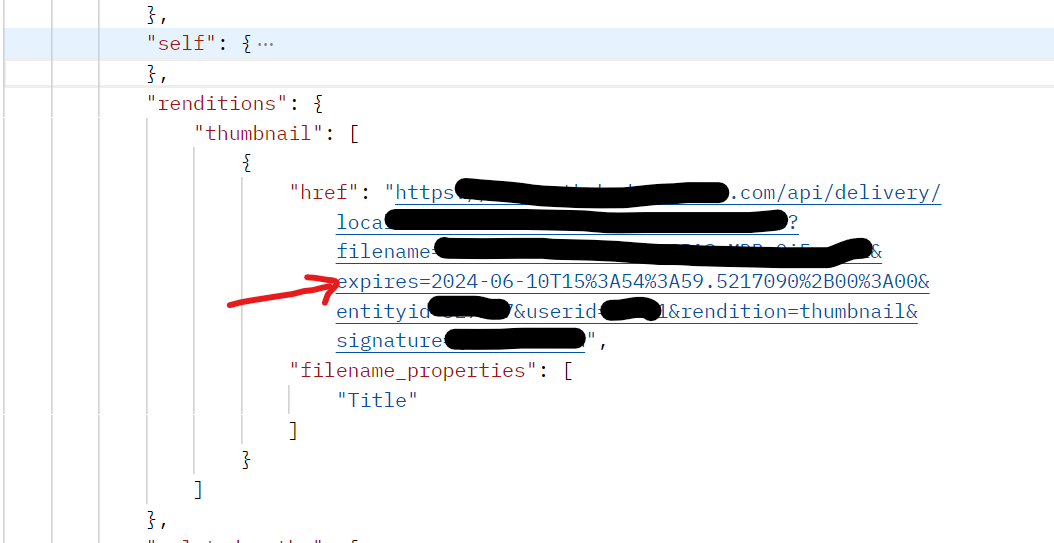
How to extend the default expiry duration for delivery or rendition link
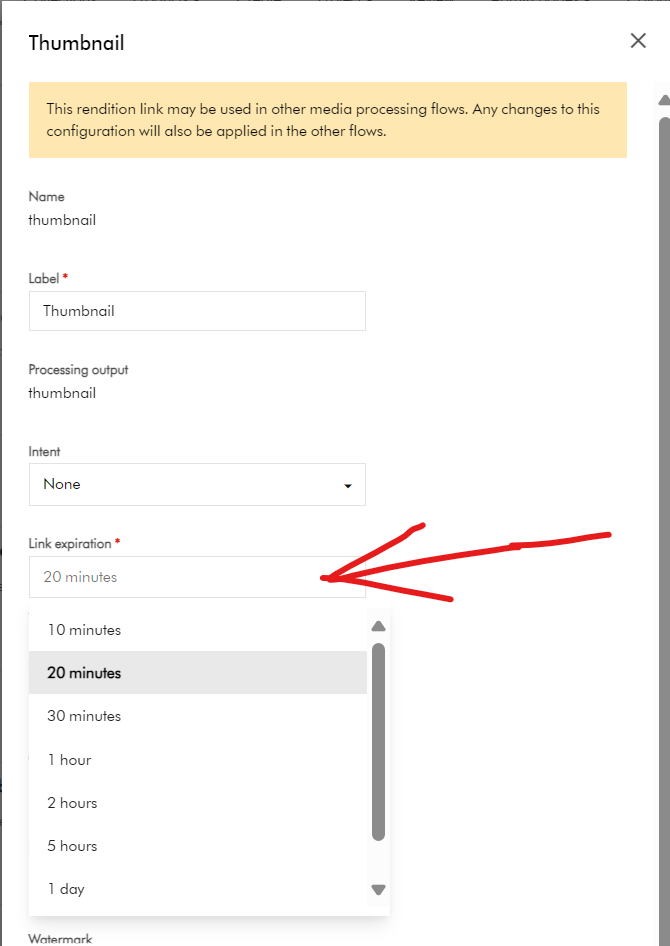
The good news is that this expiry duration is configurable within Content Hub. This behavior is related to the media processing task. When a media processing task is created, it is possible to enable the store output functionality and configure rendition links for these tasks with the needed parameters.
Steps to follow:
- Open Manage -> Media Processing -> Images -> thumbnail task -> Outputs tab -> the “Edit” Rendition link button
- Find the “Link expiration” field and change it to the required value.
- Save the task. Publish the changes on the Manage -> Media Processing page
After these steps, when you send a request to the search API, it should return the rendition link with the new expiration time.
Next steps
In this blog post, we have explored that the Search API will return a response which has thumbnail delivery links expiry of 20 minutes. I have explored how to update this configuration within the Media Processing tasks, so you can choose a longer expiry to meet your needs.
Please let me know if you have any comments regarding above and if would like me to provide further or additional details.
